
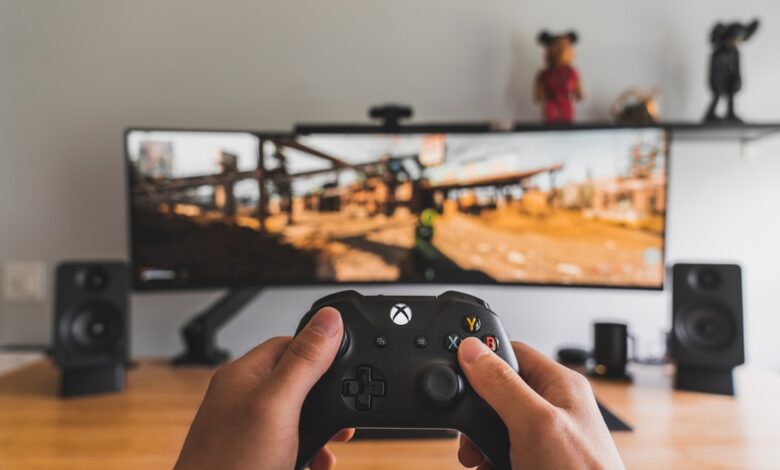
A 120Hz television refreshes the image twice as frequently as a 60Hz television; however, unless something is providing extra frames for a 120Hz TV to utilize, the extra refresh rate is not very helpful for the average user. Most of what you will view will not have this additional frame rate: movies come in at 24 fps; American sporting events come in at 60 fps; and the only thing you will likely plug into your television that produces higher frame rates is a video game console.
However, the number that you see on the retail packaging may not be the true refresh rate of the panel. The phrase “Motion Rate 240” refers to the processing capabilities of the panel and not the actual refresh rate. A 60Hz television may also state “Motion Rate 240.” The number that matters depends entirely on what type of content you are watching and which devices you are connecting to the television.
What is TV refresh rate, and what does it actually control?
Most people get confused when they begin shopping for TVs, and it’s easy to see why. One shopper in a Reddit thread on frames versus hertz, in discussing the difference between frame rate and refresh rate, posted “I don’t get what’s the difference?”
Frame rate tells you how many images per second your source sends to the screen. Refresh rate tells you how often the screen redraws an image per second (the measurement is in Hertz). According to RTINGS’ refresh-rate explainer, it isn’t necessarily a fixed value; all televisions have a number of refresh rates they are able to accept, and they switch from one to another, depending on the incoming signal. On a 120Hz television, if you send it a video with 24 frames-per-second, you are still seeing 24 new pictures. But, the new pictures are shown for less time.
The difference lies in that timing. According to Blur Busters, who originated the idea of the pursuit camera for reviewing displays, the timing is what creates motion blur on a sample-and-hold display. Specifically, Blur Busters’ persistence blur law states that with an incoming 60 fps signal, the frame remains lit for 16.67 milliseconds of persistence, where as for a 120 fps signal it remains lit for 8.33 milliseconds. As an example of a 1,000 pixels per second motion, it would result in about 16.67 pixels of motion blur for the 60 fps signal and 8.33 pixels for the 120 fps signal.
When watching a moving object (player) on a still image (frozen) for one frame (refresh), your eye continues to track the movement of the player even though there is no image being presented. The discrepancy between what the eye sees and what the brain interprets creates the effect of the “blur” seen on your retina. Halving the amount of time that an image is displayed on-screen (frame duration) results in halving the “blur” effect.
Store shelves typically display three numbers blaming one another for the other numbers. Therefore, these three numbers should be kept distinct; Refresh Rate (measured in Hertz), the time that the screen takes to refresh each frame, determines the upper limit of frames per second; Response Time, which measures the speed at which pixels can be changed in colour, therefore a slow pixel will produce a “smeared” effect regardless of the refresh rate. Thus, RTINGS attributes the increase in visual performance when moving from 60FPS to 120FPS to a decrease in persistence and NOT an increase in pixel speed; Input Lag, the amount of delay between the controller and the monitor, is a result of the processing done by the television and its ability to access its Game Mode.
Overall, the refresh rate of a television determines how quickly it is able to send out new images and how long a given image remains on the screen. The refresh rate does not generate new images; it does not sharpen blurry images; and it does not improve the speed at which your television responds to your controller inputs.
Is “Motion Rate” the same as 120Hz? How to check a TV’s real refresh rate
The Motion Rate, TruMotion, Motionflow XR, and all similar names are just brands used to describe a group of processing packages; the number next to them indicates how many times faster than the panel refresh rate (a.k.a. “the real refresh rate”) the TV is capable of displaying images on a given frame (for example, a TV that is rated at 60 Hz is regularly found labeled as “Motion Rate 120”). In contrast, the specification that determines the maximum frame rate your console or movies can handle is the “native refresh rate.”
Also, it is possible to recognize these multipliers because of their consistency across brands. RTINGS’ brand-by-brand refresh-rate conversions line up like this:
| Brand label on the listing | Usually a 60Hz panel | Usually a 120Hz panel |
|---|---|---|
| Samsung Motion Rate | 120 | 240 |
| LG TruMotion | 120 | 240 |
| Sony Motionflow XR | 240 | 960 |
| TCL Natural Motion | 240 | 480 |
| Hisense Motion Rate | 120 or 240 | 480 |
| Vizio Dynamic Motion Rate | 120 | 240 |
When comparing LCD televisions, one will find that the majority of brands either double or quadruple their reference ratings, while Sony (the outlier) multiplies its 120Hz models by eight (8) and its 60Hz models by four (4). There are two important things to remember regarding refresh rates and motion figures. First, no consumer-grade television panel will refresh at greater than low hundreds of hertz; hence, a TV with a motion figure in the high hundreds is primarily calculated using arithmetic rather than from a physical piece of technology. Second, the brand will typically change the description of their motion rating each year. Therefore, do not rely on this reference as a permanent key but as a data decoder to the features included within the current model.
Manufacturers will occasionally provide the two numbers together when reviewing a complete specifications page. For example, on TCL’s QM6K spec page, you will find “144 Hz Refresh Rate” listed as “Native refresh for motion clarity” directly next to “Motion Rate 480”, or “MEMC Frame Insertion”. The native panel specifications and the processing specifications are listed one above the other and are separated by a factor of over three. The same specifications page states that TCL’s 240 Game Accelerator reference figure is based on certain resolutions being used and requires specific compatible hardware; this feature also varies based on the size of the respective screens.
The following verification will take one (1) minute prior to making a purchase. Identify the exact model of TV (including the suffix), search for that TV on the manufacturer’s web page, and locate the motion section. You will be looking for the word native. If the page only lists a Motion Rate-type figure or does not have a native figure anywhere, treat that panel as a 60Hz specification until the spec sheet states otherwise.
Be mindful of the resolution qualifier as well! A popular discussion thread on Reddit about misleading advertisements outlined a very familiar pitfall of certain sets — they run at “120Hz at 1080/1440 and 60Hz at 4K.” This indicates that while there is a legitimate 120Hz capability for the lower resolution settings, it is not available in the resolution that you purchased your television for.
Is 120Hz worth it for movies and streaming?
The performance of 60Hz televisions when showing films demonstrates a real measurable weakness that isn’t related to how smoothly things move in films. The reason for this is that films are recorded at 24 frames per second. You cannot divide 60 evenly by 24 so what happens is that a 60Hz television displays certain frames twice and others three times through a process called 3:2 pulldown. On AVS Forum Motion Rate responses, one person stated the effect correctly: “When viewing a 24fps film on a ‘regular’ 60Hz refresh rate display, every other frame’s 50% longer than the frame it is next to.”
Judder is caused by inconsistent timing of each frame. You perceive it as small jerks in pans where the camera is moving slowly such as a boat crossing the horizon or credits that crawl or a landscape panning across the screen. Judder is tested by the RTINGS website in their 24p judder test and the mathematics of 120Hz explain the entire problem. Since the frame rates of 120Hz televisions divide evenly into 24 frames per second, each frame of a 24fps film is held for five refresh cycles producing a consistent and even frame rate cadence.
This is the true reasoning for the advantage of 120Hz over 60Hz in movie nights and it is not nearly as large as one might first believe. In most cases judder will show up only on select shots rather than through out the entire movie and the majority of people will have viewed movies for many years without realizing they had ever experienced judder.
In place of motion blur, many TVs utilize interpolation by creating new frames between authentic frames. The outcome is often referred to as “daytime video” for its certain smooth characteristics. The UHD Alliance has developed a feature known as Filmmaker Mode, which allows users to disable all forms of post-processing and maintain the same frame rate and aspect ratio as the original video content, with motion smoothing explicitly set to off. Filmmaker Mode’s technical specification calls for disabling all post-processing while preserving the source content’s frame rate and aspect ratio, with motion smoothing set explicitly to off. Those who are primarily concerned with achieving an accurate depiction of how movies appear in theatrical releases should focus more on the Filmmaker Mode than on the refresh-rate specification.
Does 120Hz make a difference for sports and live TV?
In the United States, while the term “over-the-air television” does refer to television that is delivered over the airwaves, it is important to note that the term “ceiling” in this case refers to the broadcast signal received by your TV, not your actual TV itself. The ATSC digital television standard governs all over-the-air broadcasts in the U.S. The table shown in A/53 Part 4:2009 provides rules and limits for various compression formats. For example, the 1280x720p resolution has a maximum frame rate of 59.94 or 60 frames per second; the 1920×1080 resolution has a maximum frame rate of 30 frames per second. This means that although the broadcast signal from your local station consists of 60 fields, which together create 30 frames, none of these specifications allow for a broadcast rate of 120 frames per second. Therefore, a TV cannot display a frame that was not sent to the TV by the network.
While the additional refresh rate may seem appealing, it really does not provide that much more to watch if you are a sports fan. The reason for this is that each of those 60 frames on the TV display is displayed for half as long as each of the 30 original frames. Thus, this reduces the persistence smear mentioned above, and it also gives the TV panel additional time to insert interpolated frames, should the user find the effect appealing. However, these advantages do not change the original frame rate of the game being shown.
Lastly, there is a source of blurring from sports that no amount of TV technology will ever be able to eliminate, and it is something that shoppers rarely hear about. An AVS Forum member, who has been a member of the forum for over ten years, has shared information in the sports interpolation thread regarding why some smoothing techniques do not work at all for hockey: “Most sports are recorded using long-duration camera shutter speeds, and no amount of interpolation can compensate for this inherent blurring.”
If you want to replicate this test from the comfort of your home, moving around the different levels in a game and watching a score ticker run will show how much clearer in comparison to how blurry the ticker looks compared to when it was generated with a computer. Most of what you think was motion blur due to the television was pre-recorded by the stadium before you got to watch it on your TV.
If the majority of what you watch is football and news, the best option for you will be a solid 60Hz television with a great contrast level compared to a mediocre 120Hz television. The refresh rate is not the problem stopping you from seeing a clear picture.
Do you need a 120Hz TV for PS5, Xbox, and Switch 2 gaming?
In gaming, there are other areas where a source sends more frames, and this is why you can justify spending extra money on a 120Hz television for gaming in those situations. Per Sony’s PS5 Resolution guide, the PS5 supports 4K 120Hz Video Output via HDMI 2.1.
The same guide explains the requirements to get this to work: The television must have the capability to output true 4K at 120Hz, that the television’s firmware must be updated, that the cables being used must be the Ultra High-Speed HDMI Cable, and that the console must connect to an HDMI port that supports both the 4K at 120Hz resolution and the correct transfer rate.
This HDMI Port requirement causes more issues than the panel specifications. The majority of televisions labelled as 120Hz count on only two of the four HDMI connector ports for 4K120 output, so it would be best to consult the manufacturer’s port specifications regarding which numbered HDMI ports support 4K at 120Hz before you install cables behind walls.
Differences in console ceilings have been documented through tech specs of Nintendo Switch 2, which indicates maximum video resolutions of 3840×2160 at 60 fps when playing in TV mode. The console will support 120 fps only when a Game setting of 1920×1080 or 2560×1440 resolution is being used, plus variable refresh rate up to 120 Hz. A buyer of a 4K 120Hz television who owns a Switch 2 for playing in 4K 120 gaming has been charged for a mode that the console cannot deliver at 4K resolution. The parameters for all consoles under your television will likewise be dependent upon the native refresh rate of the panel and the input used.
Although commonly overlooked in buying guides, the benefit that goes unnoticed by most users is actually significant. In a thread within the PlayStation community asking if having 120Hz refresh rate on a television was necessary for the majority of a gaming library that includes mostly single-player titles, one user posted an answer that provides an excellent counter-point of the value of having 120Hz as it relates to the gaming experience: “Counter-point 120Hz enables 40 FPS modes in games.”
The potential connection between 40 FPS gaming modes and the ability to play at 120Hz is the same mathematical concept and principle as that of movies. In order to see forty fps, an acceptable refresh rate must be a multiple of 40 hz. Hence, 120hz is a multiple of 40 and 60hz is not; therefore, a 60hz configuration will prevent a game title with a maximum 40 fps setting from functioning as intended and will limit graphics quality and/or frame rate to 30 frames per second. Most titles that will come with the most recent console systems include a maximum of 40 fps graphics quality option that maintains the quality of the visual experience with the help of a 120 Hz panel. As for 120 FPS options, they are typically available with only a limited portion of the gaming library, and many of those titles’ graphic fidelity will be reduced.
Is a 60Hz TV still worth buying in 2026?
With the dropping of the premium, we need to change the way we look at purchasing a monitor. TCL has announced a new model with a Native 144Hz Panel for $499.99 instead of $649.99 on September 18, 2026, as shown in TCL’s 55QM6K store listing. Contemporary high-refresh-rate panels are being made available for mid-range priced monitors, so it is no longer safe to assume the 120Hz monitors are priced several hundred dollars more than an equivalent (and often inferior) 60Hz monitor. Monitor pricing and promotions are constantly changing over time, so it is better to check the manufacturer site for your specific size and model versus relying on any numbers provided in this article or other articles.
What each choice gives you, by what you actually do with the screen:
| What you watch | What the source sends | 60Hz | What 120Hz changes |
|---|---|---|---|
| Movies, streaming | 24 fps | Uneven 3:2 cadence, judder on slow pans | Even 5:5 cadence, no smoothing needed |
| US sports, live TV | Up to 60 fps (720p60, 1080i) | Shows every broadcast frame | Less persistence blur; no extra frames exist |
| Console gaming | 30 / 40 / 60 / 120 fps | Caps at 60, no 40 fps modes | 4K120 where supported, plus 40 fps modes |
| Mixed household | All of the above | Fine for film and sports viewers | Worth it once one person games regularly |
Buying a 60Hz TV makes sense under most conditions, including in a spare bedroom, kitchen, or as a secondary device only used to watch movies and sports. For these cases, the main reason to buy a 60Hz model instead of a 120Hz is to save more money and spending more on quality of brightness, contrast ratios, and local dimming features (these features can affect every frame you view). If you are on a tight budget when looking for a TV, the primary consideration should not be whether to purchase a 120Hz or 60Hz unit; instead, the value of your dollars spent would be maximized in purchasing a more superior unit with additional quality-enhancing features.
The downside of buying a 60Hz model is very specific. For example, console gamers can utilize frame rates in excess of 60 frames per second, 40 frames per second quality modes, and the ability to synchronize motion between frames at 24 frames per second film and the wider dynamic-frequency range of variable-speed video will provide all effects handled at the screen frame rate without any need for frame interpolation on 60Hz source video. If none of those items reflect how you will be using your TV, then you will not be giving up any meaningful use by purchasing a lower-priced 60Hz model over a higher-priced 120Hz model.
Which TV Refresh Rate Should You Choose?
If you have a console in the home, and/or if you find film judder bothersome, you will want to purchase a 120Hz television. If your primary viewership consists of Sports & News programs, you should purchase the best 60Hz image that you can afford. Just because you will be paying extra for double the refresh rates, it does not mean that those frames will be shown in Sport and News broadcasts. Before proceeding, make sure to check the specs of the product by visiting the manufacturer’s website and searching the exact model number. Look specifically for the word “native” next to the refresh rate listed. Once you do that, run the “Blur Busters Law” moving-pattern demonstration on your current television and see if your eyes perceive any advantages from the doubled frame rates. If you skip doing that check, you may end up purchasing a “Motion Rate 240” television for a room that has a PS5 that is limited to 60 frames per second, and no one knows why.
Frequently Asked Questions
Will NextGen TV broadcasts ever send sports at 120 frames a second?
ATSC has approved a new standard: The A/341 video standard, which allows for Progressive Picture rates of up to 120 fps in 60Hz regions, becomes effective on April 14, 2026. Just because ATSC allows for it does not necessarily mean that your local broadcaster is currently doing so. The question of whether or not a local broadcaster will be transmitting Progressive Picture signals at these rates is separate from whether or not your television set is capable of receiving them.
Should I wait for HDMI 2.2 TVs before buying?
Today’s sources cannot provide that information. The HDMI Forum announced Version 2.2 on January 6, 2025, and this included the introduction of Ultra96, which generates 96 Gbps and is available to adopters in the first six months of 2025. The highest output of 4K 120 Hz for current generation consoles is already supported by HDMI Version 2.1.
My TV says 120Hz but only at 1080p, so is that a 4K 120Hz TV?
Some monitors support 120Hz refresh rates for resolutions of 1080p or 1440p, but only support 60Hz at a resolution of 4K, thus allowing a PlayStation 5 to output video in 4K at 60 fps. Be sure to check the supported resolution and refresh rate combinations of each HDMI port for the monitor you are considering prior to making a purchase decision.
