
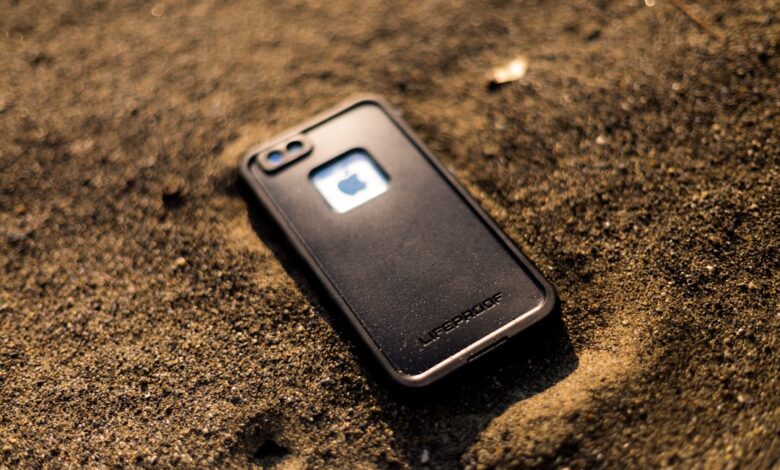
A phone case can measurably weaken signal and trap heat, but the two problems come from different mechanisms and depend heavily on the case’s material, thickness, and where it sits relative to the antennas. A thin silicone sleeve barely registers on either count. A thick rugged case with metal plates or a kickstand can do both at once. independent research from the Environmental Working Group found some poorly designed cases raised measured radio-frequency exposure by 20 to 70 percent, and independent materials testing puts silicone’s thermal conductivity at roughly half that of TPU. Neither effect is one fixed number — both scale with the case in front of you. The mechanism explains why below, and the two-minute test further down lets you check your own case instead of guessing.
Why a case can weaken your signal: detuning and attenuation explained
Two separate effects are usually lumped together as “the case is blocking my signal,” and they are not the same problem. detuning happens when a dielectric material sits close to the antenna and shifts its resonant frequency, the way filling a wine glass changes the pitch it rings at. A phone’s internal antennas are tuned at the factory to resonate at specific cellular and Wi-Fi bands with nothing touching them. Any material with a meaningfully high dielectric constant placed right against that zone — thick plastic, a kickstand hinge, a wallet card slot — pulls the resonant frequency off target, so less of the signal the antenna wants to send or receive actually gets through.
Attenuation is the second, separate effect: some of that RF energy gets absorbed by the case material and converted into heat instead of passing through. This matters most with metal. A metal-backed or metal-ringed case doesn’t just detune the antenna, it can reflect or absorb energy outright, since metal is conductive rather than just dielectric. That’s why a case advertised as “military-grade” with a metal kickstand or magnetic ring is more likely to cause a measurable signal drop than an equally thick all-plastic case.
The mechanism behind both problems, side by side
Stage sequence showing how detuning and attenuation are distinct mechanisms that can combine to weaken signal and add transmit-power heat.
Why a thick or insulating case can make your phone run hotter
Heat has to leave a working phone somehow, mainly through the back panel by conduction and convection. A case adds a layer between the chassis and open air, and how much that layer slows heat escape depends on its thermal conductivity. silicone rubber runs around 0.16 to 0.2 W per meter-kelvin, while TPU typically measures somewhat higher, in the 0.2 to 0.3 W per meter-kelvin range, so a snug silicone case that fully wraps the phone with no ventilation gaps tends to trap more heat than an equally thick TPU one. Metal conducts far better than either plastic, but a metal case creates a different problem: it can pull heat off the phone efficiently while also getting hot to the touch itself, and if it sits close to the SoC it can add its own thermal mass to warm back up.
Thickness and color add on top of material choice. A thicker case simply has more insulating material between the chassis and the air regardless of which plastic it is, and a darker case absorbs more ambient light and heat outdoors than a light-colored one. None of this means a case single-handedly causes thermal throttling — chip-level sustained power draw is still the dominant factor — but a case is one more variable stacked on top of it, and it’s the one variable you can change without buying a different phone.
Interactive calculator: select case material, thickness, and whether it has a metal ring or kickstand to see an illustrative estimate of relative signal and heat impact.
MagSafe rings, metal cards, and the NFC tap-to-pay problem
A magnetic ring mounted in or on a case can interfere with more than just wireless charging alignment. NFC uses a much weaker electromagnetic signal than Qi charging, and a metal plate or thick magnet sitting over the phone’s NFC coil can block it enough that contactless payment stops registering. one Apple Community thread describes a metal credit card sitting on the back of a case interfering with tap-to-pay until the card was removed. Apple’s own guidance is to keep magnets away from the top-center area of the phone, where the NFC antenna typically sits, and well-designed MagSafe-certified rings are engineered to avoid that zone. Cheaper aftermarket rings with a larger metal footprint are the more common culprit.
This is a different failure mode from the signal and heat problems above — it’s a placement issue with a magnet or metal object, not a general property of the case material — and it’s also the easiest one to test directly, since a failed tap either works after you move the card or ring or it doesn’t.
How to test your own case in under two minutes
You don’t need lab equipment to see whether your specific case matters. Check signal strength in dBm — on Android, go to Settings, About Phone, Status, and look for Signal Strength; on iPhone, open the Phone app, dial *3001#12345#*, and press call to enter Field Test Mode, then look for the RSRP value. A reading between about -50 and -100 dBm is a normal working range; below roughly -110 dBm is weak. Note the number with the case on, remove the case, stay in the same spot, and check again.
Checklist for testing your own case’s effect on signal, heat, and NFC in about two minutes, with no equipment beyond the phone itself.
Case material comparison: signal vs heat vs drop protection
No single material wins on every axis. The comparison below is a practical evaluation tool created for this guide based on the mechanisms described above, not a published industry standard or a lab-certified rating — use it as a starting shortlist, then confirm with your own two-minute test on the specific case you’re considering.
| Material | Signal impact | Heat impact | Drop protection |
|---|---|---|---|
| Thin silicone | Minimal — low dielectric mass near antennas | Moderate — lower thermal conductivity, traps some heat if snug-fitting | Low to moderate |
| TPU / clear plastic | Minimal to slight, depending on thickness | Slightly better than silicone at similar thickness | Moderate |
| Polycarbonate (rigid) | Minimal — low dielectric loss | Better than silicone or TPU when thin and rigid | Moderate to high depending on build |
| Rugged / hybrid (thick, multi-layer) | Slight to moderate from added bulk near edges | Worse — more insulating material overall | High |
| Metal-backed or metal-ringed | Highest risk — detuning plus attenuation near antenna zones | Mixed — conducts external heat well but can add thermal mass near the SoC | High, but check placement of any metal near the top and bottom edges |
| Leather / hybrid leather | Minimal, similar to plastic unless backed with metal | Moderate, comparable to TPU | Low to moderate, thickness-dependent |
What breathable and gaming-friendly cases actually change
A “breathable” or ventilated case doesn’t cool the phone directly — it reduces how much the case itself acts as a thermal blanket, by using cutouts, a mesh back, or a raised frame that keeps most of the back panel in open air. Case lines built specifically for gaming and airflow, including some options from Spigen and Caseology alongside smaller ventilated-case makers, tend to favor a hard polycarbonate or hybrid shell with an open back over a fully-enclosing silicone wrap, trading a little drop cushioning for lower insulation. A generic thick rugged case, by contrast, is optimized for shock absorption first, which almost always means more material fully wrapping the phone and less airflow. If gaming heat is your main concern, thickness and ventilation matter more than the brand name on the box — check for an open or perforated back panel rather than assuming any one label runs cooler.
What to Look For First
Start with thickness and metal placement, not marketing claims. A case that fully wraps the phone in more than about 3mm of material, or that puts a metal ring, kickstand, or card slot near the top or bottom edge, is the combination most likely to weaken signal and trap heat at the same time. Run the two-minute dBm and touch test above on your actual case before assuming it’s the problem — plenty of thick cases turn out to make little practical difference, and the fastest way to know is to check your own numbers rather than someone else’s.
Frequently Asked Questions
Does a phone case affect 5G signal more than 4G?
It can, since some 5G bands use higher frequencies with shorter wavelengths that are more sensitive to nearby dielectric material and case thickness near the antenna.
Can a bad case cause my phone to fail a SAR test?
Retail phones are certified without accounting for aftermarket cases, and EWG-cited testing found some cases raised measured exposure by 20 to 70 percent, though this does not mean the phone exceeds the FCC’s SAR limit in normal use.
Will removing my case fix overheating during gaming?
Often it helps, since thermal throttling is driven mainly by chip power draw, but a case is one added insulating layer on top of that — removing it typically lowers surface temperature a few degrees rather than eliminating throttling entirely.
Does a clear case affect signal less than a colored one?
Color itself doesn’t affect RF signal, only the material and any metal or pigment additives do — a clear TPU case and a colored TPU case of the same thickness perform about the same for signal.
Can a MagSafe case block wireless charging?
A well-aligned, certified MagSafe ring usually improves charging alignment rather than blocking it, but a thick or off-center aftermarket ring with excess metal can reduce coil efficiency.
