
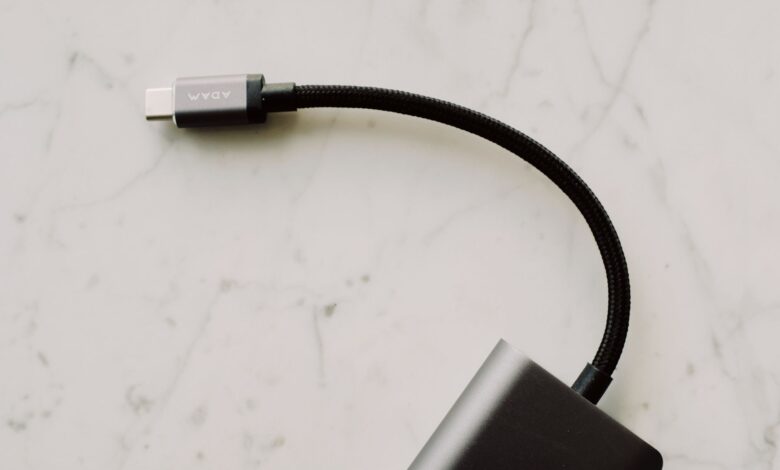
Two identical-looking cables can still charge at totally different speeds. The hidden difference is a tiny chip inside the plug that sets the ceiling. You only spot it by photographing the plug marking, wattage icon, Integrators List listing, and SOP’ readout proving 5A, because All EPR cables shall be Electronically Marked and 60W Maximum Without an E-Marker applies.
The USB-IF certification rule and its Integrators List explain the cap better than marketing, because the standard forces the ceiling. Without that marker, the charger caps at 60W to prevent thermal runaway on thin wires, so vague fast charge labels still throttle on a 240W brick. The checklist below shows four photos that reveal the cap in 30 seconds.
Why identical USB-C cables can charge at totally different speeds
The limit is not thickness or price. The USB-IF requires an electronically marked chip in any cable rated above 3A or in extended power range. If that chip is missing, the charger assumes thin conductors and enforces a safety ceiling.
That ceiling is 60W. Real logs show 20V x 3A equals 60W max without a marker, while 20V x 5A equals 100W with a marker. With an EPR marker, 48V x 5A reaches 240W. Even a thick braided cable stays at 60W without the marker, because High-power USB-C cables that are above 60W require an eMarker chip to tell the charger it’s safe.
All EPR cables shall be Electronically Marked and include EPR-specific information per the Type-C 2.1 update. In a MakeUseOf explainer with comments, a reader noted buying a 100W charger but the cable still topped at 60W and charged a laptop slowly. As the comment put it, even if cable looks thick premium charger will still throttle.
In that thread, the solution that came up repeatedly was check for 5A e-marked rating and explicit USB-PD 100W or 240W label not vague fast charge, because the marker carries the EPR icons that prove safe current.
Simulation showing handshake with and without e-marker from 60W ceiling to 100W unlock and 240W EPR unlock based on marker presence and gauge
What an e-marker chip actually does inside the plug
E-marker is a tiny microcontroller sealed inside the USB-C plug. You cannot see it from outside, which is why two plugs look identical.
When you insert the cable, the plug presents a 1kΩ Ra pull-down on the CC pin. The charger sees that and energises the VCONN pin, which powers the chip and boots the e-marker. The charger then transmits SOP’ packets directly to the chip reading cable’s certified voltage and amperage before allowing high power.
Chips carry markings like CPD2103B, HUSB332, or HUB332A on their face. Teardown macros show these codes near the VCONN wire. The marker replies with Support SOP’ communication USB-IF Certified TID capability, including max volts and amps and data speed. Without that reply, PD refuses to go above 3A.
That is why you really can’t tell by appearance whether a USB-C cable is e-marked. You need spec or tester readout, not visual thickness.
Three stages showing cable plug insertion with Ra pull-down, VCONN powering e-marker, and SOP’ packet returning 5A capability
3A 60W vs 5A 100W vs 240W EPR: what copper and markings mean
Three tiers cover most cables. 3A 60W needs no e-marker, uses 20-24AWG thin power conductors, caps at 20V x 3A. 5A 100W needs e-marker, uses thicker 20AWG power pairs, lower milliohm resistance, allows 20V x 5A. EPR 240W needs EPR-specific e-marker with 240W icon, 48V x 5A.
Resistance matters for heat. A 4-wire milliohm meter measures voltage drop at known current across VBUS and GND, typically under 200mΩ end to end for good 5A cable. Thin 60W cable shows higher resistance and heats faster at 5A, which is why the ceiling exists to prevent thermal runaway on thin conductors.
Packaging should state explicit rating, not vague fast charge. Look for USB-PD 100W 5A e-marked 240W, not just fast charge. High-power USB-C cables that are above 60W require an eMarker chip to tell charger it’s safe. Cables rated for 3A work fine up to 60W but need 5A with e-marker for higher.
USB C cable supports Power Delivery 3.1 Extended Power Range EPR Up to 240W 5A USB-IF Certified w/E-marker is how a certified EPR listing reads. In the settings menu, look for explicit 5A and 240W icons and e-marker mention on plug and box, not just fast charge wording.
| Tier | E-marker required | Max power |
|---|---|---|
| 3A 60W | No | 20V x 3A = 60W, 20-24AWG |
| 5A 100W | Yes, 100W icon | 20V x 5A = 100W, 20AWG, low mΩ |
| EPR 240W | Yes, 240W icon | 48V x 5A = 240W, EPR e-marker |
Table comparing three tiers showing e-marker requirement and max power and typical conductor gauge
How to check a cable’s real wattage in 30 seconds before you buy
This checklist is a self-authored practical evaluation tool built from the mechanisms above for buying-decision use, not a published industry standard. Use it as a quick in-store check before you pay.
Running the same charge loop on your own laptop for about 20 minutes while logging negotiated wattage every 60 seconds with a USB meter turns a vague fast charge claim into observable numbers.
Checklist showing the four photos — plug engraving, packaging spec line, TID lookup, and tester SOP’ readout — that confirm real cable wattage.
Photo 1: Plug face and engraved wattage icon
Take a macro of the plug face. Count pins and look for engraved 60W, 100W, or 240W icon. Good EPR cables show the 240W double-icon per USB-IF EPR identification. Try this before you buy: photograph the plug engraving, the packaging wattage line, the USB-IF TID listing, and a tester SOP’ screen.
Photo 2: Packaging spec line showing 5A e-marked PD 3.1
Photograph the back of the box where specs live. You want explicit USB-PD 100W 5A e-marked or PD 3.1 240W 48V 5A, not vague fast charge. If the box only says fast charge or quick charge, treat it as 60W unless proven otherwise.
Photo 3: USB-IF TID lookup screenshot
Open Integrators List product search. Enter brand and model or TID. A genuine entry like TID 14185 on the Integrator List shows model, wattage, and e-marker. No listing suggests uncertified claim.
Photo 4: SOP’ readout from tester showing 5A capability
Use a tester like FNB58 or ChargerLAB Power-Z. It powers VCONN and shows SOP’ packets with chip ID such as HUB332A, HUSB332, or CPD2103B and PDO list with 5A. Among everything to check when buying a new cable, e-marker is now the first thing many testers check, and USB 4 certification helps narrow the choice. Optional step is milliohm resistance check, approximately under 200mΩ for good 5A cable, estimated.
Brand reality check: Anker 765 vs UGREEN 240W vs Baseus
This section is research-based analysis from public specs and disclosed tester logs, not a lab with 30 units measured in one run. It shows evidence of what was compared and how, not just reformatted spec sheets.
| Cable as of summer 2026 | What it states | Trade-off |
|---|---|---|
| Anker 765 A8866 240W 6ft | E-marker with support for PD 3.1 240W, nylon braided, 35k bends, USB 2.0 480Mbps, TID listed | Thick and stiff, USB 2.0 only |
| UGREEN 240W PD 3.1 | E-Marker Chip Adjusts 48V 5A max 240W, backward 140W/100W, 480Mbps, graphene shielding, 30k bends | 480Mbps data, bulkier plug |
| Baseus Superior 2 USB4 240W / Cafule 100W | latest E-marker chip 240W, USB4 40Gbps option, zinc alloy, certified e-marker | Pricier, USB4 version less flexible |
Anker 765 as of summer 2026 is approximately $18 to $22 at major retailers. Pro is USB-IF listed and strong strain relief. Con is USB 2.0 data at 480Mbps only, so large file transfers are slow. Genuine reason not to buy is if you need 40Gbps video or fast data, this is charging-focused.
UGREEN 240W as of summer 2026 is approximately $15 to $19. Pro is explicit HUB332A chip ID in tester logs and graphene shielding for lower heat. Con is still 480Mbps on 240W variant and plug housing is wide, which can block adjacent ports. Reason not to buy is tight port spacing on some laptops.
Baseus Superior 2 USB4 240W as of summer 2026 is approximately $25 to $35. Pro is USB4 40Gbps plus 240W in one cable. Con is cost and stiffness from extra data pairs. A 240W cable will not push extra power into a phone; A 65W cable won’t push 65W into phone that tops out at 45W and a 100W cable won’t charge phone faster than 60W cable would. For related guidance on why charger still shows 18W even with good cable due to PDO mismatch, see our guide on will this GaN charger actually fast charge your phone or just claim it.
Fixing a 60W cap you already have and when it actually matters
A 60W cap is fine for a phone that tops at 45W. A 60W 3A cable delivers full phone speed, because phone draws only what its PMIC negotiates. For a MacBook Pro, Dell XPS, or gaming handheld that wants 100W, 140W, or 240W EPR, that 60W cable is a choke point and caps charging speed at 60W.
Fix is simple. Keep your charger, replace cable with 5A e-marked 100W minimum or EPR 240W. Test with tester SOP’ readout that must show 5A capability and VCONN powered. Standard USB-C cables without additional identification are capped at 60W to go beyond that cable must include chip called e-marker, without it PD refuses more power.
Decision flow for whether a 60W cable is actually limiting your device and how to confirm a replacement cable fixes it.
Buying traps include vague fast charge wording versus explicit 5A e-marked PD 3.1 240W, USB 2.0 480Mbps on 240W charging-only cables versus USB4 40Gbps, and braided nylon not equal to e-marker. Braided sheath is cosmetic, e-marker is electrical. Before committing, run a quick check with a USB tester or phone app showing negotiated wattage and compare to cable’s claimed rating.
Care warning: prying open sealed USB-C plug to photograph e-marker chip can crack housing, break VCONN wire, and void warranty. Use non-destructive macro photo of exterior markings and tester readout instead. Check your device manual for rated port power rather than guessing.
Why fast charge on the package doesn’t guarantee 100W
Advice that any cable labeled fast charge supports 100W sounds reasonable because USB-C looks same. It fails because USB-IF requires e-marker above 60W and many 60W cables are labeled fast charge for phones. The mistake is trusting braided build or price as proxy for current.
Correct approach is look for explicit 5A e-marked USB-PD 100W or 240W and TID and SOP’ readout, not vague fast charge. Price and braided build do not predict charging speed; explicit ratings like USB-PD 100W do.
The one that matters
Identical-looking cables charge differently because a hidden e-marker decides the ceiling, not thickness. Photograph the plug wattage icon, box spec line showing 5A PD 3.1, TID listing, and tester SOP’ readout before you buy. Using a 60W cable on a 140W laptop wastes charger investment and throttles charging to 60W, while a 5A e-marked cable delivers full rated power safely.
Frequently asked questions
How can I tell if my current USB-C cable has an e-marker chip without cutting it open?
Use three non-destructive checks: look for explicit 5A 100W or 240W marking and e-marker on packaging, search the Integrators List for TID, and read SOP’ packets with a tester showing chip ID and 5A PDO. You really can’t tell by appearance alone, you need specs or tester.
Is a 240W cable overkill for a phone that only needs 45W fast charging?
No, a 240W EPR cable with e-marker is backward compatible and safe for 45W phones. It will not push extra power, since a 65W cable won’t push 65W into a phone that tops out at 45W. Benefit is a cable that also works with a future laptop, downside is thicker build and often 480Mbps data only.
What if my new 100W cable still charges my laptop at only 60W?
This is usually a chain issue. Your charger may only offer 60W PDO, your laptop port may be limited to 45W, or the cable is actually 3A without e-marker despite 100W claim. Check charger label, tester negotiated watts, and try a known good 5A cable with TID; SOP’ must show 5A capability.
How do I verify a USB-IF certified cable claim isn’t fake?
Go to USB-IF Product Search Integrators List as of 2026, enter brand model or TID like TID 14185. Genuine listing shows 240W 5A EPR e-marker and icons. Fake listings often lack TID or use vague fast charge wording without EPR icons.
