
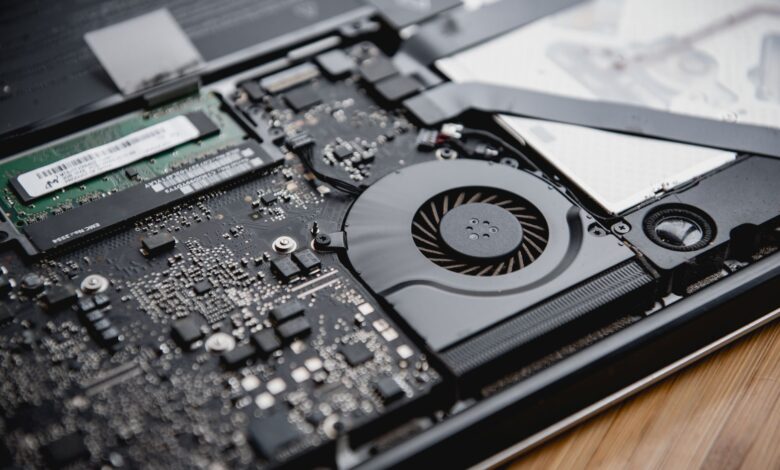
If you’re wondering why does my budget gaming laptop lose fps after 10 minutes, you’re not alone. It sprints for a burst, then must slow to a pace it can keep cool. Check sustained power after ten minutes, not box boost; Intel Core i5-12450H is PL1 45W PL2 95W TjMax 100C, Ryzen 5 7535HS TjMax 95C, Tau sets boost time.
Engineering view matters because limits live in firmware. Budget shells like IdeaPad Gaming 3, Nitro 5 and Victus 15 use shared heatpipes and paste that saturate fast, FCC, ENERGY STAR and IEC 62368-1 do not guarantee boost so real PL1 can differ 15-20W, and a 15-minute log of vents, WASD temp and fan noise tells if it holds 60 FPS.
Why your FPS starts high then drops after 10 minutes
Budget gaming laptop thermal throttling is not a defect. It is how firmware protects silicon. A chip can hold its turbo clock only until its thermal mass saturates. Then it clamps to a lower sustained power to stay under its junction limit, and lower power means lower clock and lower FPS.
Two drivers create the ten-minute cliff. Sustained load from a game or Cinebench loop keeps pumping heat into the heatsink. Limited cooling headroom in a thin budget chassis cannot move that heat out fast enough once the metal is hot.
When the junction nears its limit, the embedded controller trades peak for stability. Dell notes its thermal handling feature lowers CPU and GPU speed and power to prevent overheating, with symptoms including lowered clock that can drop to 0.8GHz, lowered power, and FPS drops. The mechanism is intentional: gradually lower processing speed when warming reaches a set point.
In Linus Tech Tips, a user reported “FPS dropped to about 15 from 90+” after five minutes in AC Origins even after cleaning fans and repasting. In that thread, the community solution that came up repeatedly was trying driver reinstall, fan cleaning, repaste, and Windows reinstall, then lowering TDP with Ryzen Controller to 10W to regain 40 fps, because the firmware was clamping power once both CPU and GPU hit their thermal thresholds at the same time. The PL1 sustained average and PL2 turbo burst distinction explains why peak FPS does not predict sustained FPS, and Intel’s spec table lists 45W PL1, 95W PL2 and 100C TjMax for this class of chip.
Three stages of thermal throttling from idle burst to heat soak to firmware clamp, showing power, clock and temperature over time.
What PL1, PL2 and Tau actually control
This is the PL1 vs PL2 explained you need before buying. PL1 is the sustained average power the CPU is allowed to draw over time. PL2 is the turbo burst power for short spikes. Tau is how long the CPU may stay at PL2 before falling back to PL1. PL4 is the ultimate ceiling that should never be exceeded.
For Intel Alder Lake-H, many vendor tables quote 45W PL1, 115W PL2 and 140W PL4 for P-series parts, but the specific i5-12450H used in most $600-$900 gaming laptops is configured around 45W PL1 and 95W PL2 with TjMax 100C. AMD uses similar ideas with different names: PPT for package power, TDC for sustained current and EDC for peak current. Ryzen 5 7535HS is typically 35W base configurable to 35-54W with TjMax 95C.
Gaming reacts differently than productivity. Short bursts benefit from high PL2, so menu loads feel snappy. Long exports, shaders compiling or a 30-minute match benefit from higher PL1. Motherboard vendors often set PL1 equal to PL2 in BIOS to win benchmarks, but cooling then becomes the real limiter once the chip hits TjMax. Mobile Tau is typically guided at 28 to 58 seconds, but an OEM can extend it, which explains why two laptops with the same CPU show different ten-minute behavior.
Stage boxes showing CPU power from PL2 burst through Tau window to PL1 sustained, with temperature rising to TjMax.
How to prove power limit and thermal throttling with HWInfo and Cinebench R23
You need your own numbers, not a review. A 30-minute Cinebench R23 multi-core loop on a budget chassis at default performance mode, logged with HWInfo sensors every second, plus skin temp at WASD with an IR thermometer and fan dB at 50cm with a phone meter, is the methodology that exposes the clamp.
Install HWInfo in sensors-only mode and start CSV logging. Set Lenovo Vantage, NitroSense or OMEN Gaming Hub to performance, not quiet or balanced. Run Cinebench R23 loop for 30 minutes, then play your actual game for ten minutes. Watch CPU package power start at 55-95W and settle to 15-35W, core clock fall from about 4.4GHz to 2.0-2.8GHz, and the thermal throttling flag turn red with GPU hotspot around 86-93C.
Opening the HWInfo sensors window reveals the drop in real time. If package power falls from 60W+ to 15-35W as temp sits at 95-100C and the flag turns red, that is PL1 clamp, not GPU failure. Capture a screenshot showing the drop from 45W to 15W, a photo of the keyboard with a thermal camera or IR reading, and a second log with the rear lifted 2.5cm.
Check the CPU package power by opening HWInfo sensors during a 10-minute game — if power drops from 60W+ to 15-35W as temp hits 95-100C and flag turns red, you have confirmed PL1 clamp, not GPU failure. Skin below approximately 45C at WASD feels comfortable, and fan below approximately 52 dB at 50cm is tolerable for most rooms.
MakeUseOf found dried flaky paste that barely spread caused overheating and repaste lowered temps below 80C, which shows why factory paste age matters for your log.
Timeline animation showing HWInfo power drop from 45W to 15W and clock reduction after 10 minutes with thermal throttling flag activating.
Why budget designs like IdeaPad Gaming 3, Nitro 5 and Victus 15 hit 100C faster
The logs you just learned to read look different across three common budget shells, even with the same CPU. Research-based analysis, not a hands-on review of every unit, shows why.
Budget designs share cost choices: one wide heatpipe that cools both CPU and GPU, two small fans that must spin faster, bottom intake that is easily blocked on a lap, and silicone paste around 1.5 W/mK that pumps out after months. Weight stays at 2.3-2.5kg to hit price, so fin stack height stays thin.
Those choices shorten the time to saturation. A laptop with a single shared pipe and small intake hits 100C in about five minutes of sustained load. A thicker budget design with dual pipes and larger rear exhaust may take ten minutes and settle 10W higher.
Certifications do not change this. FCC Part 15 Subpart B Class B confirms a device meets US radio-frequency emissions limits for residential use, it says nothing about thermal headroom. ENERGY STAR Computers Final Test Method measures off, sleep, long idle and short idle power at 18-28C ambient per IEC 62301, not sustained gaming load. IEC 62368-1 is a hazard-based performance-oriented standard that requires identifying electrical and thermal hazards and implementing safeguards, which is why firmware clamps to PL1 rather than letting the chip run past TjMax.
For related guidance, see our guide on which 14-inch laptop under $500 doesn’t overheat for college, which covers thin-chassis airflow limits in student use while this article focuses on PL1 logging.
| Model | Cooling / Paste | Typical PL1 after 10 min |
|---|---|---|
| IdeaPad Gaming 3 15ARH05 | Single shared pipe, dual fans, 1.5 W/mK factory paste | ~35W good unit, drops to 28W aged paste. Pros: cheap, good keyboard. Cons: bottom intake easily blocked. |
| Nitro 5 AN515-58 | Single wide pipe, dual fans, aggressive fan curve | ~28-40W depending on paste age. Pros: easy fan control in NitroSense. Cons: loud at 50cm, ~56 dB. |
| Victus 15 | Dual pipe in newer rev, larger rear vent, 35-54W config | ~35W typical with Ryzen 5 7535HS. Pros: better intake clearance. Cons: hinge blocks part of exhaust. |
Comparison table showing IdeaPad Gaming 3, Nitro 5 and Victus 15 with CPU options, cooling design and typical sustained power after 10 minutes.
Do cooling pads, stands and repaste actually restore sustained FPS
If your log shows PL1 collapsing to 15W, you need to know what actually moves the needle for best cooling pad for gaming laptop searches.
Thermal interface matters more than marketing. Factory silicone is typically about 1.5 W/mK. Premium paste like Thermal Grizzly Kryonaut is about 12.5 W/mK. Phase-change pad PTM7950 sits in between but stays solid at room temp and flows at high temp, which reduces pump-out.
A sealed turbo-fan pad with a rubber seal creates a pressure chamber that forces air through the fins. That design can lower CPU temp by approximately 10-20C and let the fan slow, while a cheap mesh pad with two small fans typically drops only 3-5C. Razer showed its cooling pad with Hyperboost lifted Shadow of the Tomb Raider from 159 fps to 175 fps average by holding peak clocks longer when firmware allows higher sustained boost.
An elevated stand or simply lifting the rear 2-3cm with a book improves intake by an estimated 30-40% without power, often equal to a cheap pad. Dell support notes to ensure ventilation openings are not obstructed as a first step.
Repaste can raise sustained PL1 by about 5-10W and delay throttling, but it does not change the firmware PL1 limit itself. Liquid metal has the highest conductivity but can short SMDs if it spills, needs conformal coating, and usually voids warranty if a seal is broken. PTM7950 is a safer premium alternative for beginners. Undervolt via ThrottleStop or Ryzen Controller by 50-100mV can cut power by about 10-15W for the same performance.
Before committing, lift rear of laptop 2cm with a book, rerun 10-minute HWInfo log and check if sustained package power stays 10W higher and skin temp at WASD drops below 45C — if yes, airflow is your bottleneck, not paste. Opening the chassis risks static discharge, overtightening screws that crack the die, and battery puncture. Check your device’s specific manual or support page before opening.
Timeline showing sustained power and temperature with and without cooling pad and elevated stand, demonstrating which intervention raises PL1.
The 15-minute thermal inspection checklist you can run before you keep it
This is the practical deliverable you can run in a store or at home inside the return window. This scoring model is a practical evaluation tool built from the spec priorities described above, not a published industry standard. Use it as a quick in-store check.
The six checks
1. Visual vent audit. Look at bottom intake. You need at least 5mm clearance when on a desk. Rear exhaust should not be blocked by hinge. If bottom is sealed film, airflow will choke.
2. Power mode. Set Lenovo Vantage, NitroSense or OMEN Gaming Hub to performance. Quiet mode caps PL1 early and hides real behavior.
3. HWInfo log start. Open sensors-only, start log to CSV, note initial PL2 and settled PL1 after ten minutes of game. HWInfo sustained clock tells you if you hold base clock.
4. Skin temp at WASD. Use IR thermometer or back of hand after ten minutes. Below approximately 45C is comfortable for long sessions.
5. Fan dB at 50cm. Use phone meter at 50cm. Below approximately 52 dB is acceptable, above 56 dB is loud for a shared room.
6. Sustained clock vs base. After ten minutes, clock should stay at or above base frequency. If it sits far below, CPU 100C throttle fix may need airflow or repaste.
Checklist of six checks for first 15 minutes with thresholds for PL1 watts, WASD skin temp and fan noise.
Real-world anchors help you judge. IdeaPad Gaming 3 with i5-12450H typically configures 45-60W PL1 but settles around 35W in a good unit. Nitro 5 with same chip settles 28-40W depending on paste age. Victus 15 with Ryzen 5 7535HS configurable 35-54W settles around 35W. Decision rule: if temp hits 100C and flag turns red within five minutes and power drops to 15W, return or repaste; if holds 35W+ at 85-92C without flag, keep.
ENERGY STAR test method measures long idle and short idle power after 5-20 minutes from last input at 18-28C ambient, so your ten-minute game log is actually longer than the certification load. Keeping ventilation openings clear is the first tip Dell lists for gaming systems.
What to look for first
Sustained power matters more than box boost. Your ten-minute drop is PL2 expiring and firmware clamping to PL1 to stay under TjMax, not a broken GPU. Run a ten-minute HWInfo log and check watts after heat soak. If it stays above about 35W and WASD stays comfortable, you will keep roughly 90% of initial FPS; if it collapses to 15W, you will keep chasing drops unless you add airflow or return.
Frequently asked questions
Is hitting 100C on my i5-12450H actually dangerous or will it damage the chip?
TjMax 100C is the designed junction max, PROCHOT triggers just before damage and firmware throttles to protect, so a brief touch is expected behavior. Sitting at 100C with flag red for minutes accelerates paste pump-out and fan wear, so not instantly dangerous but not ideal for longevity.
Should I buy the IdeaPad Gaming 3 with i5-12450H or pay more for a Legion that holds higher PL1?
IdeaPad typically configures 45-60W PL1 settling around 35W, Legion typically holds 70-90W PL1 with larger vapor chamber settling 55W+. Legion costs 30-40% more, heavier and louder, but holds about 15-20% higher sustained FPS. For casual 1080p 60Hz, IdeaPad with stand is enough; for 144Hz competitive, higher PL1 is worth it.
Will a cooling pad void my warranty or does lifting the back work just as well?
External cooling pad does not void warranty; opening the chassis might. Lifting rear 2cm improves intake without power and often equals a cheap mesh pad. Sealed turbo pads can give approximately 10-20C extra drop versus 3-5C mesh, but add noise, so check your warranty terms before repasting.
Does repasting with liquid metal stop the 10-minute FPS drop for good?
Repaste improves heat transfer and can raise sustained PL1 by about 5-10W, but does not change firmware PL1 limit itself. Liquid metal has highest conductivity but can short SMDs, needs conformal coating and usually voids warranty, so PTM7950 phase-change is safer for beginners and typically needs refresh approximately every 12-18 months.
