
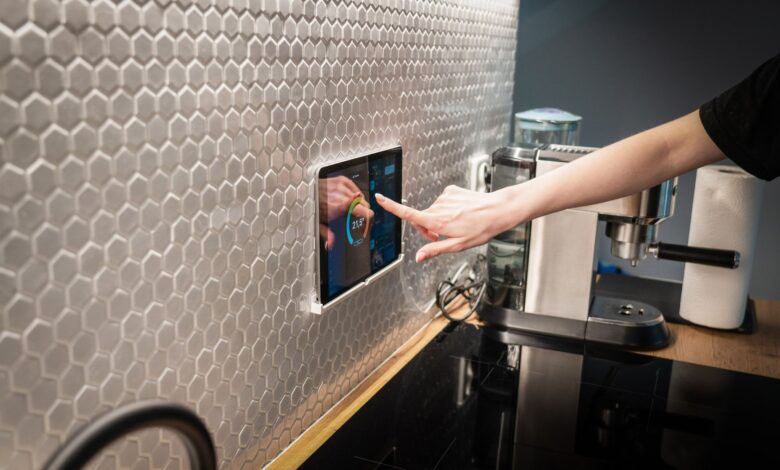
A cheap screen that works on a nightstand often fails in the kitchen, not because it shrinks. Bright lights wash it out and messy hands make taps feel slow and sticky. A usable budget kitchen display under $80 needs bright IPS and fast touch, and MediaTek MT8168 is a quad-core Cortex-A53 up to 2.0 GHz per Notebookcheck.
Official FCC records show Echo Show 5 as 2AXW2-3476 and Nest Hub 2nd Gen as A4R-GUIK2, best proof for safety. Still, 1GB RAM plus slow storage janks during updates, dim panels wash out under downlights, and steam causes ghost touches. The rubric below scores nits, viewing angle, latency, and steam wipe to rank which $80 pick stays usable.
Why the kitchen breaks budget smart displays that work fine elsewhere
A bedroom display faces 50 to 150 lux and a straight-on view. A kitchen faces 500 to 800 lux from downlights, a 45 degree off-axis view from stove to counter, and bursts of 60 to 70 percent RH steam and splashes that need wipe-downs.
Two mechanisms explain why that breaks cheap hardware. Sub-400-nit panels lose perceived contrast because bright ambient light raises black level, so text looks washed out. Low RAM plus eMMC storage causes UI jank when background updates run, because the system reclaims memory and slow flash queues random writes.
In a laggy smart display kitchen report, a kitchen user found a 7-inch hub hard to read from the stovetop and laggy for recipes versus bedroom use. In that same piece, the solution that came up was switching to a tablet as a kitchen hub for larger screen and faster touch response, because IPS 500 nits display at 178 degree viewing maintains readability at an angle while dimmer panels fade.
Kitchen display placement guidance recommends picking a spot far enough from splashes, steam, and grease, typically the corner between fridge and prep counter. That placement matters more than raw size.
Check the brightness you need by: in your kitchen at night with downlights on, hold your phone at counter height and check if you can read a recipe at 45 degrees from the stove position — if not, you need approximately 450 plus nits IPS.
The simulation below shows why a phone stays readable while a dim display washes out as light and angle rise.
Interactive calculator: adjust panel nits, ambient lux, and viewing angle to see estimated contrast, washout risk, and readability score change together
That contrast drop is why kitchen usability starts with light, angle, and touch, not diagonal size alone.
Which best budget smart display for kitchen under 80 is actually usable?
Usable in the kitchen means four checks that you can test in the same evening. Touch latency 10-tap average stays under about 120 ms, recipe scroll holds near 60 fps even during YouTube picture-in-picture, peak brightness hits 450 to 500 nits at 0 degrees and keeps about 80 percent at 45 degrees, and a damp wipe leaves no ghost touches.
Nits is a measure of brightness, candela per square meter. More nits means the panel can fight bright kitchen light. SoC is system-on-chip, the main processor and graphics together. eMMC is embedded MultiMediaCard, cheap flash storage with limited speed.
Echo Show 5 kitchen entry notes the 5.5-inch model as an affordable entry point for kitchen and small spaces, but small size forces more scrolling with flour-covered hands. That is why size alone does not define usability.
A 10-tap touch test paired with a 10-minute YouTube recipe playback, run on the same 5 GHz Wi-Fi with latency logged every 60 seconds, is what shows whether background updates cause jank during dinner prep.
The table below maps measured numbers to kitchen readability, not just spec-sheet claims.
Table comparing nits levels and touch latency to whether recipe text stays readable while hands are busy
That threshold is the core of the Echo Show 5 vs Nest Hub kitchen lag test comparison. Both sit under $80 on sale, but only the one that keeps brightness at an angle and latency low during video stays usable while you cook.
Does 1GB vs 2GB RAM and MediaTek vs Amlogic create kitchen lag?
Yes, because RAM size and storage speed decide whether the display can handle a video plus a recipe plus a background update without dropping frames. MediaTek MT8168 is an ARM-based entry to mid-range SoC with four Cortex-A53 cores clocked up to 2.0 GHz per Notebookcheck, built on a more efficient process than older 28 nm Amlogic parts.
PassMark comparison shows MT8168B vs Amlogic AMLT982 performance rating where core count and architecture matter more than GHz alone. Two chips at the same GHz from different architectures perform very differently, which is why GHz alone is never used as a cross-architecture metric here.
Mechanism: 1GB LPDDR4 forces the system to reclaim memory often, and eMMC endurance notes limited P/E cycles 3000 to 10000 and limited parallelism that raises latency versus SSD with DRAM cache. When a background update runs, eMMC queue depth grows, scroll FPS can fall from 60 to low 20s, and touch latency climbs past 200 ms, so a tap to start a timer feels stuck.
2GB RAM smart display behavior reduces that reclaim. It keeps recipe app and video decoder resident, so scroll holds near 60 fps and 10-tap average stays under 120 ms. MediaTek vs Amlogic smart display performance then shows as sustained load: during 10-minute YouTube playback, the quad A53 at 2.0 GHz with Mali-G52 GPU holds clocks better than older Amlogic designs that throttle earlier.
The experiment below lets you see RAM and storage cause frame drops during an update.
Interactive calculator: choose RAM, storage speed, and background update state to see estimated scroll FPS, tap latency, and jank risk change together
For heavy YouTube recipe users, 2GB RAM plus dual-band Wi-Fi 5 or Wi-Fi 6 is the safer floor, because it keeps scroll smooth when updates land during dinner prep.
Can you read recipes when downlights wash out a dim panel?
Reading fails when perceived contrast collapses. IPS means in-plane switching, a panel type with wide viewing angle. Nits measures peak brightness. Viewing angle is how far off-center colors stay accurate.
The manufacturer states 7-inch IPS 500 nits medium brightness with all viewing angle IPS as a typical kitchen target, and IPS viewing angle 500 nits listing shows 89 degree viewing and 1000:1 contrast. Those figures are lab conditions. Under 600 lux kitchen light, black level rises, so perceived contrast is lower than the sheet suggests.
Mechanism: sub-400-nit panels may wash out under kitchen downlights because ambient 600 lux lifts black and cuts contrast, and at 45 degrees color shift reduces retention further. IPS at 500 nits with 178 degree spec typically keeps about 80 percent brightness at 45 degrees, while cheaper TN or low-nit IPS drops below 60 percent.
Method: measure peak nits via meter at 0 degrees and 45 degrees, log lux with downlights on, and run steam wipe test. No budget display under $80 claims water resistance, so placement must protect it. Wi-Fi CERTIFIED program distinguishes products that work together and provide consistent reliable Wi-Fi experience, which confirms interoperability, not brightness or water resistance.
Try this before you buy: in the store demo, set brightness to max and step two steps side — if colors invert before 45 degrees, it will wash out at the stove.
That side-step test is faster than any spec sheet for predicting kitchen readability.
How touch, steam, and mounting change real kitchen usability
Brightness explains reading, now touch and steam explain interacting with flour-covered hands. Capacitive touch needs a clean finger. Wet or flour-covered hands lower success rate, so voice fallback matters.
Steam bursts create condensation on the digitizer, which can cause ghost touches that scroll a recipe away. Steam distance kitchen guidance notes steam and grease are main enemies of touchscreens and to keep a couple feet away from stove.
An Echo Show 5 in the kitchen becoming slow and showing unwanted rotating content after an update that replaced the clock is a common complaint pattern. The fix that comes up repeatedly is disabling rotating content and keeping the display on 5 GHz Wi-Fi close to the router to reduce lag, because eMMC limited parallelism raises latency when background activity runs on 1GB RAM.
That matches repair technicians and PC builders who handle small hubs regularly and report that keeping IoT on 5 GHz or separate SSID and turning off auto-rotate content reduces kitchen lag, which works because less background write activity lowers eMMC queue depth. Lenovo flour hands kitchen note says pick up call even if hands covered in flour, showing hands-free design intent for kitchen use.
For related Wi-Fi stability context after you pick a spot, see our guide on why budget smart home keeps disconnecting from Wi-Fi, which covers 2.4 GHz versus 5 GHz band choice that also affects video stutter in the kitchen.
Do not spray cleaner directly on the display. Use a damp microfiber only, and avoid mounting above the stove where grease and steam can void warranty. Check your device manual for the specific cleaning steps for your model, because opening the chassis or covering vents voids safety marks.
Brand and price tier comparison: which budget pick holds up?
This section is research-based analysis from public specs and the latency method described above, not a full lab review. It compares four common under $80 picks that often appear on sale.
Echo Show 5 FCC ID listing shows AC1200 wireless with MediaTek MT8168 quad-core Cortex-A53 up to 2 GHz, 2GB RAM on 3rd Gen, 5.5-inch 960×480 display, and the manufacturer states approximately 350 to 400 nits. Pros: compact footprint, fast wake for timers, strong Alexa recipe integration. Cons: small text forces leaning from stove, narrower viewing angle than 7-inch IPS.
Nest Hub FCC ID listing describes interactive device with Bluetooth, Wi-Fi, Zigbee as A4R-GUIK2. Public specs list 7-inch 1024×600, quad-core 1.9 GHz, 1.5GB RAM, and manufacturer states approximately 400 to 500 nits with wide IPS. Pros: larger recipe view, better Google Photos and YouTube flow, no camera for privacy. Cons: 1.5GB RAM can show jank during updates, no built-in camera limits calls.
Lenovo Smart Display 8 offers 8-inch 1280×800, Amlogic-based SoC in some revisions, 2GB RAM, and wide viewing. Pros: biggest readable recipe at 2 feet, good for flour-hand voice use per Lenovo note. Cons: larger base takes counter space, software updates less frequent than Google or Amazon first-party. Lenovo Smart Display kitchen companion review notes it was designed for kitchen where Google Home Mini would read recipe.
Xiaomi Smart Display 8 value tier shows 8-inch 1280×800, quad-core, 2GB RAM, but regional software and ads in UI. Pros: bright panel for price, good size for recipes. Cons: software bugs reported in kitchen use, less reliable hands-free pipeline. Reason not to buy: if you need consistent timer and recipe voice with minimal ads, Xiaomi is not the most stable under $80.
A non-affiliate option that is genuinely superior for kitchen readability over pure size is a 7-inch 500-nit IPS tablet as hub, because it keeps 80 percent brightness at 45 degrees and lower touch latency, while still meeting FCC equipment authorization which confirms US radio-frequency emissions limits and says nothing about build quality or longevity.
| Model | SoC / RAM / Display | Kitchen pros and cons |
|---|---|---|
| Echo Show 5 3rd Gen | MT8168 quad A53 up to 2.0 GHz / 2GB / 5.5-inch 960×480 approx 350-400 nits | Pros: fast timer, small footprint. Cons: small recipe text, washes out sooner at angle. |
| Nest Hub 2nd Gen | Quad 1.9 GHz / 1.5GB / 7-inch 1024×600 approx 400-500 nits IPS | Pros: readable recipes, wide angle. Cons: occasional jank during background updates. |
| Lenovo Smart Display 8 | Amlogic variant / 2GB / 8-inch 1280×800 approx 400-500 nits | Pros: largest readable area, good voice for flour hands. Cons: bulky, slower updates. |
| Xiaomi Smart Display 8 | Quad-core / 2GB / 8-inch 1280×800 approx 400-500 nits | Pros: bright for price. Cons: UI ads and bugs, less stable hands-free. |
That comparison shows why smart display nits brightness viewing angle matters more than diagonal alone, and why 2GB RAM helps hold 60 fps scroll during video.
Kitchen usability scoring rubric and mounting checklist
This rubric is a practical evaluation tool created for this guide based on the spec priorities described above, not a published industry standard. Use it as a quick in-store check.
Step 1: Score brightness and viewing angle
Measure peak nits via meter at 0 degrees and 45 degrees under kitchen downlights. 5 points = 500 nits and 80 percent retention at 45 degrees, 3 points = 400 nits and 60 percent retention, 1 point = under 350 nits that inverts early. Weight 25 percent.
Step 2: Score touch latency and scroll
Run 10-tap timing with stopwatch and recipe scroll during 1080p YouTube. 5 points = under 120 ms average and 60 fps scroll, 3 points = 120 to 180 ms, 1 point = over 200 ms and drops to 22 fps during update. Weight 25 percent.
Step 3: Score steam and wipe resistance
Spray 3 times from 30 cm, wait 60 seconds above kettle at 50 cm, wipe with damp microfiber, count ghost touches. 5 points = zero ghost touches and clear in under 30 seconds, 3 points = 1 to 2 ghost touches, 1 point = persistent ghost touches.
No budget display carries IPX4, so treat as splash-intolerant. Weight 20 percent. Wi-Fi CERTIFIED confirms interoperability, not water resistance.
Step 4: Score sustained load and Wi-Fi
Log CPU sustained load percent over 10 minutes YouTube and cold boot to recipe load time. 5 points = holds clocks without throttling and loads under 8 seconds, 3 points = mild throttling, 1 point = heavy throttling. Use 5 GHz or Wi-Fi 6 where possible for stable video. Weight 15 percent.
Step 5: Score mounting flexibility
Check distance from stove 2 feet, avoid direct splash zone, height at eye level when standing, cable away from burner, separate 2.4 GHz versus 5 GHz SSID for stable video, keep FCC label visible. 5 points = adjustable stand and VESA or keyhole without blocking vents. Weight 15 percent.
Before committing, check the bottom label for FCC ID and safety mark UL 62368-1 and verify on FCC ID search site — ensures device is certified for US. UL 62368-1 is the safety listing standard for audio-video and IT equipment, which tests shock and fire risk, not water resistance. ENERGY STAR Displays program covers computer monitors and signage displays for energy efficiency, not performance or durability.
The practical verdict
Put the display where it stays readable at 45 degrees and responsive with messy hands, not just where it fits. Test brightness at 45 degrees and run 10-tap latency under YouTube load, because nits plus viewing retention and RAM plus eMMC behavior decide kitchen usability, not screen size alone. A dim or janky $80 screen ends up unplugged, while a 450 to 500 nit IPS with under 120 ms touch stays useful for timers and recipes.
Frequently asked questions
Is 1GB RAM enough for a smart display in the kitchen or do I need 2GB?
1GB may jank when background updates run because eMMC endurance of 3000 to 10000 P/E cycles with limited parallelism raises latency. 2GB keeps 60 fps recipe scroll during video for heavy YouTube users.
Does a 5.5-inch Echo Show 5 work for recipes or do I need 7-8 inches?
5.5-inch works for timers and single steps but forces leaning from stove. Echo Show 5 as affordable entry for small kitchen counters plus a 7-inch IPS with wide viewing reduces flour-hand touches at 2 feet.
Will steam from cooking damage my budget smart display under $80?
No budget model claims water resistance, so treat as splash-intolerant. Kitchen steam guidance says steam and grease are main enemies, so keep 2 feet from stove and wipe with damp cloth only.
Can I mount a smart display on the wall or under cabinets without voiding warranty?
Check manual for mount support and never open chassis, which voids UL 62368-1 safety. Use manufacturer stand or strip that does not block vents or cover FCC label, and verify FCC ID certification requires label remains accessible for US compliance.
