
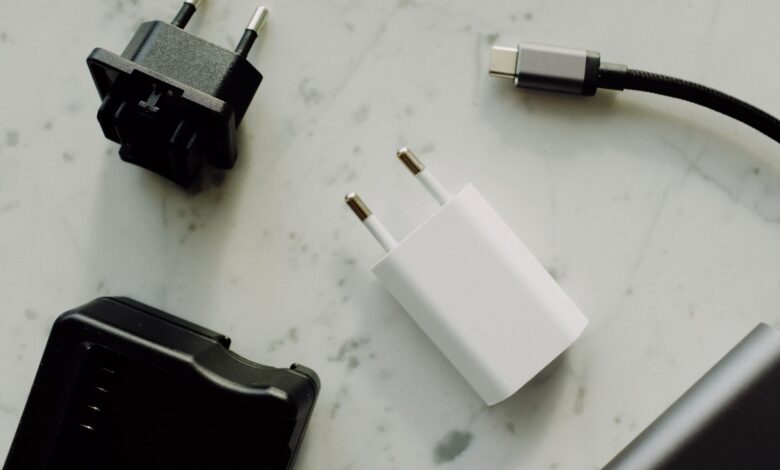
Sometimes, and the wattage printed on the box won’t tell you which. A charger, a cable, and a laptop each negotiate power separately over USB-C, and if any one of the three doesn’t support the exact profile the other two need, the connection quietly drops to a 5V trickle or refuses to charge at all — even when every label involved says “100W” or “USB-C.”
The laptop has to ask for a specific power profile, the cable has to be rated to carry it, and the charger has to offer it. A 100W USB C charger not charging laptop hardware is almost always one of those three links, not a defective charger, and a five-minute check with a USB-C power meter or the cable’s own printed rating settles it before you buy anything.
Why a 100W label on the box doesn’t guarantee a 100W charge
USB Power Delivery is a negotiation, not a fixed voltage. When a laptop is plugged in, it reads the charger’s advertised Power Data Objects (PDOs) — the fixed voltage/current combinations the charger can offer, like 20V/5A for 100W — and requests the one closest to what it needs. If the charger doesn’t list a PDO the laptop can use, or the cable in between can’t carry the current the negotiation lands on, the laptop’s embedded controller falls back to the safest option: 5V at a fraction of an amp, which is not enough to charge a gaming laptop under load.
This is why two “100W” chargers can behave differently with the same laptop. Standard Power Range (SPR) charging, defined under USB PD 3.0, tops out at 100W using fixed voltages of 5V, 9V, 15V and 20V, plus PPS (Programmable Power Supply) for finer adjustment in 20mV steps below that ceiling. A charger that only offers fixed SPR steps and a laptop that specifically requests a PPS voltage can both be genuine 100W-capable devices and still fail to agree on a workable profile.
Stage boxes showing the three-way PD negotiation: charger PDOs, cable e-marker rating, and laptop PDO request all have to agree before full-power charging starts.
SPR vs EPR, and why your cable matters as much as your charger
Above 100W, the rules change again. USB-IF’s own cable certification program requires any USB-C-to-USB-C cable seeking certification above 100W to carry the 240W/Extended Power Range (EPR) logo, which needs a different e-marker chip than a standard 100W cable. A cable printed “100W” was never tested for EPR voltages above 20V, and USB-IF’s compliance documentation is explicit that a cable’s certified rating is a hard ceiling, not a suggestion.
EPR raises the ceiling to 240W using higher fixed voltages — 28V, 36V and 48V — plus AVS (Adjustable Voltage Supply) for fine steps between them in 100mV increments, compared to PPS’s 20mV steps under 100W. A laptop charger genuinely capable of powering a high-draw gaming laptop above 100W needs an EPR-rated charger, an EPR-rated cable, and a laptop that itself negotiates EPR — all three, not any one of them.
A cable’s own printed wattage and USB-IF logo set a hard ceiling on negotiation, independent of what the charger and laptop can otherwise do together.
Does your gaming laptop actually accept USB-C charging at full power?
The laptop side of this is the part buying guides skip, and it varies by model more than most people expect. Several budget and mid-range gaming laptops treat their USB-C port as a secondary, lower-power input and reserve full performance for a proprietary barrel connector — a USB-C charger will keep the battery topped up or charge slowly at idle, but won’t sustain the laptop under gaming load.
HP’s own support forum has repeatedly addressed this for the Victus line: several Victus 15 and 16 configurations either don’t accept USB-C Power Delivery for charging at all, or cap it around 100W under USB PD 3.0 while reserving full GPU performance for the bundled barrel-type adapter (up to 200W+ on higher configs). Lenovo’s Legion Slim line follows a similar split — the highest-wattage charging (up to 170W on many 2022–2024 models) ships as a proprietary rectangular “Slim Tip” connector, not USB-C, with USB-C PD offered only as a lower-power travel option on select models.
| Model line | Primary charge port | USB-C charging |
|---|---|---|
| Lenovo Legion Slim 5 / LOQ | Proprietary "Slim Tip" barrel, up to 170W | USB-C PD supported on some SKUs, but limited to lower wattage than full performance needs — check your specific model's spec sheet |
| HP Victus 15 / 16 | Barrel adapter, 150–200W+ depending on config | Inconsistent by SKU — some accept PD 3.0 up to 100W for light use only, others don't accept USB-C charging while running |
| Dell G15 | Barrel adapter, typically 180–240W | USB-C present for data/display on most configs; check Dell's specific spec sheet for that SKU before assuming PD charging is included |
Comparison of how three common budget/mid-range gaming laptop lines split power delivery between a proprietary barrel connector and USB-C PD.
How to check PD negotiation yourself with a USB-C power meter
A small inline USB-C power meter (the kind that sits between charger and cable and shows negotiated voltage and current on a screen) settles this without guesswork. Plug the laptop in through the meter, let it sit for ten seconds, and read the negotiated voltage and current directly — that is what actually got agreed on, not what either box claims.
If the meter shows 5V at a fraction of an amp while the laptop is under any load, negotiation failed and fell back to the safety default — swap the cable first, since an underrated cable is the single most common cause. If the meter shows the expected voltage (20V on a 100W SPR laptop, or one of the 28V/36V/48V EPR steps on a higher-power one) but the laptop still won’t charge under full gaming load, the laptop itself is likely capping USB-C input below what it needs for GPU-heavy work, which is a model limitation, not a charger problem.
The cable’s own printed label is worth checking before buying a meter at all. USB-IF-certified cables are required to print a 60W or 240W power icon directly on the cable or its packaging; a cable with no power rating printed anywhere is a reasonable sign it was never submitted for certification at all.
Illustrative model of how the lowest-rated link in the chain sets the negotiated ceiling — actual behavior depends on your exact charger, cable, and laptop firmware.
Charger, cable, and laptop: a compatibility decision tree
Work through this in order before buying a replacement charger:
1. Confirm the laptop supports USB-C charging at all. Check the manufacturer’s spec sheet for that exact model number — “has a USB-C port” and “charges over USB-C” are not the same claim, and HP and Lenovo both ship configurations where they diverge.
2. Check what wattage the laptop actually needs for full performance. A laptop rated for 130W or more under gaming load will not run at full GPU power on a 100W charger even if it accepts the connection — it may charge slowly or hold steady rather than gain charge.
3. Match the charger’s certified PDOs to that number. Look for the USB-IF certification logo and printed wattage on the charger itself, not just marketing copy on the retail listing.
4. Match the cable separately. A 100W-rated charger paired with a 60W cable negotiates down to 60W. Above 100W, confirm the cable specifically carries the 240W/EPR logo, not just a “100W” one.
5. Verify with a power meter before relying on it. Ten seconds of reading negotiated voltage and current is cheaper than discovering the gap during a match.
The Last Check
A 100W USB-C charger will power plenty of budget gaming laptops for everyday use and light gaming, but “will it charge” and “will it sustain full GPU performance” are different questions with different wattage thresholds. Confirm your exact model’s USB-C charging spec, match the cable to the charger rather than assuming any USB-C cable works, and read the negotiated voltage with a meter if anything is uncertain — that combination catches the mismatch before it becomes a return.
Frequently asked questions
Will a 65W USB-C charger do anything for my gaming laptop?
Usually yes for charging at idle or light use, but it will not keep pace with the battery drain during actual gaming on most mid-range and high-end configurations, since gaming draw commonly exceeds 65W on its own before any charging headroom is left.
Why did my new “100W” charger only trickle-charge my laptop?
The most common cause is the cable, not the charger — an underrated or non-e-marked cable caps negotiation well below what the charger and laptop could otherwise agree on. Swap only the cable first and recheck with a power meter before assuming the charger itself is faulty.
Does any USB-C cable work for 100W charging, or do I need a specific one?
You need a cable specifically rated 100W/5A or higher with the matching e-marker chip. Cables without a printed wattage rating or USB-IF logo were most likely never certified for high-power charging and should be treated as 60W-or-less until proven otherwise with a meter.
Can I charge my gaming laptop with USB-C while also using the original barrel charger?
On models that support both inputs, yes, and Windows will typically draw from whichever source is connected without conflict — but this doesn’t add the two wattages together, and the laptop still won’t exceed whatever its USB-C input is individually rated for.
