
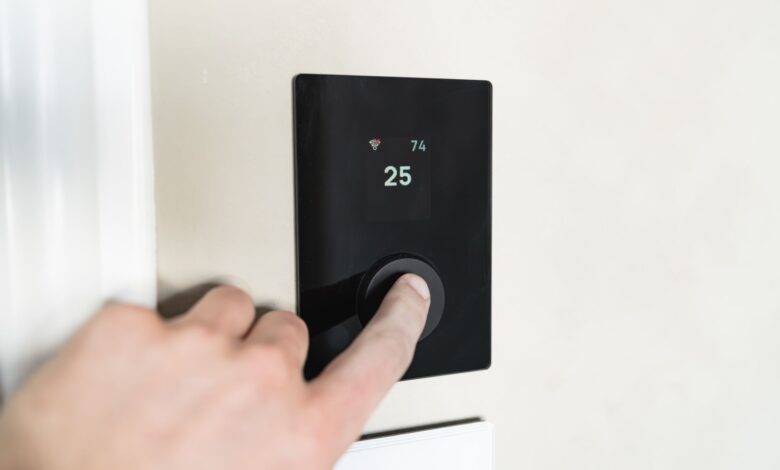
Your heating system and not the thermostat will ultimately determine whether you will be able to use a Nest Learning Thermostat or a Sensi Smart Thermostat without needing a common wire (C wire). According to Google, their Power Sharing technology allows the Nest Learning Thermostat to be compatible with any heater despite whether or not your home has a C wire. Additionally, according to Copeland, all Sensi smart models are also compatible with nearly all types of conventional heating and cooling systems. Both companies acknowledge that there are some exceptions to their compatibility claims: if you have only heat, only cool, heat pump, or zoned systems you will still need either a C wire or an adapter.
The difference between the manufacturers’ marketing statements and their respective footnotes is where the funds disappear. Regardless of whether your furnace allows for easy integration with a Wi-Fi internet connection before February, the four wires that connect to the back of a typical 1990s thermostat appear to be identical. This discrepancy with regard to a manufacturer’s advertisement stating “any C wire system” does apply; however, it does not accurately depict your situation.
How a C-wire powers a smart thermostat and why R alone isn’t enough
The C-wire’s most widespread misunderstanding is that it is meant to supply power. In reality, the C-wire merely completes the circuit for the power that is already being used. The difference in approach to these two thoughts leads to differing outcomes.
Residential low voltage systems operate off of a 24-volt transformer. A thermostat would receive power via a conductor called R and provide a return for that power to the transformer through three other conductors. These conductors are W, Y and G, which represent the return paths for the heating, cooling and fan control functions respectively. By closing the circuit through one of these return paths, a thermostat causes the system to activate. Thermostats do not consume power; they only act as switches that determine which return path to close. As Mainstream Engineering’s thermostat wiring guide describes the standard arrangement, the transformer’s output feeds the thermostat and the control circuits it switches, with each function completing back through its own conductor.
In the past, Mercury thermostats used bimetallic coils that did not require any power. Today’s thermostats, however, have Wi-Fi radios, microprocessors, displays and a variety of sensors; therefore, they require constant current supply, even when no heat is being called for at 3:00 am in April.
The sole responsibility of the C-wire is creating a common return for a thermostat, enabling the thermostat to draw power independently from a furnace. In essence, if a common wire is connected to the thermostat, then the thermostat is effectively across a live 24V circuit all day, consuming power continually. Because of this, it does not energize any of the heating or cooling relays.
Without a C-wire, a thermostat must rely on another source of power, which is often an operating piece of equipment. The parallel connection between the low-voltage wiring website and an HVAC contractor’s low-voltage wiring guide outlines not only terminal roles from both perspectives but is also informative in evaluating what happens when the wrong two wires connect. In this instance, a blown low-voltage fuse typically indicates a short circuit between R and C.
The discussion on trade forums such as the HeatingHelp forum illustrate how counter-intuitive this can be, particularly as the questions being asked often come from experienced individuals. The topic of what to do without a common quickly moves from marketing definition and redirecting back to evaluating the underlying wiring. When an individual recognizes a thermostat as a switching device versus an appliance, the question changes from “Does this model require a C-wire?” to “Is there a spare return available for my system?”
Can a smart thermostat work without a C-wire? Which systems can and which always need one
The type of your system is what will allow you to know this before any brand tells you this. All the manufacturers who advertise a no-c wire installation, have the same list of systems in which their no-c wire promise ends. The manufacturers’ lists are close enough to treat as one, overall rule.
| Your system | Nest Learning Thermostat | Sensi smart / Sensi Lite | ecobee with Power Extender Kit |
|---|---|---|---|
| Conventional gas furnace + AC | Usually fine without a common | Works on most without a common | Works with four wires (R, G, Y, W) |
| Heat-only | Needs a common or Power Connector | Needs a common | Not compatible |
| Cool-only | Needs a common or Power Connector | Needs a common | Four-wire minimum won’t be met |
| Heat pump | Needs a common or Power Connector | Needs a common | Depends on wiring; check first |
| Zone-controlled | Needs a common or Power Connector | Needs a common | Check the zone panel |
| Dual transformer | Requires professional assessment | Listed incompatible | Not compatible |
The two critical aspects highlighted in the table above should be emphasized because competitors usually only provide information on one aspect (usually the second) while failing to mention the other.
To begin, the figure assigned to “most homes” refers to the reality of the market as it exists today, and is not an estimate. According to Google’s Nest Technical Specifications, the Nest Learning Thermostat is designed to work when a home either has a C wire or does not have a C wire, but in rare instances (less than one percent) a C wire or Nest Power Connector is necessary. Since that is a truly minute proportion of the market, it is the same proportion of homes that are heat-only or zoned.
Next, for purposes of comparison, the distinction between the brand and the model must be clarified; because within the same family of manufacturers there is a change in the compatibility guide. In Copeland’s example, while Sensi Smart and Sensi Lite are listed in the “most conventional systems—no-common-required column,” Sensi Touch and Touch 2 will always need to be paired with a “c wire.” Therefore, purchasing a higher-end model from the same family may eliminate the no-C-wire option instead of providing it.
How users should first check their system type, then check the make/model, otherwise users will end up returning hardware. A heat-only boiler would defeat any flagship thermostat that a lower-end model would have also defeated; simply paying more doesn’t change this.
This is the point where home owners get caught. On several smart home forums, the repeated question is not “What is the best Thermostat?” but a variation of, “I have a furnace only system with no Common, what will actually work?” and the honest answer goes straight back to the exceptions list from the manufacturer and not a recommendation.
Why some no-C-wire thermostats lose Wi-Fi, reboot, or make your HVAC short-cycle
In the absence of a common connection, the thermostat obtains power from a circuit that was created for an entirely different purpose; manufacturers refer to this as “power sharing” or “power stealing”. This method enables the thermostat to utilize a minimal amount of energy from the heating or cooling circuit at a level below what would activate a relay and store that energy in a capacitor.
The capacitor is the storage component of this technology, and it is also where the issue arises. The energy stored in the capacitor is charged while the heating or cooling system is not being used and discharged when the thermostat is activated. If the energy demand exceeds the amount of energy being sent through the heating or cooling circuit, the thermostat will shut off components of the Wi-Fi radio, which typically has the largest energy draw. Which produces a symptom set that looks like a network fault and isn’t:
- Wi-Fi drops after an hour or two, heating still works. The reserve fell below what the radio needs while the relay circuit stayed fine. Classic power-sharing shortfall, not a router problem.
- Thermostat reports a low battery it shouldn’t have. The internal cell is covering a deficit rather than topping up.
- Display dims, flickers, or the unit reboots. The reserve is collapsing under load instead of sagging.
- Symptoms appear seasonally. Long idle periods in mild weather charge the reserve; sustained runs and deep cold don’t.
- Equipment short-cycles or starts without a call. The borrowed current is close enough to relay threshold to chatter it.
The final point made in this article is the most important, because the issue switches from being related to a thermostat itself to becoming an issue with the relay. A relay that is switching on and off rapidly will cause considerable wear and tear on contact points while exposing the compressor to conditions of restart, which it was never designed to be exposed to earlier than its scheduled restart time.
Installing a thermostat without a C wire that experiences Wi-Fi dropouts indicates insufficient power supply; thus, this is not indicative of a weak network. The remedy for this situation is either a hardwired C cable, or the purchase of a C-wire adapter to be placed on the back of the thermostat. The addition of a mesh network will not assist with this issue.
Owner reporting of such issues demonstrates how closely standard manufacturer mechanisms are monitored in Wyze thermostat community or forum postings, and throughout similar manufacturer communities, the pattern is almost identical for all: A clean installation, followed by an extended period of functionality, followed by a series of Wi-Fi dropouts, while the heat still responds to demand—this pattern is consistent with the load-shedding order, and it is the reason why owners spend excessive amounts of time initially blaming their trouble on their router.
Check your wiring before you buy: 4-wire vs 5-wire and finding a hidden spare conductor
Everything above resolves at the wall plate. The audit takes about ten minutes, needs a screwdriver and a phone, and settles which of the later options apply to you.
- Kill the power at the breaker, not at the thermostat. Resideo’s C-wire guidance is explicit that turning the thermostat off does not cut power to the furnace. Confirm the system is dead by calling for heat and waiting five minutes.
- Pull the faceplate and photograph the terminal block. Get every letter legibly, including any stacked labels — a terminal marked W above and O/B below is two functions on one screw, and you will want that photo later.
- Count conductors, not colours. Colour conventions are conventions, not standards, and previous installers reassign them. What matters is which lettered terminals have wires landed on them.
- Look for a spare. Loosen the plate and pull the bundle gently forward. Unused conductors are commonly pushed back into the wall cavity or wrapped around the sheath — a blue or black one tucked out of sight is the single best outcome of this whole exercise.
- Confirm the other end before you count on it. A spare at the thermostat is only useful if the same conductor exists at the furnace and the board has a C terminal to land it on. Same photo discipline at that end.
A total of five wires with common (C) already connected means you are out of luck; if you have four wires plus an actual spare, it is free to fix it. These two outcomes will account for most homes and do not require a purchase.
If you do not have a spare, the G-wire option is the one suggested most frequently and qualified the least. According to guidelines from Copeland, it is acceptable to use the fan wire as a replacement, and it does work. Simply relabel the G as C at both ends of the wire. However, when you do this, you lose independent control of the fan. You can no longer use the blower independently for additional air circulation because the terminal that once commanded the blower now performs a different function. If you are a reader who never uses the fan-only mode, it will be a free fix. If you run the blower for air circulation during shoulder seasons, it will be a significant loss and worth knowing about before making a decision.
One condition of the audit will terminate immediately. If there is a wire landed on two different R terminals, it indicates two transformers are present. Resideo has stated that at this point, you should cease and obtain professional assistance, not continue working on it. This also applies to situations in which you open your furnace and there is no control board installed.
Friction is rarely electrical. Within the Hubitat community, an owner (who found unused conductors at both ends – the best starting position) could not find anyone to help them with their project because both of the local HVAC companies would not pick up the phone to return their call due to the size of the job. The audit tells you what you have, but it does not always tell you who will assist with your needs.
Use photographs instead of a meter. While measuring a live 24-volt circuit is a prudent task for a technician, it is an unnecessary risk for a reader and every manufacturer’s app guides you through a guided power check that produces the same results without any probing.
C-wire adapters that actually work: Power Extender Kit, Power Connector, and external 24V transformer
Four-wire boxes exist because they can be wired without a spare, yet they do not provide a solution to every possible case. Each manufacturer provides different types of boxes with varying capacities and specifications for each box. It is at the point of specification that a lot of buyers get into trouble.
| Adapter | How it frees up a common | What it needs | Where it stops |
|---|---|---|---|
| ecobee Power Extender Kit | Combines the Y and G functions into a single wire at the control board | At least four wires at the thermostat, and an ecobee thermostat | 24 VAC only; millivolt, high-voltage, dual-transformer, fan-coil and communicating systems are out |
| Nest Power Connector | Supplies stable power at the furnace, air handler or zone controller | A compatible Nest thermostat and a C terminal on the board | 24 VAC only; millivolt and high-voltage incompatible; no C terminal means calling a pro |
| Venstar ADD-A-WIRE (ACC0410) | Lets a 5-wire thermostat run on 4 conductors | Venstar publishes compatibility for its own thermostat lines | Venstar does not list it as an any-brand accessory |
| Plug-in 24 VAC transformer | Powers the thermostat from a wall outlet instead of the system | A nearby outlet and a thermostat that supports a separate supply | Copeland publishes this route for heat-only systems only |
The ecobee kit is the best option to understand, because it represents the overall concept. The blower almost always runs when cooling, so the Y and G signals will always travel down together. The kit uses this to combine them onto a single wire that then transitions to a circuit board in the furnace to recover the G and Y signals separately. The ability to combine these allows the G and Y signals to free up a wire for the C wire. The requirement for a minimum of four wires is not an arbitrary requirement. The combination of R and G requires a wire; therefore, the two must be combined.
Google’s Power Connector serves a different purpose than the ecobee Power Extender Kit by adding Power Connectors at the air handler. The Google Connector can also be subject to change from time to time based on Google’s stock of Power Connectors. As of September 18, 2026, ecobee is offering the ecobee Power Extender Kit at $24.99 at their own stores, and the Nest Power Connector’s current price is whatever the retailer’s live listing is.
All these products are 24-volt accessories and none make your incompatible system compatible. If you have a millivolt, line voltage, communicating, or dual transformer type of equipment, there are no adapters available for you. Buying an adapter will only transfer the issue back to the furnace itself.
There should be an additional warning for the plug-in transformer, since this is typically the installation method that people come up with on their own. According to Copeland, this transformer is only to be used for heat (not cool) for DIY Sensi installs, and the way it is wired (one wire connected to RC, and one wire connected to C) requires cutting the RH/RC jumper wire at the thermostat to isolate the two transformers (the house transformer and the plug-in transformer), which is a very important step in proper operation. This is also important because it is stated in the Mainstream Engineering wiring instructions that the outputs from two transformers should not be connected together.
The obscurity around this device can be seen on the All About Circuits Electronics Forum, when an individual who had just completed a self-installation of an Ecobee3 Lite thermostat mentioned that he had a question, “How does this thermostat create a Neutral to use?” The responses from the individuals responding were all labelled as “guesses.” The person ended up installing proper wiring using a common and avoided using the kit. This was a good decision for him, even though he never received a definitive answer from Ecobee, who have published the answer on their own website.
When selecting a plug-in transformer for your thermostat, it is best to match the transformer to your specific brand and system instead of matching it to price. For example, the kit packaged with Ecobee will not work with Nest, and Venstar also offers an accessory that they specify is for use only with Venstar thermostats. The plug-in transformer which can be viewed as a “universal fix” has been documented for only one system type.
When to run new wire, when to use an adapter, and when to stop and call a pro
At this point in time, the decision you need to make for your project has already been made for you based on the available options displayed on the wall plate.
A spare wire conductor found in the wiring bundle indicates you’re directly connecting a wire conductor to the wall plate. In this case, connect the spare conductor to pin C at both ends of the run and you have a complete solution with no trade-offs whatsoever. An 18 AWG, four wire bundle without a spare conductor means you’ll need to purchase an adapter specifically designed for the brand/type of heat pump you are installing. If you’re working with a two wire only heat pump system, there is an option to use a plug-in type transformer. However, running new cable is the best option for systems that will allow you to use multiple types of equipment in the future because you’ll be left with spare conductors when you’re finished installing everything.
While running new 18/5 or 18/8 cable is the preferred method of connecting multiple heating equipment, it is not marketed and there are no advertisements for it. It is a permanent solution to the problem, while running a plug-in type transformer is only a temporary solution. The installation costs for this type of cable are significantly higher than other cable types, but the amount of money you’ll spend will depend on the accessibility of the installation location. This is something you’ll need to determine when you are in the installation area.
Some conditions end the DIY conversation regardless of how many wires you have. Stop and bring in an HVAC professional if any of these is true:
- There’s no control board at the furnace or air handler to find
- Wires are landed on two separate R terminals, meaning two transformers
- The system is millivolt, or the conductors run at 120 or 240 volts
- The equipment is a proprietary communicating system rather than standard 24-volt control wiring
- The equipment is somewhere you can’t safely reach and work — a crawlspace, an attic in summer, or a cabinet you’d need to be upside down in
No adapters solve any of these problems because they are not actually problems of skill set; there are conditions that do not have anything in the accessory aisle; and there are times when improvisation costs more than the call.
There is a real safety concern that is not really exciting or dramatic, but rather mundane. For example, SupplyHouse states in its low-voltage guidance that a blown low-voltage fuse usually indicates a direct short between the R and C transformer connections. This is just what happens when you accidentally touch the wrong two conductors. This same thing blows a control board’s fuse or its transformer fuse. Repairs to the control board are the responsibility of the technician, not the thermostat.
It is impossible to know what the fair price for these repairs should be because prices vary greatly depending on the home that you are in. When you get two written quotes, make sure to ask both about new cable and whether they do any repairs on drywall if the run is inaccessible, and where they plan to land the common wire. The answers that they give to these questions will differ more greatly than the two quotes, and the cheapest quote from a company that plans to reuse your fan wire is not the same as the quote from the company that runs new cable.
It can be confusing to find a professional electrician. On a Wyze thermostat forum, an owner was working on an “old HVAC with no circuit board” and found his unit tucked away in a space above a pantry with his spare conductor too short to connect. A regular member on the forum was able to help him by describing how to extend the conductor while emphasizing that the jumper should be replaced with an inline 3-amp fuse, so the transformer would blow before having a short circuit. On another forum, a homeowner was told by two local companies that they could not send technical help to him because he did not want to spend enough money for them to travel for so little work.
So the true limitation in doing this project yourself is not your own level of confidence, but the limitations of the equipment available to you. Assuming that you have a circuit board with terminal labels, the ability to access the transformer and that you are able to physically access the circuit board, you have a connection. If any of these assumptions is false, you will be better off hiring someone who performs these connections daily than trying to use a second adapter that will not fit.
Before You Buy: Verify the HVAC System
The question of whether a smart thermostat can operate without a common wire is a question about your heating and cooling system, not the smart thermostat. The answers to this question are available through the manufacturer of the smart thermostat (before you purchase) using their respective detailed product documentation. Take a picture of your terminal block and then either use Google’s Nest Thermostat Compatibility Checker or Ecobee’s Thermostat Compatibility Checker. Both checkers will confirm if your current system needs a common wire (C-Wire) or an adapter. The difference between needing a C-Wire or an adapter is the difference in the installation process. If you skip this step, it could mean that you will not have heat or air conditioning as you expect this winter.
Frequently Asked Questions
Do all smart thermostat brands offer a no-C-wire option?
Honeywell Home’s Wi-Fi line is based on assumption that the C-wire will always be available when installing Wi-Fi thermostats, since Resideo states in their installation guide that the C-wire is necessary for all Wi-Fi thermostats. The Honeywell Home C-Wire Adapter converts the G-wire to C at the thermostat’s terminal block, but it only works if both G and Y are available at the same time.
Is there a smart thermostat that runs on batteries with no C-wire at all?
There are some models available with batteries, however they change from Wi-Fi (the standard for many models) to Z-Wave, which means you will need to purchase a hub in order to communicate with them. For example, Resideo’s T6 Pro Z-Wave operated with 3 AA batteries as well as the option to use a C-wire; however, the product page states that it has since been discontinued; therefore, make sure to verify its availability prior to considering this option.
Do I have to buy the Power Extender Kit separately?
For only two models, ecobee includes the installation kit with every smart thermostat other than the Smart Thermostat Essential and Smart Thermostat Lite. Also reported by ecobee is that this kit is useful for only about 15% of its installations.
