
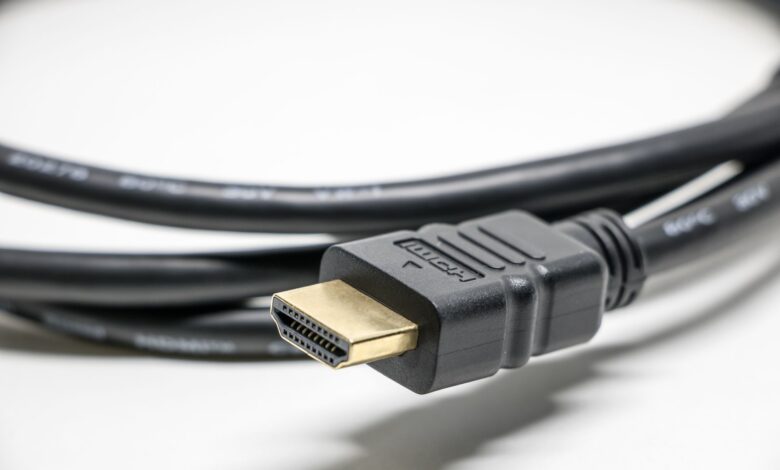
Your soundbar plays sound just fine, but the Atmos logo never lights up and everything falls back to plain stereo or basic surround. The most common cause is a mismatch between ARC and eARC: regular HDMI ARC physically cannot carry lossless Dolby TrueHD Atmos, only compressed formats, so if either your TV’s port or your soundbar’s port is ARC instead of eARC, Atmos passthrough will never work no matter how the settings are configured.
ARC carries roughly 1Mbps of audio bandwidth. eARC carries up to about 37Mbps over a dedicated data channel. That thousand-fold difference is not a marketing number — it’s the actual reason a lossless object-based format like Atmos needs eARC specifically, and why plugging into the wrong port on either device silently caps you at compressed Dolby Digital Plus at best.
ARC vs eARC: the bandwidth difference that decides Atmos
HDMI ARC, Audio Return Channel, was designed years before Atmos was common in home theater and was built to send compressed audio like Dolby Digital back from the TV to a soundbar over the same cable used for video. Its bandwidth is enough for compressed 5.1 formats but falls well short of what lossless, object-based audio needs.
eARC, enhanced Audio Return Channel, was introduced specifically to handle high-bitrate formats like Dolby TrueHD Atmos and DTS:X. It uses a dedicated data channel with far more bandwidth, standardized by the HDMI Forum as part of the HDMI 2.1 feature set, though eARC can also appear on some HDMI 2.0-based TVs as an added feature. The two ports can look identical on the outside — often it’s a tiny “eARC” printed label, or its complete absence, that’s the only visible clue.
Side-by-side boxes comparing ARC and eARC bandwidth and which Dolby audio formats each can actually carry
Why Dolby TrueHD Atmos specifically needs eARC (not just any HDMI)
Atmos comes in more than one delivery format, and this is where confusion usually starts. Dolby Digital Plus with Atmos metadata is a compressed format that can technically pass over regular ARC on some setups, giving you Atmos-flavored sound with real height-channel positioning, just at lower bitrate. Dolby TrueHD with Atmos, the lossless version typically found on Blu-ray and some premium streaming tiers, needs the full eARC bandwidth and will not pass over ARC at all.
This is why a soundbar can genuinely support “Dolby Atmos” on the spec sheet, and your TV can genuinely support “Dolby Atmos passthrough,” and you still get silence or a fallback to stereo — if either device only has ARC, you’re capped at the compressed delivery path, and depending on the source app or disc, that path may not always be offered at all.
How to check your exact ports before troubleshooting anything else
In the settings menu, look for: your TV’s audio output setting, usually under Sound or Audio Output, and check whether it lists eARC as an available mode versus just ARC. Then physically check both the TV and soundbar HDMI ports for an “eARC” label — on most sets, only one HDMI input is wired for eARC, even if others are unlabeled ARC.
Run the same check yourself before assuming a settings problem: unplug and firmly reseat the HDMI cable at both ends, confirm you’re using an HDMI cable rated for high enough bandwidth (an old basic HDMI cable can bottleneck eARC even in the right port), and set the TV’s audio format to Auto or Bitstream rather than PCM, since PCM forces a decoded, lower-capability signal regardless of port.
The EDID mismatch that silently falls back to plain stereo
EDID, Extended Display Identification Data, is the handshake TVs and soundbars use to tell each other what audio and video formats they each support. When a soundbar’s EDID isn’t read correctly, or when a TV defaults to an older cached EDID after a firmware update, the two devices can silently agree on the lowest common format instead of the best one both actually support — which is why Atmos can simply stop working after a TV software update with no other changes made.
Try this before you buy, or before you keep troubleshooting an existing setup: power-cycle both the TV and soundbar together, unplugging both from power for about 30 seconds, not just standby. This forces a fresh EDID handshake and resolves a large share of “it worked yesterday” Atmos dropouts that aren’t actually port or cable problems.
Sony HT-S100F vs Hisense HS2100 vs Vizio V-Series 2.1: eARC support compared
This comparison is based on each manufacturer’s published port specifications, not a claim of lab-testing every retail unit’s handshake behavior. Whether a specific bar has an eARC-labeled HDMI input at all is the single biggest factor in whether Atmos passthrough is even possible.
| Model | HDMI port type | Atmos delivery supported |
|---|---|---|
| Sony HT-S100F | No HDMI input; optical/analog connection only | No Dolby Atmos passthrough of any kind — audio format is limited by the optical connection |
| Hisense HS2100 | HDMI ARC (not eARC) | Dolby Digital Plus with Atmos metadata only, if source and TV both support it over ARC; no lossless TrueHD Atmos |
| Vizio V-Series 2.1 | HDMI eARC | Full lossless Dolby TrueHD Atmos passthrough when paired with a TV that also has a genuine eARC input |
Sony HT-S100F pros: simple, inexpensive, works with almost any TV via optical. Cons: no HDMI at all means no Atmos object-based audio period — a genuine reason to skip it if Atmos matters to you. Hisense HS2100 pros: HDMI ARC gives cleaner setup than optical for basic surround. Cons: ARC-only port caps you at compressed Atmos at best, and won’t deliver lossless TrueHD.
Vizio V-Series 2.1 pros: genuine eARC support makes full lossless Atmos passthrough possible, assuming your TV’s eARC port cooperates. Cons: you still need a TV with its own working eARC input for any of this to matter — the soundbar alone can’t create bandwidth the TV doesn’t send.
The eARC compatibility decision tree
Three-step decision tree checking soundbar eARC support, TV eARC support, and audio output settings, ending in a pass or fail verdict for Atmos passthrough
Certifications on both devices confirm safety compliance, not audio format support. IEC 62368-1:2023 and UL Listed marks confirm the devices passed electrical safety testing, which is a baseline trust signal but tells you nothing about whether the HDMI ports are wired for eARC. Only the port specification and the eARC label itself answer that question.
Making It Work
If Atmos won’t play, work through the chain in order rather than guessing: confirm your soundbar actually has an eARC-labeled HDMI port, confirm your TV has a matching eARC input, then check that the TV’s audio output is set to Auto or Bitstream and give both devices a full power cycle to force a fresh EDID handshake. A soundbar or TV with only ARC is a hardware limit no setting can work around — in that case, the fix is a different device, not a different menu option.
Frequently Asked Questions
Can I get Dolby Atmos through a regular ARC port?
Only the compressed Dolby Digital Plus with Atmos metadata, and only if both your TV and source support it that way. Lossless Dolby TrueHD Atmos requires eARC’s much higher bandwidth and will not pass over standard ARC at all.
How do I know if my TV’s HDMI port is ARC or eARC?
Check for an “eARC” label printed near the port itself, and check your TV’s audio output settings menu, which usually lists eARC as a selectable mode if the hardware supports it. Only one HDMI input is typically wired for eARC, even on TVs with several ports.
Why did Dolby Atmos stop working after my TV’s software update?
This is often an EDID handshake issue — the TV can revert to a cached or mismatched EDID after a firmware update. Power-cycling both the TV and soundbar fully, not just standby, usually forces a fresh handshake and restores it.
Does my soundbar need HDMI at all to play Dolby Atmos?
Yes, for the lossless TrueHD version. A soundbar connected only by optical cable, like the Sony HT-S100F, cannot carry Dolby Atmos object-based audio at all, since optical lacks the bandwidth and data structure eARC provides.
