
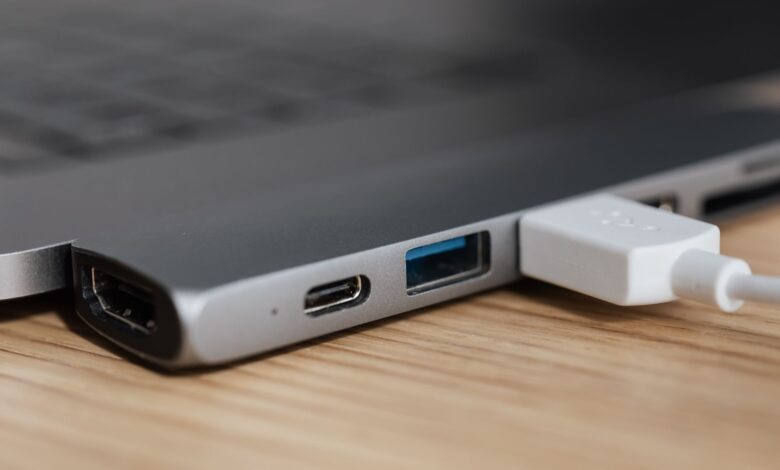
A 100W charger cannot deliver more than 100W, no matter what the box promises — and a lot of gaming laptops need 140W or more to run at full boost while charging. That gap isn’t a defect in your charger or your laptop; it’s a hard ceiling built into the USB-C Power Delivery standard, and a five-minute check tells you whether your charger, your cable, or your laptop’s own charging behavior is the real problem.
USB Power Delivery splits into two ranges: Standard Power Range (SPR), capped at 20V/5A/100W, and Extended Power Range (EPR), up to 48V/5A/240W. A charger labeled “100W” is an SPR device by definition — it cannot negotiate past that ceiling even if your laptop asks for more. Most 140W+ gaming laptops need an EPR charger and an e-marked cable together to reach full power; without both, the laptop falls back to whatever SPR can offer.
Why “100W” chargers stop at 100W no matter what you plug in
SPR and EPR are not marketing tiers — they are two separate negotiation ceilings defined in the same USB-IF specification. USB-IF’s own Power Delivery page confirms the SPR limit directly: prior to the 3.1 revision, USB PD was capped at 100W using 20V at 5A over a Type-C cable, and the 3.1 update is what introduced the higher range on top of it.
A charger built to the older SPR ceiling has no higher voltage step to offer. When your laptop’s controller asks for 28V or 48V, an SPR-only charger simply doesn’t have that option in its list — it answers with its highest available SPR offer instead, typically 20V at 5A, and the laptop either accepts a slower charge or refuses to hold pace while gaming.
USB PD 3.1 EPR explained: how a laptop asks for more than 100W
Power Delivery is a negotiation, not a fixed voltage. The charger (source) broadcasts a list of Power Data Objects — PDOs — describing every voltage and current combination it can supply. The laptop (sink) picks the best match for what it needs right now and requests it. An EPR-capable charger’s PDO list includes 28V, 36V and 48V options at up to 5A; an SPR-only charger’s list stops at 20V/5A. Tom’s Hardware’s USB-PD explainer lays out the same three added EPR voltage steps and confirms the 240W ceiling only applies once a charger, cable and device all support the higher range together.
This is why a “100W” charger and a “140W” charger can look nearly identical but behave completely differently under a gaming load: the wattage printed on the box is really just the ceiling of whichever PDO list that specific unit supports.
Stage boxes showing how a charger and laptop negotiate down to a fixed power contract
The e-marked cable most people don’t know they’re missing
Even a genuine EPR charger can’t reach full power over the wrong cable. USB-C cables rated for more than 60W require an embedded e-marker chip that reports the cable’s real current rating during negotiation; a basic 60W cable without that chip caps the connection well below what an EPR charger and laptop are both capable of.
Anker’s own product page for its 140W 4-port charger states this requirement directly for its target hardware: an e-marker cable is required to reach charging speeds above 100W, and the same page notes that a handful of laptop models with proprietary charging behavior may not reach full speed even with the correct cable — a reminder that cable and charger both have to clear the bar, and even then a specific laptop’s firmware gets the final say.
Can I charge my gaming laptop with a phone charger?
Buyers assume any charger marked “65W” or “100W” will work because the port shape is the same and the number looks close enough. That fails because a phone-oriented charger’s PDO list is usually built for phone and tablet charging curves — often capped well under 100W with no EPR step at all — so a gaming laptop drawing full CPU and GPU power at once will out-pace what that charger can sustain, and the battery will drain during a demanding session even while “charging.”
How to check what your charger and cable actually support
A USB power meter that shows negotiated voltage and current is the fastest way to see the actual contract, not just the sticker wattage. Plug the laptop in under normal desktop use, read the negotiated voltage and current off the meter, then start a game and watch whether that number holds or drops.
Checklist showing four checks for charger range, cable rating, negotiated voltage and laptop wattage
Charger compatibility decision tree
Three questions in sequence settle almost every case: does the charger’s label say EPR or 240W anywhere, does the cable show a 5A/240W rating, and does the laptop’s own rated adapter exceed 100W in the first place. A “no” at any step points straight at the fix — swap the charger, swap the cable, or accept that a lower-wattage adapter was never going to hold pace under full gaming load.
Decision flow walking through laptop rating, charger range and cable rating in sequence
Making It Work
A 100W charger is an SPR device with a hard ceiling; most gaming laptops rated above that need an EPR charger and an e-marked cable working together to reach full power. Check the label for “EPR,” check the cable for a 5A/240W rating, and confirm the negotiated voltage on a power meter before assuming the charger itself is broken.
Frequently Asked Questions
Will a 100W charger damage my gaming laptop?
No — USB PD negotiation is a safety feature, not a risk. The laptop and charger agree on a lower, safe power level automatically; the laptop just charges more slowly or not at all under heavy load instead of drawing more than the charger can supply.
Do I need a special cable for a 140W charger?
Yes, if the charger and laptop both support more than 100W. Any cable rated at 60W or below caps the connection regardless of what the charger and laptop can otherwise negotiate.
Can I charge my gaming laptop with a phone charger?
Only for light use. Most phone chargers max out well under 100W with no EPR step, so the battery can still drain during a demanding game even while plugged in.
