
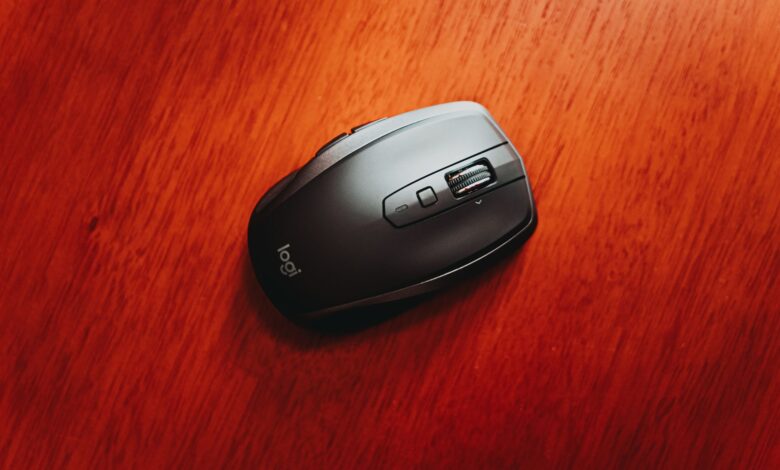
A low-cost wireless gaming mouse can be just as fast as a wireless gaming mouse priced four times higher. The determining factor is not the pricing but rather the two different wireless connections that appear on the packaging for that gaming mouse. Most budget-friendly gaming mice will support both connection types, while each one will have a different response time. RTINGS’ click-latency methodology provides a different measurement for each wired connection method used on budget friendly gaming mice; an example being that the package may display a single measurement; however, it will not display each of the other measurements associated with the wireless connection.
The datasheet for each budget wireless gaming mouse contains a number of split measurements similar to the example with the gram weight, sensitivity limit, and battery life; however, there are generally different measurement conditions listed on the specifications for the budget wireless gaming mouse. What may be the case for one measurement configuration may not be the same for the configuration you receive with the unit you ordered online; therefore the first measurement to check for isn’t even a number.
For Gaming-First Use, Distinguish the 2.4 GHz Receiver From Bluetooth
The 2.4GHz radio transmission for a mouse and the Bluetooth radio transmission are both offered as a part of the same device but are not interchangeable for gaming purposes. The dongle included with the mouse uses a proprietary communication protocol between the manufacturer and the specific mouse that is paired to it, while Bluetooth is a general-purpose standard used by your computer for other devices such as headphones and speakers. Testing laboratories separate the two protocols for the reasons mentioned.
Both protocols occupy the same slice of radio spectrum. This can lead to confusion. An Engineering Paper published by USB-IF regarding 2.4GHz Interference clearly states: Peripherals using the 2.4GHz band “may use standard protocols (such as IEEE 802.11b/g/n) or proprietary protocols.” These two protocols occupy the same radio frequency range but represent fundamentally different communication protocols. The wording “2.4GHz Wireless” in a product listing indicates only the frequency and does not provide any indication of whether your mouse is using the Bluetooth or proprietary protocol to communicate while you are playing online.
| Connection | What it’s built around | How to read a test result |
|---|---|---|
| Bundled 2.4 GHz receiver | One paired mouse, one maker’s own protocol | The figure belongs to that dongle, at that distance, with power saving off |
| Bluetooth | A shared standard your phone, tablet and headset also speak | Measured separately and judged against a looser threshold |
| Wired, where offered | A cable and no radio at all | Often the reference point, and missing entirely on receiver-only models |
RTINGS provides separate value ratings for wired and wireless options for mice, while only considering the connection type that is intended to be used most often in their evaluation scores. They specifically state in their “buyer’s guide” section for gaming mice that the most practical application of using a USB receiver for gaming is due to Bluetooth’s increased latency and unreliability.
While this does not necessarily mean that Bluetooth is inferior, it does illustrate the fact that when comparing a mouse to one that uses a dedicated USB receiver like the Razer Basilisk V3 X HyperSpeed mouse, Bluetooth is used for general web browsing, while the USB receiver is used for competitive gaming. Although both types of connection are advertised as being low-latency, the difference in their performances in competitive settings can be considerable.
There is some divergence of opinion among buyers regarding Bluetooth and USB connections, as evidenced by a thread on r/MouseReview about this. The OP questioned the actual response time difference between both connection types and expressed frustration that the articles found about response times either explained how to use the mouse in a gaming context or only described the user experience of using the mouse, without explaining anything further. The OP’s question generated much argument as to the percentage of difference and the various levels of performance between both connection types, which is not a question that can be easily settled by discussing it in a community thread such as this one.
If a budget wireless mouse supports both connection types, only the USB receiver was used to conduct all of the mouse’s gaming performance claims, and Bluetooth pairing provides a more elegant option that eliminates the other connection method from consideration.
Make Receiver Placement Part of the Wireless-Performance Check
The location of the receiver is a contributor to how your device performs, and this fact is specific to your desk and not the mouse. Logitech’s help page on USB 3.0 interfacing with wireless devices, still under development as of September 2026, outlined the symptoms of this interface when experiencing interference: delayed responses to your input commands, failure to receive certain mouse commands, and a decrease in the distance between the mouse and its receiver.
The interference caused by USB 3.0 is well-known and has been documented many times before. Intel’s USB 3.0 interference white paper, published by Intel (through USB-IF) in April 2012, provides an examination of this phenomenon. They found that using a USB 3.0 external hard drive created a noise floor that was ~20 dB higher at 2.4 GHz, while the USB 3.0 socket of a laptop increased it by ~25 dB. The white paper goes on to say that because this noise is produced within the operating frequency of the wireless device, it cannot be filtered out.
This document was created in 2012 based on the technology of that time. The fact that Logitech continues to provide the same mitigation recommendations today demonstrates reliability in using the data in the 2012 white paper.
Two results from this study have important implications when determining if you should buy a drive. First, interference occurred regardless of whether the drive was being written to or was simply connected but not being used (idle). Therefore, saying “I’m not copying anything” does not protect you from this interference. Second, the dongle (the small connector plugged into the USB port) was placed directly over the USB 3.0 port and there was no response from the mouse at 2, 3, and 5 feet away. However, when the mouse was moved to the other side of the laptop and connected with a USB 2.0 extension cable, the mouse worked without a problem at all three distances. The same mouse was used to perform both tests on the same table with the same drive.
Before you blame a mouse, run the desk check:
- Unplug any USB 3.0 flash drive, external SSD or portable hard disk that shares a port cluster with the receiver, and see whether the stutter stops.
- Move the receiver to a port physically far from that cluster — the opposite side of a laptop, the front panel of a tower.
- If the mouse ships with a receiver extension cable, use it. The Logitech G305 includes one specifically to move the receiver signal closer to the mouse, and plenty of people leave it in the box.
- Only after those three steps should you treat the behavior as a fault with the unit.
Forums have shown both sides of the story. A poster in a Tom’s Hardware Forum thread described how they returned the wireless mouse they had purchased for their grandson, as he was experiencing so much choppiness in using it that they had to purchase a wired option. A moderator in the same thread stated that he has used that same brand of dongle on two different desktop computers via a front USB 3.0 port without experiencing any issues.
On r/buildapc, one user was able to recreate the issue by plugging in a specific flash drive, while another reported the issue as a support ticket asking, “Do you currently have a flash drive plugged in?”
This is a conditional problem rather than a universal problem, so ruling this out before returning is critical. Additionally, as discussed in the white paper, the results of testing four different mice with different antennas mounted in different locations, resulted in four different outcomes, so it is essential to understand how the mouse model’s design will impact how susceptible you are to interference, and this cannot be determined from a product specification sheet.
Read DPI and Polling-Rate Claims as Inputs, Not a Verdict
The quantity of DPI listed on a mouse is the most important number for many consumers. DPI indicates how sensitive the mouse is instead of its actual quality. The following is a quote from RTINGS’ CPI test methodology regarding how they test CPI: “It is not enough to know that the maximum CPI of a sensor is higher than that of a different sensor; this does not mean that it will necessarily be better.” Many sensor firmware systems use smoothing to mask any jitter at very high settings.
By looking at the weight that RTINGS gives to a CPI score, you can understand how meaningless that headline number is. RTINGS has maximum CPI weighted at only 2.5% of the total CPI score. The majority of the score is based on the amount of drift a sensor will display when you move your mouse quickly, along with its consistency across different CPI settings, i.e., those same factors that contribute to ‘over aiming’ during flick shots. A mouse rated ‘good value’ for maximum CPI by RTINGS is 2000, while many boxes show 26000 or 30000. Competitive gamers are typically found in the range of 800 to 3000 CPI.
Polling rate suffers from the same issue. Here’s what each label does and doesn’t establish:
- Maximum DPI or CPI establishes how sensitive the cursor can be made. It doesn’t establish tracking accuracy, and past a point the firmware may be smoothing to compensate.
- Maximum polling rate establishes how often the mouse is allowed to report. It doesn’t establish that you’ll perceive the difference — RTINGS describes the MCHOSE L7 Pro’s 8,000 Hz support as offering measurable improvements whose “real-world in-game benefit is minimal.”
- Sensor model establishes which part is inside. It doesn’t establish the result: the ATTACK SHARK X3 carries the same or similar specifications as better-performing budget rivals and still measures as “a decidedly worse performer,” with click latency as its biggest shortcoming.
The last point that we have addressed is what we want to internalize as a trap. Two mice of the same model number will generate exactly the same name for the sensor and give exactly the same range for polling rate, but when you go to measure, you will find the two mice will behave very differently in relation to each other because of the relationship with the other components (switches, firmware and radio) involved in the chain.
The posts found in an r/MouseReview thread related to polling rates illustrate how the marketing can influence the mindset of consumers. One member noted that he had always thought that “the higher the number, the better”, while another was questioning whether he should run his new 8000 Hz mouse at 8000 Hz. Think of these two numbers as inputs for the configuration you will configure later, not as any indicator that you are getting something “better”.
Compare Latency Evidence Only When the Connection and Test Conditions Match
This is where a really useful number gets rapidly misconstrued because the number itself is not actually a property of the product that creates it (the mouse), but rather is derived from a specific measurement, which will always carry its own limitations, regardless of whether or not the article that references that number provides any type of explanation as to how to correctly interpret that number.
To illustrate this concept further, we’ll utilise the same example used earlier. For instance, we at RTINGS place our sensor directly over the left-click button of the mouse. As such, the reading taken from this setup would be inclusive of the total distance that the left-click button has to move to activate the switch. The fact that we identify the pre-travel distance as part of how we conduct the test leads to us publishing results that are higher than average when compared to other testing methods or manufacturer published figures. Additionally, we test our mouses in a way that best suits the user of the mouse – by using settings that provide the fastest polling rate available; the lowest debounce time; power saving mode turned off, and maximised performance setting enabled – and average the number of times each mouse is clicked for the first five clicks discarded. Each of these methods will alter the numerical results.
Therefore, it is important to note that a millisecond figure is used to answer a much narrower question than it seems to convey. Specifically, it only tells you exactly what the tested mouse performed at the time of testing, given the type of connection that was used, at the specific settings that were used for testing, and when using the specific test bench that was referred to. It does not state how a similar mouse would perform under similar conditions at a different retail location. For example, if a different retailer has measured a different mouse using a different measurement setup, that mouse may not have the same pre-travel distance as your mouse, nor may it use identical settings, nor will it be measuring the same aspect of the mouse’s performance. Hence when we provide you with a number from two independent testing resources, those numbers are in fact independent of each other; they are numbered answers to different questions and simply happen to have the same numerical designation (a millisecond) associated with them.
The ground shifts, even when testing within a single lab; for instance, in comparing the Razer Orochi V2 and ATTACK SHARK X3 models at RTINGS, the two test bench versions represent a difference; with the new version removing the previous latencies in measurements that are no longer valid. This is simply a normal part of preparing the methodology to be consistent across test benches and is why you need to know which version to read when stacking reviews together.
The practical approach is straightforward; before you consider two latency numbers to be comparable, ensure they were tested using the same outlet, connection type, profile settings, and test bench version; and if any one of those items is different, you are comparing two separate facts rather than a ranking of them. When there is a mismatch, the better way to evaluate which mouse would be better for you is to read the reviewer’s conclusion about that mouse; a reviewer may have concluded “good for casual gaming and bad for competitive” or “too high of a latency for competitive use” — those are actionable conclusions that you can use to help make a purchasing decision where numbers alone do not provide enough information.
Judge a Lightweight Wireless Gaming Mouse by Its Usable Weight
A budget buyer can sense the weight of a mouse within just thirty seconds of picking it up, therefore, it’s the easiest spec to misquote concerning weight. A gram weight will be meaningful when the buyer knows if that gram weight comes including or excluding the power source used to enable the mouse to be used.
The weights listed below represent the default weights of the specific mice tested by RTINGS. You can access these weights through RTINGS results table, which also provides the year each mouse was released and the test bench version (if any) for each. These weights were provided as observations of how each reviewed configuration weighs, and should not be considered as coverage of every possible retail configuration weight.
| Model as reviewed | Measured default weight | Power source | What the figure covers |
|---|---|---|---|
| Logitech G305 LIGHTSPEED | 101.7 g | One AA cell | The unit as it ships, cell installed |
| Logitech G305 X SUPERLIGHT | 57.7 g | Internal rechargeable | A separate 2026 product sharing the G305 string |
| Razer Orochi V2 | 84.4 g | One AA or one AAA | The default build; the AAA option changes the total |
| ATTACK SHARK X3 | 54.3 g | Internal rechargeable | The reviewed unit, 1,000 Hz maximum polling |
The Orochi V2 row captures the entire lesson in one line. According to RTINGS, it utilizes either one AA or AAA battery; thus, it has two weights based on the battery type you install. Therefore, it is impossible to obtain an accurate weight on just one of these models. Further, although there is a marketing claim of lightweight for a given mouse, when a power source is added in, the total weight could greatly differ from what was advertised. So whichever configuration you choose (AA, AAA, etc.), you must consider the weight of that configuration rather than using what is listed on the product page.
For those who are budget-shoppers, the removable AA batteries can be found for cheap and can be easily replaced if needed. In addition, they add weight to your setup, while the internal charged versions actually save you weight, while both ultimately become a failure point. In terms of shape versus weight, shape is much more influential in terms of the degree of comfort of a given mouse. RTINGS’ judgement has shown that there are many varying opinions about the different grips used, based solely on the shape and the size of the hands, not the weight. As such, a 54g mouse that does not fit correctly will likely feel worse to the user than an 85g mouse that fits correctly.
A gram figure without its power source stated isn’t a spec — it’s a claim waiting for a condition.
Verify the Exact Model, Receiver, Firmware, and Mode
It is assumed that you and the reviewer have the same object in mind. On budget peripherals, that assumption fails more than it should, with the product name being the least reliable element in the listing.
The following examples demonstrate this without anything but a guess. Logitech sells the same mouse as the G305 in the US and lists it as the G304 LIGHTSPEED in Logitech’s Hong Kong store – two different regional names for one product, and RTINGS has confirmed that both are, in fact, the same.
At the same time, the term “G305” is also used to describe the G305 X SUPERLIGHT, a model from 2026 that weighs in at 57.7 g as opposed to the 2018 G305 at 101.7 g. If you search for “G305,” depending on what result you choose, you will be looking at a mouse that shares its name with the one in your cart but is different by 44 g, a generation of sensor technology and its list of connectivity options.
An identical pattern can be observed with several other products at lower price points as well. With regard to products listed by RTINGS, they have recorded the shipping of an MCHOSE L7 Pro and an L7 Pro+ (which has a larger enclosure), as well as the separate testing of an L7 Ultra product. Since the L7 Ultra product is no longer being manufactured or sold, any reviews you come across about this product could potentially describe a product that you will no longer be able to purchase.
Before checkout, pin down four fields on the manufacturer’s page for the exact SKU:
- The full model name including any suffix — “X,” “Pro,” “SE,” “Plus” and regional digits are product boundaries, not decoration.
- Which receiver is in the box, and whether the polling rate you’re paying for requires a dongle sold separately.
- The connection modes this variant supports, since Bluetooth is frequently added or removed between siblings in one family.
- The firmware or software the features depend on, because a mode that only exists once you install the companion app isn’t a mode you have out of the box.
Another motivation for purchasing a specific SKU from a wholesaler is because of the potential of receiving a counterfeit mouse. A report was made by a reader stating that after ordering three G305’s from an online seller, they received a different model. RTINGS responded saying they had experienced increased counterfeit Logitech products found among items not purchased through reputable retailers. They advised the reader to look at the serial number located on the top of the box in order to verify the authenticity of their mouse with Logitech. If your mouse cannot be matched to any page on the manufacturer’s website, the information you have read about your product is irrelevant.
Use a Budget Wireless Gaming Mouse Trade-Off Scorecard, Not a Composite “Best” Score
With a ranked roundup, you only receive a single number indicating how the budget gaming mouse performed, while all of the conditions are hidden in that score; with a scorecard, you must write out the conditions yourself to properly compare two budget candidates.
| Factor | What to record | Where it comes from | What it still can’t tell you |
|---|---|---|---|
| Connection used | Receiver or Bluetooth, and which one the claims describe | Manufacturer page for the exact SKU | How your desk will behave |
| Receiver situation | Extender included? Port you’ll actually use | Box contents, your own layout | Whether interference will occur |
| Test context | Outlet, connection, settings, test bench version | The review itself | Anything about a different outlet’s figure |
| Usable weight | Measured default plus the power source | Independent measurement | Whether the shape suits your grip |
| Configuration identity | Full model name, suffix, variant, firmware | Manufacturer page, retail listing | Whether an unlisted unit is genuine |
| Support cost | Warranty length, returns window, seller | Brand and retailer terms | How a claim will actually go |
That last line is the line budget shoppers overlooked and later regretted. According to RTINGS, the MCHOSE L7 Pro has a one-year warranty versus the 2-year warranty offered by Logitech and Razer and that there are some mixed reviews from the community on the level of support given by MCHOSE as a company. As such, the lower priced MCHOSE L7 Pro has actual costs that you cannot measure as part of any performance number.
The scorecard is a practical evaluation tool created to assist this guide in evaluating products based upon the above definitions of connection type, placement of receiver, conditions under which testing was performed and what the support terms/conditions of individual prizes are, not an official lab test or certified rating. The scorecard does not have any points, weights or totals. This is intentional: the moment you take the six lines of data, average them and report an overall score, you’ve effectively redefined what made the scorecards useless.
The card will also display the price with all conditions. For example, on September 18, 2026, the G305 LIGHTSPEED was $39.99 on Logitech’s own US site but was previously listed with a price of $59.99 under promo conditions. The terms for this promotion end on September 27, which is an indication that any “budget” designation placed on a model is simply based upon a snapshot of what one retailer is selling on one specific day, and is not inherent to the product itself.
In order to complete the card, add two candidates. After this, most times, the decision will be made automatically, because on the rows that have “unknown” written in one of the columns, that row will have all the guesses you could have made if you’d had an answer. This is consistent with what testers at RTINGS say about how testers should use their website – testers should focus less on the details and more on the larger picture, because the differences from one product to another are often so small that you may need to be looking closely to see them.
Where Saving Money Stops Paying
When it comes to purchasing the best mouse, you want to ensure that you do not just look for the cheapest mouse. Rather, it would be best if you verified that the information you read online matches the mouse you are about to purchase. The best place to do this would be on the manufacturer’s official website. Check to see that you have the complete model number for the mouse. Check what types of connections the mouse supports as well as how it gets its power. After that, look up the default weight of that same configuration in the RTINGS mouse results table. If you don’t do this step, it is possible to buy a good mouse, but you will be buying based on dimensions that are for a different variant, connection or model year. If you perform the steps outlined above, the money that you saved remains in your pocket.
Frequently Asked Questions
Will plugging the receiver into a USB hub, dock or monitor port cause problems?
Due to the same reason as a USB 3.0 drive that is located close to it: The docks, hubs, and monitor ports all have clusters of high-speed connectors as well as metal shielding surrounding them, both of which work against small receivers. First, experiment with a direct connection and then with an extension cable.
Is the Logitech G304 the same mouse as the G305?
Yes, Logitech is selling the same mouse under the G304 Name in certain areas including the store on Hong Kong, therefore RTINGS has treated both mice as one. You may want to be cautious of the similarly named G305 X SUPERLIGHT, as this model is a very different — a much lighter model and released in 2026.
Is an 8,000 Hz polling rate worth paying extra for on a budget mouse?
In terms of independent testing, the real-world performance benefit of 8,000Hz over 1,000Hz is negligible; however, while there are measurable differences between the two, those differences are not significant enough to warrant concern for most consumers. Regarding how a budget-sized mouse with lower click latency and greater sensor consistency feels versus a high-end model with much higher polling, the click latency and consistency will matter far more than the maximum polling rate.
