
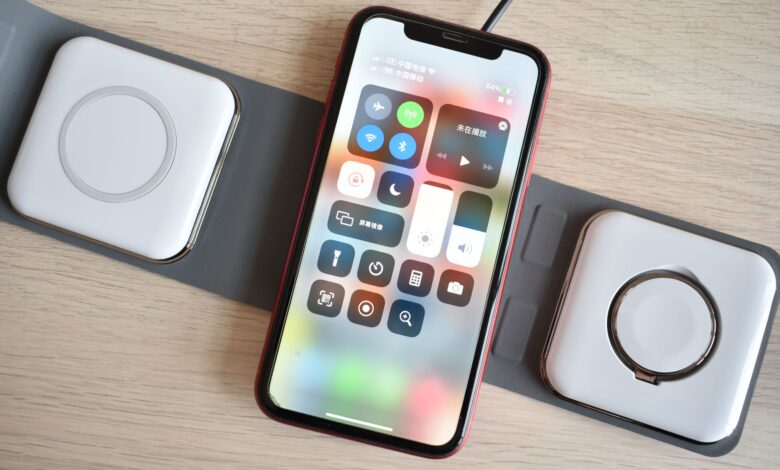
This Anker stand is a decent place to park your phone at night, but it isn’t the fast charger the box makes it sound like. Whether it’s worth buying depends less on the stand and more on the wall plug you already own. The official certification record for model A2524 lists a 5.0 W Basic Power Profile. The 7.5 W iPhone and 10 W Samsung figures you see on store listings are Anker’s own modes, and they only turn on with the right adapter.
Additionally, another complication exists with the Anker 313 Stand that most reviews ignore. According to Anker’s support website, the first generation of the 313 Stand was never designed to support 7.5 Watts (fast mode) for the iPhone. So, two people may be purchasing the same model number and are receiving completely different results. So the first thing to do is determine which model you are actually purchasing.
What You’re Actually Buying: Model A2524, and Why “Anker 313” Names Two Different Products
Model A2524 is a stand from Anker referred to as a “Anker 313 Wireless Charger (Stand)”, formerly known as the PowerWave Stand. According to its printed manual (revision V02), it has an input specification of 5V⎓2A / 9V⎓2A, output is specified as a maximum of 10 W, and it has the following dimensions 3.1 × 2.7 × 4.5 in (80 × 68 × 114 mm) and weighs 3.8 oz (108 g). Anker support confirms the stand uses Micro-USB connector for its input, and does not come with a power adapter.
There appears to be confusion because Anker is using the same number “313” for two different products. The Anker 313 Power Bank (PowerCore 10K), model number A1229, is a 10,000 mAh battery pack. Cubed3’s review of the stand also highlights this issue as “confusingly so”.
| Detail | A2524 stand | A1229 power bank |
|---|---|---|
| What it is | Wireless charging stand | 10,000 mAh battery pack |
| Needs a wall plug to work | Yes, always | No, it stores charge |
| Input | Micro-USB | Micro-USB or USB-C |
If you have performed a search using the phrase “anker 313 power bank not charging” then you are referring to the A1229 and the codes of the stand’s indicator lights may not be of assistance. The Anker power bank’s guide indicates that the USB-C input on the A1229 can be used only for charging and a phone can be charged through the USB-A output. The same guide provides instructions for resetting the power bank by plugging both the input and output cables into the A1229 for 3-5 seconds.
The Certification Record: What the Wireless Power Consortium Database Says the A2524 Is Rated For
The Wireless Power Consortium (WPC) has established the Qi wireless charging standard, and only products that are certified as Qi can bear the Qi logo. WPC certified products must pass independent testing in laboratories authorized by WPC to ensure compliance with Qi standard. On Anker’s web site, it states that the A2524 was certified as Qi ID 4519. This record indicates that the A2524 falls within the Basic Power Profile with a potential load power of 5.0 watts of Qi and has maximum available power delivery capabilities of up to 5.0 watts. The Qi specifications of the A2524 also indicate that it conforms to Qi version 1.2.4, with the date of certification being September 17, 2018.
According to Anker, the maximum power delivery rating of its hardware is “10 W Max.” However, the official certification record specifies the maximum powered profile for the A2524 to be only “5.0 watts” based on the Basic Power Profile for Qi devices. Thus, both of these maximum power delivery ratings could coexist, but the certification record is the only one of these ratings validated by the certification authority, whereas the other rating is based entirely on Anker’s marketing efforts.
Regarding Apple’s maximum charging ratings for iPhones, they state that many [Qi-certified chargers will charge an iPhone at a maximum charging rate of 7.5](https://support.apple.com/en-us/108377) watts; they also note that performance and functionality of a given charger may differ across manufacturers. The only maximum charging rating listed on this page for Qi charging stands noted that iPhones cannot exceed 7.5 watts from Qi-certified chargers. Therefore, Apple does not provide maximum charging ratings for the A2524 charging stand. As with other manufacturers’ Qi-certified charging stands, you can look up any individual charger on the WPC’s website before purchasing it.
Why Anker’s Own Pages Disagree About Whether Your iPhone Gets 5W or 7.5W
According to the Anker US product page dated 10/06/2026, it says the stand switches between 10W and 5W and is capable of powering iPhone at either 5W (standard) or 10W (fast). The iPhone models listed under “5W standard charge mode” are iPhone 8 through iPhone 16 Plus & iPhone 16 Pro Max. The Frequently Asked Questions page for the same model on the Anker EU website contains conflicting information regarding charging capabilities; in one place, they state “Recent iPhone models will only charge at 5W” while in another reply, it states that “A Quick Charge adapter is required to achieve high-speed charging for iPhones 8 onwards (7.5W)”.
Retail listings (Walmart) refer to the higher capacities of 7.5W optimized charging. Cubed3 states that “iPhones will receive the expected 7.5W charging rate”, although it doesn’t provide information regarding the particular adapter or measurement used to charge the iPhone with this device.
The source for clarification about this issue is Anker’s support article, which mentions that the initial version of the Anker 313 Wireless Pad/Stand has no support for 7.5W fast mode iPhones, and further confirms that there were two different versions of the product released under the same name (313 Wireless Stand/PAD). Therefore, Examining both sets of Anker product pages, some manufacturer state that “5W Standard for iPhones” (previous version) and “7.5W Standard for iPhones” (current version) both refer to separate models of the same product. None of the reviewed Anker product support pages explain how customers can determine which version they are purchasing prior to making a purchase, therefore, in practice, testing must be done independently for confirmation, as described in the following two sections.
The Adapter You Almost Certainly Don’t Own: Quick Charge 2.0/3.0, Micro-USB, and the USB-C Dead End
According to all of Anker’s documents, the one thing they have in common is the need for a Quick Charge 2.0/3.0 wall adapter in order to use Fast Charge Mode on the device. According to the Anker support article, you should use a wall adapter with an output of at least 5V/2A for using Fast Charge Mode; however, the Anker manual states that using a wall charger with an output of 5V/1A or a computer USB port to charge your device will not work.
Quick Charge is a fast-charging technology that Qualcomm developed long before USB-C became the industry standard. Quick Charge requests additional power by means of signals sent over the D+/D- data lines, and it can only be used when both the charger and the device support the Quick Charge technology. If the adapter you are using does not support Quick Charge, there is no way for the stand to communicate with it to request the voltage (9V) that will allow it to be used in Boosted Mode.
“”” Anker’s recommendations on USB-C bricks are contradictory. In one support article, Anker states that they do not recommend the use of a USB-C charger since Anker does not make a cable that converts USB-C to Micro-USB and therefore cannot guarantee compatibility with third-party cables. Instead, they recommend using an adapter with a USB-A output to a Micro-USB cable. In contrast, the Adapter Selection Guide provided by Anker for use with the A2524 does list an 18W USB-C Power Adapter as compatible. In a review published by 9to5Mac, a USB-C charger “seemed to work fine,” but they did not measure the wattage. (Additionally, that review referred to the port as mini-USB, while both the manual and the Anker support site state that it is Micro-USB.) “””
So to summarise what we discovered: the USB-C power brick can provide power to the stand but does not indicate in any of the Anker documents we reviewed that it will enable the Boosted Mode. The iPhone also does not indicate which mode it is getting power from, as the Charging Icon on the iPhone display appears the same for both Boosted and Standard Modes. If you want the boosted mode, look for an adapter that:
- has a USB-A port, since that’s what the included USB-A to Micro-USB cable plugs into;
- is clearly labeled Quick Charge 2.0 or 3.0; and
- lists a 9V⎓2A (18 W) output or higher, which matches Anker’s input guidance.
How to Tell Which Mode You’re Actually In: Reading the Stand’s LED Before You Trust the Box
The only diagnostic tool built into the stand is a small light on its base. Based on the manual and Anker’s support page. This small light indicates different states based on its color:
| LED behavior | Manual meaning | Anker support wording |
|---|---|---|
| Solid blue 3 seconds, then off | Connected to power | Same |
| Solid blue | Charging mobile device | Actively charging or fully charged |
| Flashing blue | Metal objects detected | Foreign object detected |
| Flashing green | Incompatible AC adapter or cable | Incompatible input voltage |
The meanings of these states are taken from the V02 manual and Anker’s indicator-light page. The flashing green light is most closely related to the adapter problem mentioned in the previous section. The solid blue light indicates that your phone is currently charging, but it does not provide information on the charging rate. Anker’s support page uses “solid blue” for both “charging” and “fully charged,” although it does not provide any indication of wattage in any of the indicated light states.
You can run a quick check in about a minute:
- Plug in the stand and watch for the 3-second blue flash. If you don’t see it, try a different cable or adapter.
- Take your phone out of its case and center it on the stand. Anker’s EU page mentions a built-in alignment scale to help with this.
- If the light flashes green, change the adapter. If it flashes blue, remove whatever metal is in the way.
- Unplug any USB cable from the phone. Apple says iPhone won’t charge wirelessly when connected to USB.
If charging seems to stop near 80%, that may be iOS protecting the battery. Apple says software might limit charging above 80 percent when the battery is warm. That’s normal and doesn’t mean the stand is faulty.
Configuration-Locked Test Table: Charge Time, Placement, Adapter, Case, and Compatibility Results
This review does not include an instrument lab test for measuring the A2524 charge rate. Like the previous review, no independent testing data was found. Therefore, the following table is a test sheet that you may execute with your own device. Each line shows the results predicted by Anker’s existing documentation, and what to write down for your results. Before you start, record a few things that lock your configuration in place, since the stand’s iteration is unknown and results won’t compare across different setups:
- the model number on the base (A2524) and the manual revision in the box (V02 on the edition cited here);
- where you bought it, when, and what you paid;
- your phone model and iOS or Android version;
- your adapter’s printed output and whether it’s labeled Quick Charge.
| Setup | What Anker’s documents predict | Record |
|---|---|---|
| QC 3.0 USB-A, 18 W, bare iPhone, portrait | 7.5 W possible, but not on first iteration | LED, % gained in 60 min |
| Same, landscape | Twin coils support both | % gained in 60 min |
| USB-C PD brick plus adapter cable | Conflicting Anker guidance | LED color, % in 60 min |
| 5V/2A USB-A brick | 5 W standard mode | % gained in 60 min |
| Apple 5V/1A brick or laptop port | Don’t use (manual) | LED behavior |
| Thin case, about 0.1 in (2.5 mm) | Within every Anker figure | % in 60 min |
| Thick case, about 0.2 in (5 mm) | Allowed on product page | % in 60 min, any dropouts |
| Case with metal plate or magnets | Interferes with charging | Expect flashing blue |
| Samsung Galaxy on QC adapter | 10 W Fast Charge Mode | % in 60 min |
| iPhone 12/13 mini, portrait | Not supported | Whether it charges |
| Overnight, with notifications on | Vibration can shift the phone | Final %, any gaps |
To understand your results, look for the row labelled “QC” to confirm that the QC result is greater than the 5V/2A result if you are in Boost Mode on your device or, if the results appear to be the same, you probably have either an early production version or a non-QC power adapter. The only published figures are claims from Anker and are not based on test results. According to their documentation, Anker states that the 313 Wireless Pad takes about three-and-a-half hours to provide a full charge of an iPhone 11 Pro. The documentation also specifies that this time is for the Wireless Pad only and not the Wireless Stand. Walmart has published that it takes under four hours to charge an iPhone 15 to full charge; however, Walmart did not disclose how this number was calculated.
Case Thickness: The 5 mm Claim, the 2.5 mm Claim, and the Cases That Trigger Foreign Object Detection
According to Anker’s web site for US customers, the Stand will charge through cases up to 5 mm thick, including OtterBox cases. However, on the same US page, Anker states that OtterBox defender cases are one of the many things that interfere with charging. In the responses Anker gave on the Amazon listing, they say users should only use cases that have a maximum thickness of 2.5mm. The manual indicates that charge using extremely thick cases is not recommended for use with the Stand. Zen and Computing both state the Stand has a maximum case thickness of 2.5 mm and the Pad a maximum case thickness of 5 mm but fail to clarify the discrepancy.
For those looking to purchase a case for their phones, a good rule of thumb is to set a limit of 0.1 inches (2.5 mm) for maximum thickness, as this is the only thickness advisers listed by all Anker resources. This recommendation is based solely on the above-listed items, and does not constitute an official Anker policy. A thicker case may also work with the charger. For example, a reviewer at Best Buy indicated that their thick iPhone 16 wallet case worked properly with the Stand even when no other charger worked. However, this case report is unmeasured, so there is no way to determine whether or not your case will be compatible with the Stand without testing.
With regard to metal, it’s worth noting that the presence of metal may create a different type of incompatibility compared with the thickness of the case. Metal plates or magnets or cards in your wallet and have the potential to activate the Stand’s foreign object detection system and display a flashing blue light to indicate an alert. Wallets typically have added dangers. Specifically, Apple suggests that anything placed between the device being charged and charging surface can cause damage to magnetic strips or RFID chips found in credit cards, employee badges and keys. Therefore, users should remove their cards from their wallet cases before charging.
Alignment Without Magnets: Camera Bumps, the Mini Exclusion, and Why It Drifts Overnight
Anker is clear that they don’t use the same magnetic alignment as Apple’s MagSafe accessories, and the stand doesn’t have MagSafe-style magnetic alignment. Instead of being attached magnetically, your phone relies on gravity for support when it is on the charger. Additionally, Anker makes it clear that they do not provide an upright charging option for the iPhone 12 mini and iPhone 13 mini, so if you were planning to use your MINI upright, then this will not work for you.
Without magnets, the phone can drift out of position. Apple says a vibrating iPhone might shift position and stop the charging. Its suggested fixes are turning off vibration, turning on Do Not Disturb, or using a case that keeps the phone from sliding. Apple also says MagSafe gives optimal magnetic alignment for faster, more efficient charging, and this stand can’t offer that.
Having no magnets has a positive attribute as well. According to 9to5Mac, the Anker stand allows you to drop the iPhone in and remove it one-handed without having to use the magnetic attachment. Moreover, the Anker stand charges your device horizontally while in StandBy mode. According to Anker, having two charging coils allows for users to choose between portrait or landscape views. You lose a little bit of charging reliability, in exchange for ease of convenience.
What the Star Rating Hides: Four Incentivized Reviews, 127,000 Ratings, and Five Years of Silent Revisions
According to the roundup from Of Zen and Computing, there are 127,022 Amazon ratings with a 4.5-star average rating. This total came from a product that Anker states had at least one earlier iteration not capable of delivering the required 7.5 W charging on an iPhone. Each version’s ratings are combined into this average, and therefore the average cannot indicate which version is currently being sold. (The text of the Amazon reviews referenced in this review was not available for viewing).
The retailer reviews that were read for this article were a very limited selection. For example, the Best Buy black-stand page on 10/06/2026 listed four reviews with an average rating of 4.5 stars. All of the reviews had an “Incentivized” tag, which indicates that some reviewers may receive discounts on their product for submitting honest reviews. One individual stated that it is a “very slow charger for iPhones”. Another reviewer claimed that their spouse has found it to “charge slower than their original charger,” but does not mind looking for the cord at night. The third reviewer said it only became “luke warm” when charging. None of the four reviews state which wall adapter they used, and that would be the detail that would most likely account for the slower charging speed mentioned.
The “Incentivized” tag is a disclosure but should not be seen as an indication that the reviewer was doing something wrong by providing a review in exchange for receiving incentives from the retailer. The FTC’s consumer-review rule took effect on 10/21/2024. According to the FTC staff, the rule doesn’t [prohibit incentives for reviews;](https://www.ecfr.gov/current/title-16/chapter-I/subchapter-D/part-465) the only requirement is that there may not be any restriction on whether the review is positive or negative. Therefore, keep in mind the number of reviews with disclosed incentives, as that will indicate only what the experience of the four reviewers was and will not represent the experience of the majority of owners.
Price Reality Check: Why the Same Stand Shows Up at $15.99, $19.99, $25.49 and $45.49
The prices shown below were accurate as of 10/06/2026 and may not be the same at other times.
| Seller | Listed price | Condition |
|---|---|---|
| Amazon (sold by AnkerDirect) | $15.99 | Prime-exclusive deal |
| Walmart | $19.99 black, $23.99 white | Standard listing |
| Anker.com | $25.49 | After an expiring code |
| Best Buy | $45.49 | Listed as unavailable |
The Amazon listing price is a special price that applies if you have an Amazon Prime Membership, from the AnkerDirect listing. That means that not everyone pays the same price for this product. Walmart’s listing price depends on color options; Anker has its own store online, here. The highest price may be 2.8 times the lowest ($45.49 ÷ $15.99), and the highest listing was out of stock at the time this list was made. For used and refurbished listings, eBay has listings for about $10 to $21. A used item has even less complete information than a new item regarding which generation you are getting.
Finally, remember, the “sticker price” is not the entire cost of the product. You will need to purchase an additional Quick Charge USB-A charger to utilize the boosted charging feature, as none of the products come packaged with chargers. If you buy directly from Anker’s web store, you will receive an 18-month warranty for this specific wireless charger category along with a return period (30 days) for any undamaged item. Any products bought from Anker through any other resellers will only have the warranty and return period of that seller.
A Qi v1.2.4 Stand in a Qi2 25W Market: Where It Still Makes Sense
The latest in wireless charging standards have grown significantly since this announcement. The WPC Qi 2.0, launched in July 2025, has been available with support for a maximum load power of 25.0 watt (W). According to the WPC, Qi 2.0 wireless charging will take a phone from 0% to 50% charge in about 30 minutes. A new model, the Anker Cert QI-24419 has been certified with a potential maximum power output of 25.0 W. The ANKER model A2524 has been certified with a maximum load power of 5.0 watt (W).
So where does a 5 W-certified stand still fit? It works where speed hardly matters: a nightstand or desk where your phone sits for hours. 9to5Mac’s reviewer used it for daytime top-ups at a desk and wasn’t concerned about maximum speed there. For overnight charging, a few hours more or less still leaves you with a full phone in the morning.
Low heat may be a plus. One Best Buy reviewer said it doesn’t get hot like their previous wireless charger. Cubed3 says the stand stays cool to the touch, though without a measurement. Anker’s manual sets a maximum room temperature of 104°F (40°C) for using it. If you just want an Anker Qi wireless charger for slow overnight charging, and you value a drop-in stand more than speed, it still does that job.
Who Should Not Buy It: Four Setups Where the A2524 Is the Wrong Purchase
These setups come straight from the documented limits above:
- iPhone 12 mini or 13 mini owners who want portrait charging. Anker says vertical charging isn’t supported for those models, and upright use is the whole point of a stand.
- Homes with only USB-C chargers that want the boosted mode. Anker’s documents agree that boosted charging requires Quick Charge 2.0/3.0, and Anker’s own support page doesn’t guarantee USB-C to Micro-USB cables.
- People whose case has metal, magnets, or a grip. Anker lists these as things that interfere with charging. If you won’t take the case off, the stand won’t work reliably.
- Anyone who needs fast daytime charging. Compared with a certified 5.0 W baseline and the 7.5 W ceiling Apple describes for standard Qi chargers, a Qi2 25W charger is built for a much faster top-up.
If none of these describes you, the remaining question is whether you already have the right adapter.
The Verdict for Your Setup
If you already possess a Quick Charge USB-A power supply adapter, this product remains an economical alternative to purchasing a dedicated overnight or desk charger. Check this product with the LED test and perform the one-hour test before the return period elapses, since only your charger will determine if it can provide 7.5W. If you have a USB-C charger at home and require a fast-charge solution during the day, it is worth spending a little more on an additional adapter and a Qi2 Charge with a maximum output of 5.0W (certified in 2018). If you own an iPhone 12 Mini/13 Mini, do not consider this product.
Frequently Asked Questions
Does the Anker 313 stand work with an iPhone 16?
Anker has currently placed the iPhone 16 Plus and 16 Pro Max under their 5W Standard Charge Mode category. As of 10/06/2026, their website doesn’t have a guarantee for 7.5 W for any of the iPhone models.
Does it come with a wall adapter?
Walmart has the following information regarding their listing: The package will arrive with the stand, a 3-foot Micro-USB cable, and a welcome guide. The charger itself does not come with an adapter; it must be purchased separately. Anker recommends using a Quick Charge 2.0/3.0 USB-A adapter for Fast Charge mode, which requires an Anker product to be compatible.
What warranty covers it?
At this time, all Anker products purchased in the US will be covered under an 18-month warranty from Anker. Additionally, if a product is purchased on Anker.com, customers will have a 30-day money-back guarantee on any undamaged products. Any purchases made through Amazon or other third-party vendors will be subject to the seller’s return policy.
