
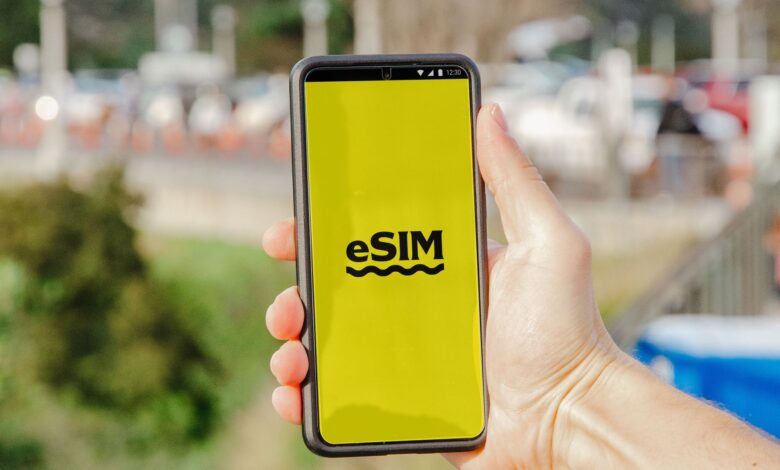
Neither format will give your phone a better signal – they both utilize the same credential that your carrier will verify before allowing your phone onto their network, and the main difference between the two formats is the method by which the credential is delivered to your phone (i.e., via a card that you insert into a tray, or via a profile that has been downloaded directly to a chip that has already been soldered onto the phone’s motherboard). The eSIM specification was developed by an industry organization known as the GSMA (Global System for Mobile Communications). This organization has defined a new method of provisioning your mobile phone’s SIM through the use of a remote SIM provisioning.
One of the key advantages of using an eSIM is that when you encounter a problem with your SIM, you will have options depending on the carrier and the device you are using. For instance, you can transfer your physical SIM card from one phone to another in a matter of seconds, whereas transferring your eSIM profile to another device will require the assistance of your carrier, as well as a functional internet connection, and a carrier-supported device. In this respect, it is important to understand the differences in how each format manages the use of a SIM. A traveler posted on Reddit recounting an incident where his eSIM phone lost power while in-flight and he was unable to access his cellular line until he arrived home. Understanding the control each format has over a SIM card is the first aspect to consider.
What actually changes between an eSIM and a physical SIM?
The line on the specification sheet that has the most confusion among people is “single nano-SIM, eSIM”. Buyers frequently ask about this phrase on Quora because it appears to refer to two separate products, but in actuality, it describes a single phone that can authenticate in two different ways (nano-SIM or eSIM). This does not refer to any performance spec; it is only a list of the slots that your subscription can live in.
The two formats (nano-SIM and eSIM) share a number of similarities. As defined by the GSMA’s consumer eSIM specification, an eSIM will allow a phone to store multiple operator profiles that are capable of being switched remotely but can only be active one at a time. The ability to activate the profile of a subscription is similar to the way that a card (physical nano-SIM card) activates a subscription on a network. In other words, the eSIM profile performs the same task for the phone network as the nano-SIM does. The eSIM profile does not actually have any effect on the antenna, modem, or any of the frequency bands that your phone can reach.
- The credential is identical. Card or profile, the network checks the same subscription identity before it lets you on.
- The radio is untouched. Neither format changes which frequencies your phone supports or how well it receives them.
- The plan is separate from both. Your data allowance, roaming terms, and coverage come from the plan you bought, not from where the credential is stored.
Custody is the only true difference. Once you have a nano-SIM, it is yours. You may do whatever you want with it: move it, hide it, or toss it away arbitrarily. A profile lives on the device and can only get onto the device or exit it via the carrier. This single difference creates every advantage and drawback in this comparison of the two devices.
Does eSIM change signal strength or speed?
The format of the SIM card does not impact your reception or data speed. The SIM card stores a credential, but it is not involved in the radio portion of communication. What the bars on your screen represent are which line your phone is currently using, as well as the coverage, bands, and plan associated with that line.
Many people are under the impression that the format of their SIM card(s) does affect their reception and data speeds because of a documented behavior regarding dual-SIM phones. According to Apple’s Dual SIM documentation, an iPhone can only use one cellular data network at a time; therefore, when one carrier is being utilized, the other line will show as No Service, although both carriers will be shown on the status bar simultaneously. This means that a phone with a card in the tray and a profile on the chip will frequently have two separate signal readings displayed. However, only one line is actually providing the network connectivity.
This situation results in confusion for both ends of the communication. In a Reddit post on Reddit’s r/ios community, an individual with a dual-SIM iPhone reported experiencing what was contrary to the most common complaint with dual-SIM iPhones: His eSIM line always displayed “more signal bars” than his physical SIM line on the same network. He inquired whether he should convert his primary line to an eSIM to improve the signal he was receiving. Converting to eSIM would provide no difference in signal strength; he was comparing his currently active line to his idle line, and therefore assuming the difference to be due to the hardware of the devices.
When viewing two different lines on one phone that display a different number of bars, you need to determine which line is currently in use or active when determining signal strength and coverage quality. Before you blame it on your SIM card or SIM card slot, be sure to check which phone number you have assigned as your cellular data line, as setting this line will give you more information on your cellular data connection than the format of the cellular bars you are seeing will give you.
Will eSIM work with your phone and carrier?
This is the question that determines everything else, and it has gone in the opposite direction that most comparison guides have taken. Historically, it was assumed that physical SIM cards would work on every phone, while eSIM was a more limited option for users. Recently, the trend has reversed for American customers with the new iPhones.
The difference in support for eSIM devices is clearly highlighted in the Apple eSIM device support table. All of the iPhone 14 and later models that are sold in the U.S. will be eSIM only and will not support nano-SIMs, while the iPhone 14 and later models that are sold outside of the U.S. still have SIM trays. This also applies to the iPad Pro (M4) and iPad Air (M2) lines. A guide indicating if a phone supports eSIM capabilities “usually has a SIM slot too” is describing an outdated view of the current market for eSIM-capable phones in the U.S.
Work through three checks in this order, because each one can end the decision on its own:
- Check the exact model and the market it was built for. Pull up the manufacturer’s support documentation for your specific model and read the SIM row, not the marketing page. A US-market build and an imported build of the same phone name can differ on whether a tray exists at all, which matters most if you’re buying used or bringing a phone back from a trip.
- Check that your carrier supports the activation method your phone needs. Support is not a single yes or no. Manufacturers publish carrier directories split by method: carrier activation, transfer from another device, and QR code or carrier app. A carrier can appear in one category and not another.
- Check your account and lock status. A carrier-locked phone can’t run a second carrier’s line. Apple’s Dual SIM documentation requires the phone to be unlocked to use two carriers, unless both plans come from the same one.
When a phone doesn’t have a SIM tray, eSIM is the only option for connecting the phone. This changes the direction of the usual question people ask when purchasing an eSIM supported device: simply put, instead of asking if eSIM will work with my device, I need to ask: Does my carrier’s eSIM work with my new device?
Which option is easier to activate, switch, and recover?
Where eSIM has the most advantages is during activation, and the most disadvantages during recovery. The activation advantage comes from the fact that the profile moves through your carrier, and the recovery disadvantage occurs when you must go back and the process is much more involved due to the profile’s move through the carrier rather than through you.
eSIMs make activating a new service very simple. You don’t spend time waiting for a device to arrive via postal mail. However, when moving a service, that is where the challenges begin. Google’s Pixel conversion requirements list what has to be true before a physical SIM can even become an eSIM on the same phone, and the list is representative of the category:
- A carrier that offers eSIM plans for your device in your country or region.
- A supported device generation. Google limits the documented conversion flow to Pixel 7 or later, including Fold.
- A live Wi-Fi connection at the moment you convert.
- An acceptance that the change is one-way in practice. Google states the physical SIM stops working after conversion, and that you must contact your carrier to re-issue one if you need a physical SIM later.
In vendor comparisons, failure cases must be compared to the “happy paths” of eSIMs, but they are often overlooked. The constraints associated with moving an eSIM from one device to another are explained in Mint Mobile’s eSIM guidelines. When moving a phone number from one device to another, both devices must be functioning in order to complete the transfer. If your old device fails, you may need to contact your carrier to switch devices before continuing to use the service.
The tradeoff in switching from a physical SIM to an eSIM is that using a physical SIM card slows down the speed of the connection on a good day and makes it very easy to transfer the card on a bad day. With eSIM technology, the opposite is true. If you frequently switch devices, travel alone, or have one device with no backup, you should consider the bad day scenario carefully as that is the situation you will be working through if your device malfunctions.
Does eSIM make international travel easier?
Normally, yes, and this has nothing to do with faster technology. A travel eSIM is an actual phone service plan and a means to provision your phone with a local or regional data line while simultaneously keeping your existing home number. With a travel eSIM, you do not remove the card that contains your home number; however, you still have the ability to add a new line for data purposes.
You must meet three conditions for you to take advantage of this; however, every traveller in real life does. On the Rick Steves travel forum, one traveller was asking about the advantages of having a locked iPhone when travelling, and one post asked whether both SIMs would be locked if the iPhone was locked, and received confirmation from the manufacturer that a locked iPhone causes the second line to be on the same carrier. Another traveller talked about the anxiety associated with this issue, not knowing which line was providing him data, his travel line or his home roaming line, and the financial concerns he had regarding the potential large bill he would receive when he returned home.
The manufacturer’s documentation addresses this question directly by stating that cellular data can be carried on only one number at a time, and it is always up to you to determine which number carries your cellular data. The data line will not automatically change upon landing, you will have to change it yourself, which means the shockingly high bill that many people experience is preventable, but it continues to catch people off guard who assume otherwise.
Conditionally, the answer to this question about travelling with an unlocked cell phone is an easy one. If you have an unlocked cell phone at the time of departure and can choose an international service provider before leaving the United States, using an eSIM will eliminate the need for going to a kiosk upon arrival at your destination. If, however, your cell phone is locked to your domestic service carrier, the opportunity to use the eSIM service will be significantly less convenient, since your options will ultimately be limited to your carrier’s own international service plans.
What security advantage does eSIM really provide?
The primary benefit of some newer technologies is a lot less broad than what the marketing would lead you to believe. As per Apple’s eSIM security notes, eSIM profiles are designed to be tamper-proof and cannot be copied or altered, and will only work on a single device. To provide more clarity, the exact mechanism is referred to in the document as the GSMA’s SGP.21 architecture. It prohibits the removal of eSIM profiles from one chip and loading onto another.
The impact of this difference is very tangible. If you steal a mobile phone with a physical SIM card, you can remove the card in seconds and immediately begin receiving the one-time passcodes sent to that number. In contrast, there is no card associated with an eSIM.
This is a real, concrete advantage. It is also much narrower than the phrase “more difficult to pirate”; thus, the distinction is where most of the comparison pages tend to exaggerate.
An attack that takes a person’s number does not have to involve the physical card. According to one commenter on Reddit’s r/privacy, eSIMs make it nearly impossible to perform a SIM Swap on someone else’s phone, but another commenter on that same thread corrects this statement: While SIM swap attacks may involve physical cloning of the SIM card, they generally rely on the carrier issuing a new SIM or eSIM, and not on cloning an existing SIM or eSIM.
The FCC also takes this view. In its November 2023 Report and Order, it adopted rules for SIM Swap and porting, specifically targeting bad actors who gain control of consumers’ phone service by taking over the carrier account. To help protect against this type of fraud, the FCC’s SIM swap and port-out rules require carriers to securely authenticate customers before transferring a line.
The eSIM solution eliminates the physical theft of a number through hardware, but opens up the carrier account to carry out a transfer. Therefore, if your primary motivation for using an eSIM is security, then you should take steps to protect the carrier account where your phone number resides (e.g., by establishing a port-out PIN). You should also establish that additional layer of protection regardless of whether you choose to use an eSIM or not.
eSIM vs physical SIM: the decision matrix
None of the advantages listed above would yield an advantage to you because the advantages switch sides based on your phone, your carrier and how you bounce back after a rough day. The matrix below combines all the different conditions and shows which ones pertain to you.
| Decision factor | Physical SIM | eSIM | What actually decides it |
|---|---|---|---|
| Getting set up | Wait for the card, then insert it | Activate digitally in minutes | Whether your carrier supports your phone’s activation method |
| Moving to another phone | Move the card yourself | Transfer through the carrier or a supported flow | Whether both phones work and the carrier supports transfer |
| If the phone dies or is stolen | Card goes straight into a spare | Line usually needs carrier help to restore | Whether you have a working second device |
| International travel | Swap in a local card | Add a travel line, keep the home number active | Lock status, destination coverage, and which line carries data |
| Security | Card can be removed from a stolen phone | No card to remove; profile can’t move between chips | Your carrier account protections, which govern either format |
| Compatibility | Needs a tray, absent on US iPhone 14 and later | Needs carrier and model support | The exact model, the market it was built for, and your carrier |
This matrix serves as a functional evaluation tool developed specifically for this manual; it contains the setup, transport, recovery, transport security, and compatibility criteria indicated previously. It was not created as a laboratory measurement and is not a certified rating or assessment.
Refer to the last column of this matrix to determine the ultimate resolution, rather than selecting a side on any one specific row. You will find that each row ultimately leads to an item that must be checked prior to committing to purchase a device or service. In most cases, your carrier and model number will dictate the outcome rather than the attributes of the format or property of the format itself. Oftentimes, the buyer of a device who fails to reference the matrix before making his/her purchase will make a false assumption because he/she believes that the device had already determined the preference prior to actually checking it.
The Decision in Plain English
Neither method for connecting your mobile phone has any advantage over the other. The main difference between both methods relates to who has control over the credentials and how to retrieve them if the device becomes inoperable; this is the only meaningful comparison you should be considering.
Always verify your exact model of phone’s SIM card support and confirm that your carrier will provide a way to activate your model’s method prior to purchasing the phone or moving the line. For example, Google’s eSIM carrier directory maintains a directory of carriers that support eSIM, but you should also check your carrier’s customer service department for the carrier’s specific support levels for your particular account. If you fail to perform this verification, you could find yourself with an eSIM-only phone on a carrier that cannot activate it the way you thought it would or with a converted line that will have no easy way to go back to using a physical SIM card. The five minutes you spend doing this is by far the least expensive part of the decision.
Frequently Asked Questions
How many phone numbers can one eSIM chip hold at once?
Although you can store numerous operator profiles on a single eSIM chip, you can only have one operator profile active at any given time. Phone models differ in the storage capacity of lines and how many lines can be active at one time, so please make sure to check the documentation for your specific phone model.
Do eSIM specification versions matter when I’m choosing a phone?
The GSMA’s published eSIM specifications have outlined a number of specifications that contain multiple versions in active status simultaneously and will be updated as new versions are added. The important aspect for you is whether your service provider can activate your phone using the method that it uses, not what the revision number is for any of the specifications.
Do I need an internet connection to install an eSIM?
For the majority of users, both Apple and Google require a network connection, almost always Wi-Fi, for downloading an eSIM profile from a carrier. However, Apple states that “in certain countries/regions” users can activate their eSIM-only iPhone models without a Wi-Fi network connection, so be sure to install your profile before traveling.
