
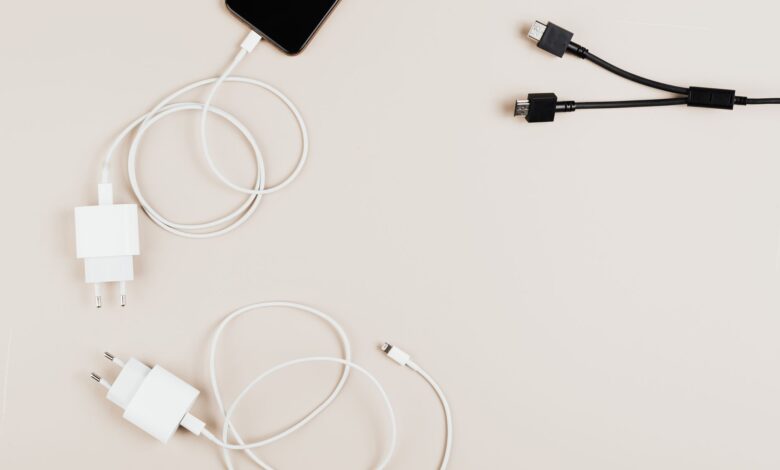
Yes, and as I’ve pointed out, it isn’t as risky as the Internet would have you believe. A USB-C charger cannot distribute power to a phone; rather, the phone requests power and the charger responds to request. The number on the charger is an upper limit, not necessarily an indication of how much power it will deliver.
The real issue is in the opposite direction, three separate components define the maximum amount of power that will be delivered to your cell phone, the charger, the protocol layer that the cell phone uses to unlock its maximum speed, and lastly, the cable, which has current limitations that you cannot see from the outside. USB-IF, the organisation that created the USB-C standard, created the handshake so that each device only receives the power it requires to operate at its maximum speed. Therefore, the biggest charger that you carry in your bag could have less maximum speed than a smaller charger.
What happens when you plug a laptop charger into your phone
When you connect a laptop charger to your smartphone, the two devices begin a “negotiation” process rather than sending “power” down the charging cable in a free-flowing manner. During this negotiation process, the laptop charger communicates to the smartphone all the voltages and currents that it can supply. The smartphone then selects a voltage and current configuration based upon what it knows it can safely accept, and the laptop charger then switches to providing power using that configuration. If the smartphone needs more power than the configuration provides, the smartphone must request it explicitly from the charger.
Engineers that design these types of chips have identified this as the specific series of events that occur during the power negotiation phase between the devices. Acroname’s walkthrough of a basic power negotiation lays out the four beats:
- The charger checks the cable first. Before anything else, the source identifies what the cable between them can carry.
- The charger sends its menu. It advertises its power data objects — fixed options like 5V, 9V, 15V and 20V, each with a maximum current.
- The phone places an order. It replies with a request naming one item on that menu, chosen from what its own hardware can accept.
- The charger accepts and switches. It moves to the agreed voltage and current, then signals that the phone can start drawing.
The safe direction of a laptop brick is not by chance, but by a specification rule. According to Renesas’ explanation of how USB-Power Delivery’s Power Rules work, any device that is compliant with the specifications must be designed to work at any time that a power source has sufficient power to charge it. Similarly, a power source will only have the different normative voltages below its rated wattage. Therefore, for example, a 60W laptop charger must be able to offer the three lowest normative voltages (5V, 9V and 15V) at 3A. Your smartphone just uses the one it asked for.
A USB-C charger that is compliant will never provide a voltage higher than what the device requested. That single rule eliminates most of the concern of damage caused by the device.
We should note that anything in this article assumes that the USB-C charger is designed to the standard and the phone charges via USB-C. As of this writing, the most recent USB Power Delivery specification is Revision 3.2 and Version 1.2, released by USB-IF and hosted in their document library. USB chargers that use a barrel-style plug with a proprietary connector can be treated as a separate category.
Why a 65W laptop charger can still charge your phone slowly
As outlined in the menu, your phone will be disappointed for many reasons. Your phone is only able to accept the charge from the charger’s advertised capability, and from the Charger’s own capability circuit – if those are not able to reconcile well, you end up at the lowest points with a huge number written on the brick.
The absolute worst-case scenario is when absolutely no negotiations take place. As stated in BGR’s breakdown of what a laptop charger does when connected to a non-PD phone, the charger will revert to its default low-power mode of providing either 5V at 1.5A or 3A, thus, providing 7.5W or 15W of power. Reverse that situation and you will reach a similar ceiling with a phone that is PD-capable and a charger isn’t.
The ceiling noted is not an arbitrary number. According to Texas Instruments’ overview of USB-C and Power Delivery, the maximum power output of a USB-C charger for power without Power Delivery is 5V and 3A (15W). The phone is able to know what current the charger is offering via the resistor connected to the configuration channel pin. However, that voltage/resistor combination only provides the phone the ability to determine two power levels — 1.5A or 3A. There is no option for the phone to request other values.
A 65W charger and a 15W charging rate are perfectly compatible results. When your phone does not accept a charger’s protocol, this is when most users believe that they purchased an expensive adapter that is defective. If you have confirmed that the charger and the cable work and both support protocols, but the speed of charging is still incorrect, consider the temperature of the phone, a dirty charging port, or background app usage. For further troubleshooting, see the causes of slow charging for a comprehensive overview.
PPS explained: the fast-charging layer your phone may require
Another protocol tier sits above the standard fixed profiles. On Android, this is often the final link in determining a device’s maximum speed. By allowing for continuous fine-tuning of power supply output by the charger instead of making jumps through preset voltages (i.e., fixed steps), Programmable Power Supply (PPS) improves performance.
PPS-enabled power sources, as described by Renesas Semiconductor Corporation, can change their output voltages in increments of 20 mV and current levels in increments of 50 mA from 5 V to 21 V. This allows the adapter to better conform to the actual charging characteristics of lithium batteries rather than allowing excess heat to be generated. Reduced conversion losses due to the fact that less energy is dissipated as heat results in faster, sustained charge times. The term “optional” carries significant weight when it comes to power-related features.
It is an optional feature, and that word does a lot of work. USB-IF’s own announcement that it expanded certification to cover fast chargers is explicit that Certified USB Fast Chargers support the PPS feature of the USB Power Delivery 3.0 specification, and that new hosts, devices and chargers supporting PPS are required before anyone sees the benefit. A laptop brick built before that mattered, or built to a cheaper bill of materials, simply won’t have it.
What that means per ecosystem:
- Google’s Pixel charging documentation names any PPS adapter rated 30W or more as a supported choice, and lists other USB Power Delivery adapters rated 15W or more as the lower tier. Both charge the phone. Only one of them gets you to the top.
- Samsung’s support page on which charger types Galaxy devices accept defines Super Fast Charging 2.0 as requiring a USB Power Delivery 3.0 compatible device that supports Direct Charging, and says devices lacking it will charge more slowly.
- Anker, which builds PPS chargers, describes Samsung’s 45W tier in its service note on the missing Super Fast Charging 2.0 label as needing an unusual 9V/5A rating. That is a charger maker’s account of a vendor implementation, not specification text — useful, but worth treating as one company’s reading.
The term “Super Fast Charging 2.0” is just Samsung’s label; it isn’t a certification. Therefore, it cannot be used as an accurate measurement of the number of watts that are outputting. Anker’s note mentions that many of the chargers it makes are rated for 45 watts, but will instead read “Super Fast Charging” and they will complete a charge in a similar time frame to Samsung’s own charger that is rated for 45 watts.
Owners of Samsung devices see this issue first hand. In a discussion thread on a Samsung Community for those who own the Galaxy S26, a Samsung Member Star notes that in the latest versions of One UI, the two options were merged into one and then adds, “I believe that if there was no pps support, the charge would be limited to just 25 watts.” The author of this comment then went on to notice in the screenshot that the owner’s cable was rated 3A and not 5A. The other members of that forum also had no idea what they were talking about; they were all guessing.
Treat the on-screen charging label as a hint about which tier engaged, never as a measurement of watts delivered.
3A vs 5A: how the cable caps charging speed
The third limiter is the limitation that is not visible to the user, which means it is by design. USB-C cables have their own specific current ratings associated with them, based on the amount of current that they can carry. When a charger exceeds the specified current limit of the USB-C cable, it will interrogate the USB-C cable to verify compatibility before allowing the charger to deliver power.
Renesas has defined the specific thresholds for power delivery based on the USB-C cable’s current rating. For USB-C power sources with a power rating > 60W, the charger will communicate with the cable’s e-marker chip prior to powering the cable. If the cable’s e-marker chip does not identify the cable as being capable of carrying the full 100W (5A) or EPR power delivery, the maximum amount of current the charger will supply to the cable is limited to 3A, regardless of how high the power source itself is rated (between 100W and 240W). The source will not throttle its output as a precautionary measure; it will throttle its output based on the limitations imposed by the cable.
Acroname’s guide to decoding USB-C cable names maps the certified tiers:
| Cable tier | Max voltage and current | Power ceiling | E-marker chip required? |
|---|---|---|---|
| 60W | 20V at 3A | 60W | No — most plain passive cables sit here |
| 100W | 20V at 5A | 100W | Yes |
| 240W (EPR) | 48V at 5A | 240W | Yes, an EPR-specific one |
The in-box cable is often responsible for your inability to charge your device at the maximum Speed available, as stated on the Samsung charger page. Samsung states the 45W tier can only be achieved by using both a 45W adapter and a 5A cable. The iPhone User Guide from Apple takes things even further, informing users of the iPhone 18 Pro and iPhone 18 Pro Max to use a USB-C Charging Cable rated for at least 60W and an adapter capable of providing 60W or more along with an Adjustable Voltage Supply.
A long-running Android Central thread regarding an actual user’s experience in trying to find Super Fast Charging 2.0 chargers illustrates how this works in practice. A member spent weeks trying to find a different brick and buy official 5A cables, only to eventually find that his existing 65W charger worked perfectly: “For all that I assumed the brick was the most critical component to get the higher tier of speed, it seems that the cable played a much larger role in that.” Another member of the same discussion thread mentions that his same 65W charger (the one included with his Samsung laptop) was never able to produce the higher tier of speed, either.
What iPhone, Samsung Galaxy, and Pixel phones actually require from a charger
The three limitations can be checked against your cell phone in the following sections. Every number listed in this table comes from the manufacturer’s current documentation, and each row shows what that manufacturer’s documentation states rather than how the charger box promotes it.
| Phone family | Minimum the maker documents for fast charging | Does the maker name PPS? | Cable the maker calls for |
|---|---|---|---|
| iPhone | 20W or greater USB-C adapter for iPhone 12 and later; 40W or greater for iPhone 17, 17 Pro, 17 Pro Max and iPhone Air | No — Apple specifies USB Power Delivery, and Adjustable Voltage Supply for its newest Pro models | USB-C charge cable; iPhone 18 Pro and 18 Pro Max call for one rated 60W or more |
| Galaxy | 25W adapter at 5–9V/3A for Super Fast Charging; a 45W adapter for the 45W tier | Not by that name — Samsung specifies a PD 3.0 device supporting Direct Charging for Super Fast Charging 2.0 | A 5A cable is required for the 45W tier |
| Pixel | Any PPS adapter rated 30W or more, or any other USB PD adapter rated 15W or more | Yes — PPS at 30W or above is the preferred class | USB-C to USB-C; a USB-A to USB-C cable charges more slowly |
Four things that matter more than the table itself:
- Support is not uniform inside a single generation. Samsung’s own compatibility grid lists Super Fast Charging 2.0 as supported on the Galaxy S25 Ultra and S25+ but not on the base S25 — same launch, same year, different ceiling.
- The Samsung figures come from a UK support page last updated in May 2025, and it doesn’t list the S26 series. Samsung publishes charging specifications per regional support site, so check your own market’s page for your exact model rather than assuming these transfer.
- Apple’s speed claims are Apple’s own measurements. Its fast-charge documentation states that the roughly-50%-in-20-minutes figure for iPhone 17 models comes from tests it ran on drained preproduction units, timed from the moment the Apple logo appeared, with specific adapter models named. Treat those as manufacturer conditions, not a guarantee for your unit.
- Google lists the Pixel 9 Pro XL and the Pixel 10 and 11 families as charging up to 30W or more, while other Pixels sit lower — the adapter class and the phone’s own ceiling are two different numbers.
Can you charge a laptop with a phone charger instead?
When running the model in reverse, the guarantees associated with Power Rules no longer apply. Power Rules guarantee that a device will operate correctly when the power rating of the source device equals or exceeds the power requirement of the sink device. For instance, if you have a 20-watt phone charger and you’re trying to use it to power your laptop (which has a power requirement of 70 watts), the power relationship is inverted, and as such, you are outside of what is covered by the Power Rules specifications.
Normally, the Mac will still function, but it may not be functioning at the level that you expect. According to Apple, a USB-C Mac will charge from any USB-C power adapter that meets the requirements for USB Power Delivery, including those that provide a greater or lesser wattage rating than what is specified. However, Apple has indicated that the best experience comes from using an adapter that meets or exceeds the power rating specified by the manufacturer. The minimum power ratings are not insignificant. Apple provides a range of adapters for various models of laptops, with power requirements from 30 to 70 watts for newer MacBook Air models, 67 to 96 watts for the 14-inch MacBook Pro, and 140 watts for the 16-inch MacBook Pro, for using a power adapter with a Mac.
What decides whether an underpowered source is useful to you:
- What the laptop is doing. Idle or asleep, a small adapter can make real progress. Compiling, gaming, or driving an external display, the machine may draw more than the adapter supplies and creep downward anyway.
- How big the gap is. A 45W brick under a 67W recommendation is an inconvenience. A 20W brick under a 140W recommendation is barely a trickle.
- Whether the laptop charges over USB-C at all. Machines with proprietary barrel connectors are outside this entirely.
The limitations on headroom are no longer as severe as they once were. The documentation from USB-IF for their chargers shows the fixed voltage levels of 28V, 36V and 48V which allow for power output levels of 140W, 180W and 240W respectively. These capabilities provide the ability for one large brick style charger to provide power to both a smartphone and a large notebook computer.
When a laptop charger is genuinely risky for your phone — and when the worry is a myth
This question received a Content Farm answer stating that because high wattage charging is too much power for a small battery to handle, it will cause the battery to be “overloaded.” This reasoning is incorrect; the concept of “power overload” is backwards. The battery does not have an imposed power limit; instead, the battery requests power, and as such, there is no risk of damaging the battery with a higher wattage charger than its designed use, as long as you choose an appropriate charger. Apple has made clear to iPhone owners that they may safely utilize Apple brand adapters designed for use with iPads and Macbooks in addition to any other third-party chargers that meet government regulations regarding electrical safety standards.
The risks that survive scrutiny have nothing to do with the wattage number:
- Hardware you can’t vouch for. Counterfeit and poorly engineered adapters are the real hazard, because they can skip the isolation between mains voltage and the low-voltage output. USB-IF’s own consumer guidance is to buy compliant products from trusted sources that display certified logos on the packaging, the brief, or the device itself.
- Chargers with a recall against them. The US Consumer Product Safety Commission maintains a recall listing for battery chargers covering burn and fire hazards — a real, specific risk class, tied to particular models rather than to power ratings.
- Damaged equipment. A frayed cable, a cracked housing, a brick that smells hot or has been through water. Stop using it and replace it. Don’t open a charger, and don’t try to test one yourself — anything involving mains voltage or a swollen battery belongs with a qualified repair professional.
- Uncertainty about compliance. BGR’s guidance is blunt: if you’re unsure whether the charger or phone actually meets the USB-C specification, don’t pair them.
The concern that most people have about the use of their device every day and how much to be concerned about it is actually the least amount of concern that people should have. Temperature is controlled by the mobile device, not by the user. According to Apple’s written information on heat and limited charging capabilities, iOS will automatically reduce or stop charging if the device is too hot or cold. Users will receive a message of “Charging On Hold” indicating that the device has to cool down or warm up before continuing charging. Apple’s charging recommendations are for charging devices at 32 degrees F to 95 degrees F and the device’s inbuilt protection cannot be disabled. Google also mentioned in their written information the same capabilities for Pixel devices. Therefore, when someone charges their device a bit more slowly on a very hot summer afternoon, this indicates that the device is using the protection built into the device.
How to check what your charger and cable actually support
Using the equipment you currently own, you should be able to get most of the above taken care of in just a few minutes. Follow through step-by-step; each time you complete a step, you’ll eliminate one of the three limiters as a possible problem.
- Read the brick’s certification label. Apple documents this as the way to find an adapter’s wattage, and the same label on any brand lists the voltage and current pairs it offers. A label reading 5V/3A, 9V/3A, 15V/3A, 20V/2.25A is telling you its entire menu. If a separate line starts with a range like 3.3–11V, that’s a programmable profile.
- Look for the protocol words, not just the watts. “USB PD” or “Power Delivery” means it negotiates. “PPS” printed separately means the fine-grained tier is there. A big number with neither is a 5V brick with ambition.
- Read the cable’s printed rating. Certified cables usually carry 60W, 100W or 240W near the connector or on the jacket. If nothing is printed, assume 3A and 60W.
- Look the product up in USB-IF’s certified product list. Search by name and the entry shows what it was certified for — chargers list their source rating and whether PPS is among their features, and cables are listed explicitly as 3A or 5A. One caveat: the public list defaults to showing products certified within the last two years, so widen the date filter for older gear.
- Check what the phone or laptop reports. On a Mac, hold Option, open the Apple menu, choose System Information, select Power, and read the wattage under AC Charger Information. On a Pixel, a “Check charging accessory” notification means Google’s software has decided the cable or adapter may be unsupported or broken.
Low-cost inline USB-C testers, which connect between the charger and cable, are widely used in the community as an inexpensive solution. These testers display real-time readings of voltage and current; however, they do not provide definitive lab-quality results. Instead, they provide a snapshot of the actual power delivered at the present time, therefore, while these devices can be effective for identifying a cable that is limiting performance, they do not provide sufficient information to resolve disputes over technical specifications.
Before You Plug It In
While the connector fitting provides access to the charger, how much power the charger can supply will depend on the level of charging protocol your mobile phone requires and the output rating of the charging cable that you are using in conjunction with it. If you are having issues with charging speed, it’s best to first confirm that both your charging brick and cable are rated for at least the level of output required by the manufacturer of your mobile device as well as on the USB-IF list of certified products, before you purchase any new items to resolve the issue; most of the time you will only need to purchase a new cable to resolve issues with charging speed, not a new charging brick. If you do not check this information prior to purchasing anything, you risk buying a 100W charging brick that your mobile phone will likely never draw more than 25W from.
Frequently Asked Questions
Does it matter which port I use on a multi-port laptop charger?
Yes. When there are multiple ports on the charger, you will be using that same total power capacity as all the ports share this total power budget. When one port is plugged into another, the available output for that port will drop. Anker has documented that when multiple ports are being used on their chargers at once, they may not show Samsung’s additional “fast charging” label because of this.
Will an old USB-A to USB-C cable fast-charge my phone?
Not at the level you’re looking for. According to Google, the Pixel is charged slower when using a USB-A to USB-C cable than if a USB-C adapter with a USB-C cable is used, as the higher voltage needs to be negotiated using USB-C connectors on both ends of the cable.
Do the newest phones need a different cable than my old one?
In recent years, the amount of power that can be charged via USB-C has increased with the launch of Apple’s latest flagship smartphones – Apple’s iPhone 18 Pro and 18 Pro Max. According to Apple’s iPhone user manual, owners of these phones should only use cables rated for at least 60 watts and a power adapter with adjustable voltage that provides 60 watts or more. In addition, the highest rating of a standard USB-C charge cable is 3A.
