
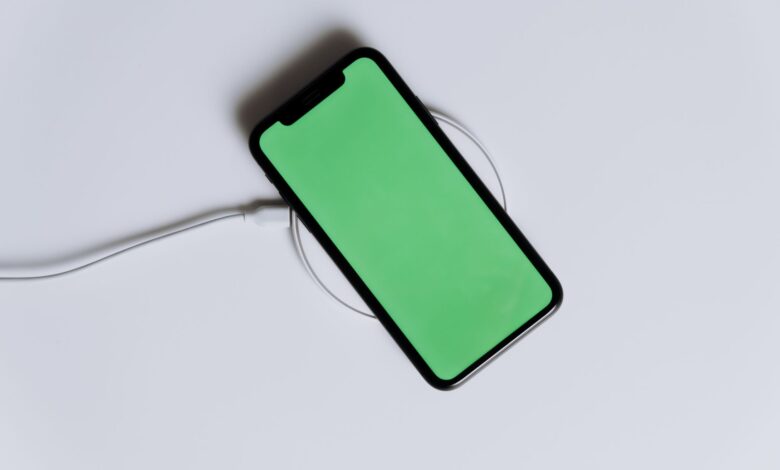
A warm phone on the charger is normal, and Apple is unusually blunt about it: after listing the moments a device is expected to feel warm, including wireless charging, its guidance says that if your device doesn’t display a temperature warning, you can keep using your device. The heat you feel is mostly the charging circuit doing its job, not the battery in trouble.
What complicates matters is that there are inconsistencies regarding the meaning of warmth produced by the charger. Manufacturers view it as a standard operating practice, accessory retailers sell better (more powerful ) chargers as a means to dissipate that heat, and the phones themselves do not indicate a problem until something happens that requires attention. Therefore, the relevant questions should be: What heating source is producing the warmth? And out of the four potential sources, which of them presents a risk?
Where the heat comes from when a phone charges
Charging creates an energy transfer, which always loses energy in the transfer. What happens is that the wall plug changes alternating current (AC) into direct current (DC) electricity, and the power management chip inside the phone converts the DC electricity to a lower voltage level that is acceptable to the cell, which then stores the low voltage using chemical (electrochemical) processes which are not 100% effective. In each stage of the process, a portion of the energy that was in the form of electricity is dissipated as heat.
The portion of energy dissipated as heat would not be where most people think. Researchers from KAIST have confirmed this by removing the heat shields from a Nexus 5X and using thermal imaging cameras to observe the circuitry. Their component-level measurements of the electronic components at a component level showed that the largest two heat generating components were the application processor and the battery charger portion of the power management chip. Both the application processor and battery charger generate heat based on the flow of current through them and the battery generates heat as well; it receives the current flow through it. This is essentially why the heat source is typically located near the charging circuit, rather than centrally within the phone.
Beyond being warm, the only heat produced from charging was by the devices during the charging processes described above. In that study, charging caused surface temperatures to reach approximately 37 degrees Celsius (99 degrees Fahrenheit) for the phone during both slow charge and fast charge, while video calls on the same devices would increase surface temperatures to 55-62 degrees Celsius. The temperatures from those devices are reference points for that time period (2016-2018) and not for modern day devices. What is most important is that the same trends that were established from these data will continue in the future for all mobile hardware.
Two details explain most of the day-to-day variation:
- Rate sets the temperature, not duration. A charger runs constant current first, pushing power in at a fixed rate, then switches to constant voltage and lets the current fall away. The hot part is the first phase. That’s why a phone feels warmest somewhere mid-charge and cools as it fills.
- Starting from near-empty is the hot end. Fast charging front-loads power into exactly the stretch where the battery’s internal resistance is working hardest. The same phone that warms gently from 60% runs noticeably hotter from 5%.
Unplugging removes the charging load. It doesn’t remove the others — and separating those is what the rest of this guide does.
Normal warmth vs. overheating: what your phone is telling you
The term “overheating” is usually associated with temperature; however, on your mobile device, it is merely a notification or alert. Each manufacturer creates multiple escalating processes, which it announces through a notification, so that the best way to identify whether your phone is actually overheating is by what your device indicates, instead of by what your hand feels like.
| Maker | What you see | What the phone does | What to do |
|---|---|---|---|
| Apple | Warmth during setup, restore, an update, wireless charging, or heavy apps — no message | Nothing; Apple says you can keep using it | Carry on |
| Apple | “Charging On Hold” on the Lock Screen or in Settings > Battery | Pauses charging until temperature normalises; fires for cold as well as hot | Move it somewhere cooler or warmer; lock the screen |
| Apple | Temperature warning screen | Disables features; emergency calls may still work | Power off, move out of sunlight, let it cool |
| Pixel | Diagnostics state reads “Warm” | Reduces screen brightness and network speeds | Keep using it |
| Pixel | Diagnostics state reads “Elevated” | Low power mode, limited performance, some features paused | Stop heavy apps; it will shut down if it keeps climbing |
| Galaxy | “Cooling down” notification | Dims screen, closes apps, limits performance, may pause charging, may drop Wi-Fi and cellular | Put it down until it cools |
| Galaxy | “Your device is overheating. It will now power off to cool down.” | Powers off | Let it cool, then restart |
The rows indicate where the information was found; Apple’s temperature-management documentation, Google’s Pixel device temperature-state documentation, and Samsung’s cooling-down notification page. Most of the reassurance that these sources provide comes from two source statements. Google indicates that its devices run hotter than ambient temperature due to heat generated by processors, cameras and radios, and that they comply with international safety standards for the temperatures of their devices. Samsung’s operating temperature guide makes this point more bluntly: Samsung states that its devices can become warm during normal use, even like during charging, and that being warm does not affect the lifespan or performance of the device.
None of the three manufacturers publishes a temperature that consumers can reference as a threshold for what constitutes “too hot” for their respective devices to touch. Therefore, there is no number to reference; the threshold is determined by the temperature-protection tiers. Treating a reference number obtained from the internet as the actual threshold is just guessing what the manufacturer has determined and setting a limit that no one else established.
However, the author believes that one number regarding a consumer’s limitation is useful, although such temperature information should not be treated as a specification of any given device. Ergonomics studies referenced in the KAIST paper rank warm sensations as being approximately 33–35 °C against human skin, while pain thresholds start to occur beginning at 42–45 °C. This is about humans. Therefore, a device operating within comfortable limits for hardware to operate may still be uncomfortable to hold. Thus, the limitation of “too hot to hold” is a valid means to determine to not use the device without a visual indication from the device to the contrary.
Why an iPhone gets very hot when charging (and what “Charging On Hold” means)
Both messages of concern for iPhone users are protective measures of the device and not indications that there is a problem with the device. Understanding the distinction between them will determine how to proceed after seeing either message.
iOS 16 and higher includes two options for suspending charging if an iPhone has exceeded its high temperature threshold or fallen below its low temperature threshold: Charging On Hold appears on your i-phone screen and in the settings menu under Battery Information. In both cases, Apple’s advice to resolve the issue is the same: if your iPhone is charging but is too hot, take it to a cooler location, away from direct sunlight; if it’s too cold, put it somewhere warmer; and lock it if you are actively using it.
These automatic features are built to work seamlessly with both types of charging (cord/wireless) and cannot be disabled. The fact that they continue to appear after changing out the charger can lead a person to believe the charger is defective and that there’s no problem with the iPhone.
Mostly, it is the activity of the iPhone and location of the device that determines if it will heat up while charging. During the initial setup process of the device, restoring from backup, and installing large updates all result in the device heating up immediately upon connecting to the charger and will remain warm to hot for many hours. Apple’s suggestion for frequent heat while connected to the charger is to remove the case.
Wireless charging adds complications because heat must escape at some point from the charging system, as the coils transferring energy through the air must be aligned properly — a small change in the distance between the coils or misalignment will cause more of the energy transfer to turn into heat instead of charge.
iFixit tested the temperature of an iPhone 15 Pro battery during wired and wireless charging and documented the results. When charging via a wired connection, the maximum battery temperature reached nearly 30 °C, whereas when the coils in the charging pad were not aligned correctly, the battery’s temperature remained above 40 °C for over four hours. Their measured comparison, while not obtained in a controlled environment, support Apple’s position of wireless charging being among the common causes of increased heat during charging.
Fast charging, wattage, and heat: what measured tests show
Fast-charging technology is not strictly about brute force. Understanding that the various elements in the fast-charging environment are always negotiating with one another helps alleviate many concerns regarding wattage.
Prior to beginning any significant power transfer, the charger, the cable, and the phone engage in a discussion about both voltage and current. The inclusion of the phone in this negotiation allows it to withdraw from the agreement if necessary. This agreement is renegotiated continuously during the charging process and is influenced by the phone’s temperature. Therefore, when the charging process slows down during the middle of a charging cycle, it is because the phone has requested less from the charger than originally agreed upon; however, it is important to note that the phone is still capable of accepting more than is currently being provided by the charger.
The temperature at which a charging device operates can be affected by which technology is being employed. The older technologies tended to increase voltage and then convert it down within the phone, whereas the conversion is the main heat-generating portion of the process on the phone side.
Instead of having to generate the charge for the device at a different voltage than it would use to charge the battery, recent developments have allowed the industry to develop techniques where, when a device draws power to charge its battery, it charges at a voltage that is very close to what the battery uses to charge internally. Because the internal parts of the phone can now supply the voltage that is the same as the battery’s charge voltage, the heating effect of charging has decreased due to the reduction in conversion losses as charging speeds have increased. Today, chargers can deliver up to 45 W and still remain relatively cool, and the increase in speed of charging has made it less heating than before.
Two things follow that most charger advice gets backwards:
- A bigger charger can’t force heat into your phone. The charger proposes, the phone decides. A 140 W brick on a phone that negotiates 25 W delivers 25 W. If anything, an oversized adapter loafing well below its ceiling runs cooler than a small one at its limit.
- Slowing the charge is the phone’s call, not yours. It already throttles when it needs to. Pre-empting that manually mostly costs you charging time.
Heat is one reason, among others, for a phone to reduce its charge rate when charging appears slower. Peak charging speed and temperature, however, are different issues; both need to be separately addressed.
Chargers, cables, and wireless pads: ruling out the accessory
Most people blame the charging accessory when their phone gets hot while charging, and it is the last reason to blame for overheating. It is still important to check the accessory first because you may have received an aftermarket or counterfeit accessory and some can be unsafe instead of just overheating.
The key word is damaged, not third party. According to Apple’s iPhone Safety Guide, all of Apple’s Certified Accessories are safe to use. Any after market accessory or OEM Apple Accessories that use USB 2.0 or greater and comply with the appropriate safety standards are acceptable to use; however, any accessory that does not meet those requirements could cause serious injury or even death. Samsung’s guidelines list out non-Samsung or incompatible chargers and cables as unsafe because they fall into the “defective” or “uncertified” categories, not because they are from a different company.
Four failure modes are worth checking, because they’re the ones the makers actually describe:
- A damaged adapter. Apple says stop using it if the prongs are damaged, the cable is frayed, liquid has been spilled into it, or it’s been dropped and the enclosure is damaged.
- A high-resistance cable. Crushed or repeatedly bent cables add resistance, and resistance becomes heat. They also cause phones to report a connection while charging poorly.
- Metal on a wireless pad. Apple warns that metallic cases and objects like keys, coins, or jewelry on a charger may become warm and interfere with charging; Samsung says remove metal or magnetic material between device and charger.
- Coils that don’t line up. Pads without magnetic alignment let the phone sit anywhere, and the further the coils drift, the more of the transfer becomes heat.
The basic distinction between a charger that works well and one that doesn’t is how hot it gets during operation. A warm charger is considered effective, while a charger that becomes excessively hot, has discoloration, or provides unpredictable performance should be replaced. If you can charge your phone with one pad or one charger and have no problems while charging with another, then you clearly know which charger is defective.
Cases, surfaces, cars, and hot rooms: when the environment is the cause
A room is not a neutral back drop for an Apple or Samsung device. Apple’s Operating Ambient Range for their devices is 0 to 35 degrees C (32 to 95 Degrees F), and Samsung provides the same information as well. The upper limit of this Operating Ambient Range is not necessarily a warning limit; it is a given assumption of the design, and if the ambient temperature exceeds that range, the device’s protective systems will commence operation.
People living in hot climates are often confused because their phone is blamed for a problem caused by the surrounding environment. In summer months in South Asia or the Southwestern regions of the United States, the ambient temperature can easily be 35 degrees C or more, far enough above the upper end of the Operating Ambient Range to cause a slowdown in charging and/or delays due to excessive heat, even though the phone functions perfectly. A phone that has operated perfectly throughout January and is unable to charge in July due to heat issues(s), is not failing; it is simply performing according to the program for which it was designed.
Four factors matter more than the rest:
- The case. Google’s guidance on keeping a Pixel cool is to use cases made for your specific phone. A thick aftermarket case traps heat against a body designed to shed it — and taking it off during a charge is the cheapest test available.
- The surface. Samsung advises a hard, flat surface. Apple’s safety guidance specifically warns against sleeping on a device, adapter, or wireless charger, or putting them under a blanket, pillow, or your body while connected to power.
- Sunlight and parked cars. Both Apple and Samsung list parked cars on hot days and extended direct sun among the conditions that change device behavior.
- Sunlight through glass. In the KAIST work, phones running navigation in an air-conditioned car sat at a routine 41–44 °C. Repeating it in direct sun through the windscreen with no air conditioning pushed the surface to 64 °C in fifteen minutes.
Using the phone while it charges stacks heat on heat
The arithmetic is as unforgiving as the heat generated by your device. Chargers (or charger + phone) do not replace chargers; they add to it. Every charger used for charging your device while you are using your device creates an additional heat source, so there are two total heat sources, one per heat source. All heat sources have to be dissipated from the frame (and dissipated from the battery).
The KAIST temperature reading tests were performed using identical phone models, and their results indicate that charging alone produces an average temperature of 37°C, while the average temperature of the phone with only the screen on (with no application running) is approximately 34°C. When making a voice call, the average temperature is 33°C, and when playing a game, the average temperature is approximately 45°C. Video calling generated the highest temperature reading of 55-62°C, and the maximum tolerable temperature was reached within 6 minutes of turning the video on. Additionally, a video call when the phone is being charged produces even higher temperatures than either alone. During this test, at the time of the phone running completely dead, the phone was charging at a higher rate to compensate for the higher power consumption of the additional video call. The highest temperature reached was 72°C (14°C higher than the maximum charging temperature of either the charging conditions or video calling conditions when unplugged).
Video calling, camera recording, streaming, long navigation sessions, mobile hotspot use, and large file uploads are just some of the ways that Google says will generate heat in Pixel smartphones. But Google includes “or do any of the above while your mobile device is charging” on the end of its list of reasons why a Pixel may get hot. The same conclusion reached by two independent methods.
Two outcomes occur as a result of these actions. The first outcome is that the process of locking the phone’s screen prior to attempting to charge it is the most effective (highest leverage) method available, since the display and the applications that are operating on the phone while charging are generally a greater drain than the charging itself will be. The second outcome is that when a phone is plugged in and charging slowly, the phone is likely going to be under a load of greater-than-normal operation. Therefore, because of this reason, charging systems reduce the amount of current transmitted during the time the phone is working under load.
Does charging heat damage the battery? What manufacturers and battery science say
There are two parts to the honest answer and they can easily be conflated. First, as long as you stay within the range for which the phone was engineered to work, normal operating temperature during charging does not adversely affect the lifespan of the battery. However, if a battery is exposed to sustained high temperature it can be detrimental. The majority of what appears to be conflicting information among the manufacturers of the phones arises from the discrepancy between the two conditions in which they have applied the definitions.
Samsung has made it clear: “Normal” temperature while charging does not negatively impact either the lifespan or performance of the phone. Google has similar language, stating that a phone can operate safely at higher than ambient temperatures, according to international safety standards, however they add that the likelihood of reducing performance or comfort may increase with extended time at elevated temperatures.
Apple states clearly where it draws the line on use of devices at very high temperatures, as part of their guidance on iOS devices — excessive use of devices in very high temperatures could shorten battery life — exactly why the phones have implemented throttling at certain points to avoid excessive battery temperatures. When combined, the three manufacturers have similar, but not conflicting, views as to where acceptable “normal” operating temperature lies relative to the high temperature that may negatively impact performance.
The main reason that people get upset about being interrupted is because the interruptions are deliberate and made to save battery. For example, if you are charging your phone and it starts to charge slower than normal, then it means that the phone’s battery was getting too hot and the manufacturer had purposefully used that method to extend battery life. Move to a cooler location, and the battery will return to its normal charging speed. Use the override method and you will end up using your battery’s power; the power you will never be able to reclaim later on.
Signs of a damaged battery or unsafe charging: when to stop using the phone
The diagnostics you need to focus on are physical, not heat related. For a device that’s warming up normally you won’t have any issues. However, a battery that’s expanding, leaking or creating noise means you’re not going to fix that just by disconnecting it.
Your manufacturers feel the same way. For instance, the CTIA battery safety guidelines advise: “If you notice or smell smoke, fluid etc. from your battery, do not continue charging it. If the battery appears damaged in shape or color, or feels hot, stop charging it.” The Apple guidelines clearly state that, “If there is a problem with your iPhone or its battery, stop using the iPhone, as it may cause overheating or injury.” Apple also states that only trained technicians should work on batteries. Additionally, Samsung has given clear instructions for immediate action: If the device is still too hot to touch after being allowed to cool, contact customer support.
Do not apply pressure to the back of the phone where the cover has started to separate from the phone. The separation of a cover from the device is generally indicative of swelling of the battery, and can also be an indication of adhesive failure, which are both extremely common and are typically harmless. It’s impossible to differentiate a bad adhesive from a damaged battery simply by looking at it, but applying pressure to a swollen battery cell could lead directly to your repair becoming a fire hazard.
Below is a checklist that is a decision-making aid for people using the guidelines in this guide (Apple’s stop use / discontinue use thresholds, Samsung’s too warm to touch rule, Google’s repeated shutdown threshold, and CTIA’s battery safety signs). The checklist does not give scores but instead helps sort through what is observed.
Normal — no action needed
- Warm on the charger, with no message anywhere on screen.
- Cools within a few minutes of unplugging.
- Hottest mid-charge, cooler as it approaches full.
- Warm only during heavy work: video calls, navigation, games, big transfers, first-time setup.
- Warmth that arrived with a heatwave and left with it.
Watch — remove a variable, then recheck
- A temperature warning or Charging On Hold recurring in a cool room with a charger you trust.
- Charging that pauses repeatedly with no environmental cause.
- A charge that’s become noticeably slower with the same cable and adapter.
- Heat within minutes of plugging in, phone idle.
- Consistently hotter than it used to be at the same tasks.
- Too uncomfortable to hold, with no warning shown.
Stop use — act today
- A back cover or screen beginning to lift, bulge, or separate.
- Any smell — chemical, sweet, or burnt.
- Hissing, popping, or crackling.
- Discolouration, scorch marks, or visible liquid.
- Smoke or vapour.
- Too hot to hold even after being unplugged and left to cool.
- Repeated overheating shutdowns that continue after the conditions above are removed.
Should there be a reading in the third band of your device, you should immediately refrain from using the charging or testing capabilities of the device. You should either contact the manufacturer of the device, or take it to an authorised service centre for inspection. Samsung provides a US repair request portal to assist customers with locating service centres. According to CTIA, consumers can also report unsafe devices and accessories to CPSC through SaferProducts.gov and an agency in their own country.
A step-by-step check: is it the charger, the environment, the workload, or the phone?
If the heat still bothers you, this sequence isolates which of the four is responsible. Work in order and stop when the heat goes away.
- Unplug and read the screen. If a temperature warning is showing, power the phone off, move it somewhere cooler, and let it cool fully before continuing. If nothing is showing, the phone has already told you it’s within range — continue only if you want the cause.
- Cool it fully, then charge in controlled conditions. Room temperature, hard flat surface, case off, screen locked, wired, manufacturer or certified charger, undamaged cable. That removes the case, the surface, the workload, the wireless coil, and the unknown accessory in one pass.
- If it now stays merely warm, add the variables back one at a time. Case. Then the wireless pad. Then using it while charging. Then a warmer room. Whichever change brings the heat back is your cause — and it isn’t the phone.
- If it still runs hot under controlled conditions, treat it as device-side. On a Pixel, Settings > Battery > Battery diagnostics > “Phone is very warm” shows an estimated temperature and one of four states; Google documents the path for Pixel 6 and later and the four-state readout for Pixel 6a and later. Then check for a software update — makers list firmware among the factors affecting device temperature, and thermal behavior does change between releases.
- If heat persists or warnings recur, hand it to support. Google’s guidance is to contact Pixel support if the phone keeps turning itself off; Samsung’s is to make contact if it’s still too warm to touch. Have the model number, the symptoms, and what you’ve already ruled out ready.
- If any Stop-use sign appears at any point, stop. Don’t finish the sequence, and don’t charge it again to see whether it repeats.
There’s one major caveat regarding step number two, and it comes up all the time: Do NOT put your hot phone in your refrigerator or freezer. A phone repair shop in Shropshire told the BBC on July 28, 2026, that they have had multiple devices show up at the shop with internal moisture damage from this very thing, and condensation has been found on the inside of the screen and logic board after the device warmed up back to room temperature. A hot phone needs to be in a cooler room – NOT in a colder one.
The safety check
In all that has been said about some heat issues, the major takeaway is this: Heat is generally not an issue. What is more dependable than either your own hand or the best guess from a website, is the phone itself. There are really three ways in which the phone tells you what its “three signal” means; the first way is that there is no notification (therefore there is no emergency). The second way is that it shows you what is wrong with the phone (by name), and the final way is to show you the stop-use warning sign (if there is one). In all these cases, you should pay the most attention to the phone’s “three signal.” Once you have done this, you will see that the hot charger has become a non-issue; and the phone has been brought into a service center before a swollen battery can ignite. If you do this, the two types of phone will look exactly alike until they are both not.
Frequently Asked Questions
Can I safely charge my phone overnight under my pillow?
No. According to Apple’s safety guidelines, you should not sleep on your devices, power adapters, or wireless chargers while they are plugged into a power source or place them under a blanket or pillow or on your body while they are still connected to a power source. Pillows retain the heat produced by the phones that the phones need to dissipate.
Is it bad to put an overheated phone in the fridge or freezer?
Indeed. According to a repair technician who talked to the BBC in July 2026, cooling devices via this method creates condensation inside the device, which causes moisture to collect on the display and the logic board. Instead, put the phone in an area that is cooler and turn it off until it has cooled down completely.
Do I need a lower-wattage charger to keep my phone cooler?
In most cases the phone negotiates power to be accepted, so a high wattage charger is the maximum it will accept, not necessarily the power to be delivered by the charger. Fast charging will produce more heat than slow charging, however, the phone will throttle its own charging when the temperature is too high and it has temperatures monitored.
Will a software update fix my phone overheating when charging?
It is worth trying at times. According to Samsung, system and firmware updates are factors indicating how hot a device gets, and an update may therefore change the thermal characteristics of your device. A software update may not resolve physical characteristics such as a lifting cover; those need to be repaired by a qualified technician.
