
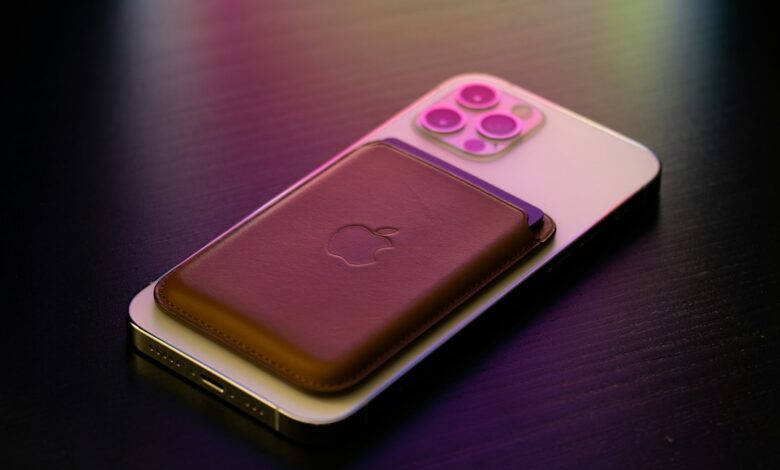
All iPhone 12 models are compatible with Apple’s magnetic charger, as well as many inexpensive third-party pucks. The speed at which an iPhone 12 charges will be determined by three factors – the model of iPhone 12 that you own, the type of charger you are using, and the power source you’re connected to. According to Apple, the maximum wireless charging capability of the iPhone 12 is 15W with MagSafe, and 7.5W with standard Qi pads, so while using a MagSafe charger for your iPhone 12 will allow you to charge approximately twice as fast compared to using a standard Qi pad, it will not charge as quickly as using a cable. Apple lists the iPhone 12’s wireless limits as up to 15W with MagSafe and up to 7.5W with ordinary Qi pads.
The downside for potential purchasers in 2026 is that Apple’s current MagSafe puck is advertised as a 25W charger, but this rating is not meant for iPhone 12s; it is designed for Apple Watch models. The iPhone 12 mini also has a separate charging specification. To solve this problem, determine the specific charging requirements for your phone before making a purchase.
What’s the difference between MagSafe, Qi, and Qi2 on an iPhone 12?
There are a variety of methods by which chargers can deliver power wirelessly to the device, without connecting the two via a wire. Apple claims that all iPhones beginning with the iPhone 8 and later support traditional Qi technology. This involves electrical energy being transmitted from the charging pad to the phone using electromagnetic induction. Setting your device in the centre of the charging pad will provide the best results because the Qi charging pad does not include magnets that would help to maintain contact. Therefore, if your phone vibrates due to a notification, it could cause the device to shift from the centre, likely stopping the charging process.
MagSafe has developed charging technology that utilises a series of magnets located on and around the charging coil. According to Macworld, the magnet ring finds alignment on its own, so the coils line up and less energy is wasted. The iPhone 12 models are considered the first devices to utilise MagSafe technology and can therefore be charged using the MagSafe charger manufactured by Apple.
Qi2, which is an extension of Qi technology, has been released by the WPC and is now the most current open standard for charging devices that support magnetic charging. The WPC has said that Qi2 charging provides up to a maximum of 15W of power to charge devices when using magnetic attachment, and that Qi2 brought 15W charging, however it also states that Qi2’s Specification V2.2.1, which will provide up to 25W of power, will be released on July 30, 2025. The 25W figure is the maximum capability of the new Qi2 products and is not necessarily the amount of power that all iPhones will be able to pull from the Qi2 charger.
The iPhone 12’s Qi2 status is a gray area, and different sources describe it differently. Macworld reported on 04/02/2024 that after iOS 17.4, its testing showed an iPhone 12 charging at MagSafe-level speed on Qi2 chargers, even though Apple never announced it. The Verge then wrote that the update made all MagSafe iPhones Qi2-certified, and ChargerLAB said the iPhone 12 models showed up with Qi2 certification IDs as of 05/21/2024. Apple’s own charge-speed guide recommends a MagSafe or Qi2-certified charger for faster wireless charging, but none of the Apple support pages reviewed here name the iPhone 12 as a Qi2 phone. In short, independent reporting supports 15W-class Qi2 charging on an updated iPhone 12, but Apple hasn’t said so itself.
How fast can each iPhone 12 model charge with MagSafe, Qi, or Qi2?
The table below displays the peak rates for each charger type. Each figure represents the maximum charge a device can receive at that point in time. However, the table does not indicate the time it takes to fully charge a device.
| iPhone 12 model | Apple MagSafe Charger | Qi2 or Qi2 25W charger | “MagSafe-compatible” magnetic pad (not certified) | Plain Qi pad |
|---|---|---|---|---|
| iPhone 12, 12 Pro, 12 Pro Max | Up to 15W with a 20W USB-C adapter, per Apple’s current product page | Up to 15W on iOS 17.4 or later, per Macworld’s testing and Belkin’s Qi2 list; not listed by Apple | Usually up to 7.5W, according to The Verge and Macworld | Up to 7.5W, per Apple |
| iPhone 12 mini | Up to 12W with the A2140 puck and at least a 9V/2.03A adapter, per Apple’s setup guide; other Apple pages say “up to 15W” | Belkin lists 12W; ChargerLAB lists a 15W certification figure; Apple says nothing | Usually up to 7.5W | Up to 7.5W, per Apple |
The iPhone 12 mini row comes with a caveat. Apple’s MagSafe setup guide, updated 09/18/2026, says the iPhone 12 mini can get up to 12W. In 2020, The Verge reported that the mini is limited to 12W based on Apple’s support document at the time. Apple’s mini spec sheet still says “up to 15W” for MagSafe, though, and the current product page uses one 15W figure for “iPhone 12 or later.” If you own a mini, plan around 12W and treat anything faster as a bonus.
The “MagSafe-compatible” column refers to chargers that have magnetic charging pads that are not officially certified by either MagSafe or Qi2 Technologies. Without such certification, The Verge states that the maximum charging rate possible is [no more than 7.5W], while Macworld also indicates that many of these chargers have a 7.5W limit.
A 15W peak doesn’t mean 15W for the whole charge. Apple says the power delivered varies with the iPhone model, the adapter, and conditions like temperature. Macworld explains that lithium-ion batteries take less current as they fill up, so charging slows down near the top. Macworld’s iPhone 12 Pro Max test from an empty battery is the best real-world example available. The Apple MagSafe Charger reached 30% in 38 minutes and 50% in 70 minutes. An Anker Qi2 charger reached 30% in 33 minutes and 50% in 64 minutes. That was a single test on one phone, and the write-up doesn’t list the adapter, room temperature, or battery health, so don’t expect those exact times.
What power adapter does an iPhone 12 MagSafe Charger need?
It should be noted that neither Apple Puck comes with a wall adapter. The adapter that you need will depend on which version of the Puck you currently own.
The Apple MagSafe Charger in its current incarnation is available in 1m and 2m cable lengths and includes a USB-C Connection. According to Apple’s Product Listing dated 10/06/2026, the iPhone 12 or later can support “up to 15W” when using a separate 20W USB-C Adapter. The 30W Adapter is for use only with the newer Compatible iPhone Models on the list starting with the Compatible iPhone 16 models. While a 30W Adapter will work with an iPhone 12, it does not increase the charging speed to more than 15W.
The older Apple Puck (which may be referred to as the “Apple A2140”) has some additional tools available for providing more detailed recommendations for adapters. Apple’s A2140 guidance on the Apple A2140 is that an A2140 needs a USB-C power adapter that is rated at least 20W or 9V/2.22A, or 9V/2.56A, for compatible iPhones. For the iPhone 12 mini, Apple recommends that your A2140 uses an adapter providing at least 9V/2.03A, although the A2140 will work with a 12W adapter (5V/2.4A) as well, but will charge slower than a 15W adapter.
While an adapter’s advertised wattage may seem adequate at first glance (for example: 9V/2.22A), you should consider actual performance numbers provided by each manufacturer. Each manufacturer publishes output specifications, which detail what voltage and current levels its adapters can deliver thru USB-C. Many times, manufacturers are required by law to provide this information about their products on an output label or within specifications. A 30W adapter that does not provide the required 9V level will likely result in performance levels well below maximum potential. Apple has established specific requirements for its products via its profiles, however, there is no formal warning for less-than-maximum performance using 30W adapters and other third-party adapters are likely to experience the same limitations. It is not a requirement that an Apple-made adapter be used with Apple products. Apple recommends that third-party adapters meet all necessary safety requirements and that purchasers look for an adapter that clearly identifies the certification required for the U.S. market, as well as an output label that indicates the profile’s specifications noted above. For the A2140, Apple additionally states that a user can connect to either a Mac or PC USB-C port. However, it should be noted that USB-C ports on computers and USB hubs often provide less power than a dedicated charger.
Will an iPhone 12 case affect MagSafe charging?
MagSafe cases are not necessary for your phone to wirelessly charge. In fact, power can be transmitted through most types of non-MagSafe cases. However, Apple recommends that you avoid using any type of case with a thickness of greater than 1/4 inch (6 mm) if you are looking for the best wireless charging experience. If charging is too slow or doesn’t work at all with a thick metal or battery case, Apple recommends removing the case and trying again. Additionally, when using a magnetic mount, magnetic case, or other objects that may be placed between your iPhone and the charger, Apple states that these may negatively affect the effectiveness of wireless charging.
When comparing case types, the difference is how well they grip the puck and their ability to allow power to be transferred. Cases that have built-in MagSafe magnets will hold the puck tightly against the phone. This will provide the most secure fit when charging. A regular case may still allow a slim case to charge, but the puck can be positioned loosely or not centered over the phone. Some thicker cases get in the way of MagSafe charging.
To determine whether your phone will charge on a MagSafe charger, remove any case and attached wallet from the phone and place the phone directly in the center of the puck. If the phone begins charging and continues to do so when placed without the case, the issue is with your case and not with your charger.
Keep in mind that wallet cases should never be used to store credit cards, security cards, passports, or RFID-enabled keys. Apple recommends you remove these items from your wallet case before placing your phone on a MagSafe charger as they may be damaged due to the strong magnetic field created around the charger.
How can you check if a MagSafe, Qi2, or Qi charger is compatible with iPhone 12?
The way the “MagSafe charger for iPhone 17/16/15/14/13/12” is set up means that these chargers likely have magnets that line up. What this title does not tell you is how fast the charger charges the device. A product with a certification that can be looked up in a database is the most trustworthy of the various labels you’re likely to encounter.
When asked what Apple MagSafe charger for iPhone to buy, there is no better choice than the Apple MagSafe Charger. According to Apple, they certify this charger to support both Qi2 25W and Qi, allowing up to 15W charging on an iPhone 12, plus charging iPhone 8 or newer and wireless AirPods case at Qi speeds. The mini caveat above applies here, too.
If you are looking for anything other than Apple’s puck, you will likely see most of the comparisons between “best MagSafe charger for iPhone” on Qi2 chargers made by other brands. The WPC advises that only Qi Certified products are legally allowed to be printed with Qi or Qi2 logos. Additionally, the use of terms like “Qi compliant” or “Qi compatible” indicates that the product has not been sufficiently tested. There is also the possibility that some products have printed these logos illegally. The WPC recommends that you look up the specific product in their certified product database using the brand name, product name, and type number to verify its authenticity. Keep in mind that the certification from the WPC does not guarantee the safety of a product.
Although Qi2 25W chargers will work with an iPhone 12, the extra charge speed won’t benefit that phone at all. According to Belkin’s product page, all iPhone 12- 15 model devices receive a maximum of [up to 15W] through a Qi2 charger. Only purchase if you intend to use this charger with a future device as well.
It is still perfectly acceptable to use your existing Qi pad or stand. The maximum charging speed of any Qi pad is 7.5W, which is adequate for charging overnight. A user of an iPhone 12 Pro Max mentioned on MacRumors, that he slow charges on a Qi puck at night but uses MagSafe and a wired connection at other times.
Before you buy, check these points:
- Your exact model. Settle whether you have an iPhone 12, 12 mini, 12 Pro, or 12 Pro Max, and plan around 12W if it’s a mini.
- The certification claim. Look for Apple MagSafe or Qi2 certification, and look up the exact model or type number in the WPC database rather than trusting the listing title.
- Your software. For a Qi2 charger from another brand, update to iOS 17.4 or later, since that’s the version Macworld’s results depend on.
- What’s in the box. Check whether a wall adapter is included. If not, confirm that the one you plan to use has the right output profile.
- Your case and accessories. Check whether your case holds cards or a wallet that would sit between the phone and puck.
- How fast you really need it. If the phone charges overnight on a nightstand, an inexpensive 7.5W Qi pad may be all the wireless charger for iPhone 12 you need.
Definitely, the form factor of your charger is just as important as how fast it can charge your phone. One user had upgraded their charging options to include MagSafe, and thus found the puck more difficult to both place and remove from and charging in the car while streaming media and using GPS to be a challenge. Another user, who also posted in the same thread, found that the magnets holding his phone in place at night prevented his cat from knocking it off the bedside table. All of these involve separate users giving their own experiences, and they demonstrate that different charger styles can complement different charging routines (i.e., a stand, a flat puck, and a car mount for example).
What should you check if iPhone 12 MagSafe charging is slow or stops?
While it is possible for a defective puck to cause slow charge times, most of the slowdowns are caused by the way the puck is set up. Try these steps in order, and check again after each one:
- Plug the charger in first. Apple says to connect the puck to power before putting the phone on it, so the charger can confirm it’s safe to deliver maximum power. If you did it in the other order, remove the iPhone, wait three seconds, and put it back.
- Check the adapter. Make sure it matches your puck’s required output profile from the adapter section. If your iPhone 12 runs iOS 18 or later, Apple says a Slow Charger message may appear when a higher-wattage charger would help.
- Remove the case and anything stuck to the back. That includes thick, metal, or battery cases, wallets, and magnetic mounts.
- Unplug anything connected to the Lightning port. Apple says that with accessories such as headphones connected, iPhone 15 and earlier charge at no more than 7.5W. If a power cable is also plugged in, the iPhone charges through the cable instead of MagSafe.
- Let a warm phone cool down. Apple says a hot battery can make software limit charging above 80 percent, and charging resumes when the temperature drops. Moving the phone and charger to a cooler spot helps. So does pausing games, camera use, or video streaming, which Apple says can reduce charging speed.
- Try a different charger, then follow Apple’s charging steps. Swap in another certified charger or test the puck with another phone. If neither works, Apple’s won’t-charge guide covers restarting, inspecting the cable and adapter for damage, and updating iOS before you seek service.
The slow charging near full battery will happen every time, therefore you need to focus on how fast it charges at 50% down, not at the end of charging. In the MacRumors thread previously referenced, one user was blaming the puck for only charging his phone at 65% after 5 hours of charging time. Another user had stated it took him 1 hour to charge his phone from 85% to 100%. A response in that thread concluded that it was common for charging to slow down when you are getting close to full charge. These were all reports from different people in 2020; therefore they do not indicate that there is a faulty puck. If you notice that the puck or phone is particularly hot (or just above warm), please discontinue using it and consult Apple or the accessory manufacturer.
Compatibility Before You Buy
MagSafe and Qi2-certified chargers used with any iPhone 12 will charge your phone at a maximum speed of 15W (12W for the Mini). You will not be able to get faster speeds using a charger rated 25W instead of one rated 15W from a MagSafe or Qi2-certified charger. Additionally, any third-party charger that does not have a certification for MagSafe or Qi2 will most likely only provide charging speeds of 7.5W. When you are shopping for a charger, make sure to check the certification information for the charger you wish to purchase, including looking up the specific model number. In addition, check the specifications of your USB-C adapter to ensure it has the correct output profile that Apple recommends for your device (the puck you will be charging with). Failing to do these checks may result in you being charged for magnetic charging, but receiving only the benefits of basic charging pads.
Frequently Asked Questions
Does an iPhone 12 come with a power adapter for MagSafe?
Apple’s website notes that iPhone models no longer include a power adapter in the box, and a MagSafe charger will need to be purchased separately with a USB-C adapter.
Will the MagSafe Charger also work with an older iPhone or AirPods?
Yes, the current MagSafe chargers (pucks) charge iPhone 8 or later at a maximum speed of 7.5W using Qi charging, as well as wirelessly charging AirPods with a wireless charging case. The snap-on MagSafe feature will only work with iPhone 12 and newer models that support MagSafe charging.
Why does my iPhone 12 sometimes stop at 80% overnight?
This is probably referring to the Optimised Battery Charging feature. According to Apple, the iPhone will learn your charging habits and will wait to finish past 80 percent until it is likely that you are going to need the phone. This feature will activate only after the iPhone has estimated that your device will be charging for an extended period.
Is a MagSafe charger safe near a pacemaker?
If you think that a wireless charger may cause interference with a medical device, you should first consult with the medical device manufacturer and your medical professional. Apple indicates that many medical device manufacturers recommend that at least a 30 cm (12 inch) gap is maintained between the medical device and wireless charger. If you suspect there is interference, discontinue using the charger.
