
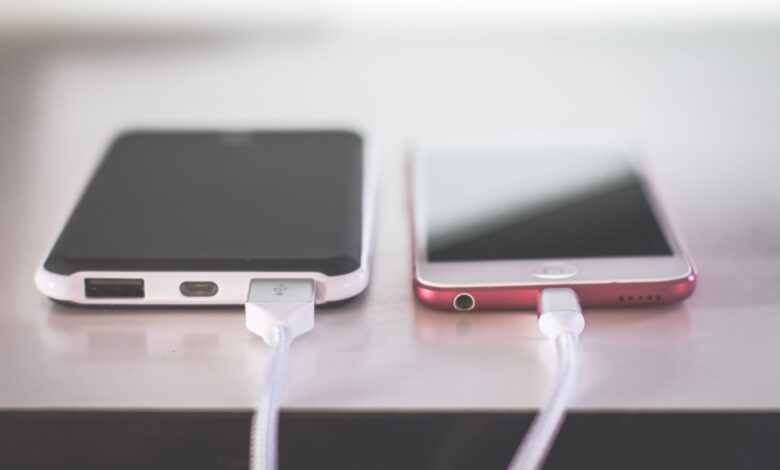
Your charger does not dictate the speed at which your phone will charge; rather, it is the phone that does so, generally requesting much less than the charger can deliver. When you plug the charger into your phone for the first time, the two devices negotiate briefly to agree on the voltage and current they will use to charge the phone; ultimately, the voltage and current request of the phone wins out.
This explains why simply swapping chargers often has no effect. The difference is between three sets of numbers – those printed on the box of the charger, those entered by both devices into the agreement, and the actual power going into the battery at any given time. According to USB-IF, the wattage printed on the charger box is a value the manufacturer has published, while the wattage actually used is whatever the charger can provide and the amount the phone can draw. When considering these three types of numbers, it becomes clear why a slow charge does not have to be mysterious anymore.
Is your phone actually charging slowly?
It is important to first determine whether your device is failing or functioning normally before you replace its parts. Two things are commonly mistaken for issues when, in fact, they are not problems at all:
The first is the slowdown near the top. Apple states plainly that iPhone gradually reduces the charging current as the battery approaches full, which is why the last stretch to 100% can take longer than the first half did. Every phone does some version of this. If your charge is quick to 50% and crawls after 80%, that’s the charging curve, not a failure.
The second thing that is easily misread is the text that appears on the display when charging is taking place. Almost all modern mobile devices now incorporate a display screen that will indicate the current status of the charging process, and the exact wording will provide specific information as to what the charging condition is for that specific charging source.
| What you’re using | What you see | What it actually means |
|---|---|---|
| iPhone, iOS 18 or later | “Slow Charger” on the Lock Screen | Apple’s own definition of iPhone charge speeds: a higher-wattage charger could charge it faster, and this “doesn’t mean that there’s anything wrong with your iPhone or charger.” It appears with a wired charger supplying 7.5W or less, or a wireless charger under 10W. |
| iPhone, iOS 26 | “Incompatible Charger” | A separate message from the one above, shown when the connected charger isn’t suitable for the iPhone. |
| iPhone, iOS 26 | An estimated time to full, in Settings and on the Lock Screen | Not a warning. It’s the phone’s own projection, and it’s the cheapest way to compare two chargers back to back. |
| Galaxy | Charging status shown under the battery information | Samsung documents heat, connected accessories, charging settings, debris in the port, and battery protection as reasons a Galaxy may appear to charge slowly or stop charging. |
You may be trying to investigate why your device has an overall lack of notifications or performance, instead of troubleshooting an error message or trying to use it more efficiently. If your device has a slow charge suddenly, but you’re still using the same charger and cable as before, it is worth examining further and potential root causes of the issue. Otherwise, if your device has been charged at this speed consistently, then this is likely the highest speed possible with the phone, charger, and cable combination.
Why your phone never charges at the advertised wattage
The charging adaptor number represents an offer to be charged and not any indication of actual charging. The USB Power Delivery (the standard nearly every new mobile device and charger connect with today) operates via negotiation; namely, the charging source provides a list of available power to charge the receiving device, the receiving device selects an option from that list based on its configuration, and once the charging source receives the selected option it changes its profile.
The above description defines three different numbers to distinguish.
- Advertised. The figure printed on the brick. USB-IF compares this rating to the wattage marking on a light bulb, calling it a manufacturer-declared value placed on the source packaging. It describes a maximum the charger is capable of, under conditions that may not be yours.
- Negotiated. The contract the two devices agreed on. Power Delivery offers fixed supplies at 5V, 9V, 15V, and 20V depending on the charger’s rating, and the current available at each depends on both that rating and the cable’s own rating. A charger and phone that never agree on anything above the default sit at 5V and go nowhere fast.
- Live. What’s actually crossing the cable right now, which the phone lowers whenever it decides it should.
The negotiated number is where most “fast” chargers quietly fail. Samsung’s Super Fast Charging is built on Power Delivery’s Programmable Power Supply extension, which lets the phone fine-tune the voltage it asks for rather than picking from a fixed menu. That extension is the requirement. As Android Authority puts it in its explainer on Samsung’s charging standard, a standard Power Delivery charger without it will be capped at 18W on a Galaxy. The adapter can be rated 65W and still lose to a cheaper one that speaks the right protocol, because the phone will not request a profile the charger never offered.
Conversely, Apple’s iPhone 15 and later models have a ceiling on the maximum charging speed from a USB-A charger of 7.5W, regardless of how much power the USB-A charger can supply. As with all USB chargers, a USB-A charger has no way to negotiate with the phone to get a higher charging rate because the connector is the limiting factor.
The most a supported device can charge for any period of time is rarely at the maximum power rating provided by either charger or device. In its testing of the Galaxy S23 Ultra, a device officially rated for 45W, Android Authority measured the actual power draw of the Galaxy S23 Ultra at around 30W for the majority of the time during the charge cycle. Peak ratings may only be reached for a brief moment immediately after the connection is made and do not reflect continuous charging rates for the duration of a one-hour charge cycle.
Test the charger and cable before you blame the phone
Work through the accessories in order and change one thing at a time, or you’ll end up guessing. Each step below isolates a single link in the chain.
- Move to a wall outlet. Samsung’s guidance is direct: for the fastest charging time, connect your adapter to a power outlet, because plugging the USB cable into a computer or another device will lengthen the charging time. Apple notes the same pattern for charge ports in hubs and cars, which might charge slower than a dedicated charger.
- Use one port at a time. Apple states that multi-port adapters, computers, and hubs might reduce the maximum output available depending on the combined power needs of everything connected. A multi-port charger divides a total budget between its outputs, so the second device you plug in can take power away from the first.
- Check that the adapter speaks your phone’s protocol. For Super Fast Charging, Samsung specifies a 25W or 45W Samsung-approved adapter, and its US listing for the faster tier is the 45W PD Power Adapter with 5A USB-C Cable. Wattage alone isn’t the qualification; the supported protocol is.
- Swap the cable last, and swap it for a known-good one. Daniel Gauthier, who documents his charger-testing rig at USB Connection Information, is blunt about why cable choice decides the result: a cheaper 60W cable, he writes, “would silently cap everything at 3 A and I’d be publishing the cable’s limit while claiming it was the charger’s.” His testing methodology was developed on a MacBook Air rather than a phone, but the cable rule applies to any USB-C device.
The previous element addresses an item normally missed by standard troubleshooting guides. An individual cable with no E-Mark chip does not have a restrictived wattage rating; this cable has only a 3A current limit. Since Power is equal to voltage times current, therefore, this same 3A cable can carry 15 watts when connected to a 5-volt power supply and 60 watts when connected to a 20-volt power supply. Many fast chargers used by mobile phones operate at a 9-volt or 12-volt rating, which means that, in the case of standard 3A rated cables, the cable is not the limiting factor for your fast-charging capabilities (except for Samsung’s 45-watt tier). The Samsung 45-watt tier uses a 5A rated cable to achieve the maximum charge rate; hence, Samsung supplies such a cable with its chargers.
Before purchasing a new wall adapter, ensure that you reference the charging limit put out by the manufacturer for your particular device. Many owners have spent a considerable amount of money trying to solve this issue without taking into consideration the aforementioned charging limit. An owner posted in the Samsung Members community under the topic title “S25 not charging at 45W,” with the statement “my S25 won’t charge up to 45W. I’ve used several different 45W chargers.” Later, he added “I broke down and bought a genuine Samsung 2.0 charger. Still doesn’t work.” The highest charge achieved was 21W. Regardless of the issue presented in this specific case, the commonality among all the owners posting on this thread is the tendency to spend a great deal of money on hardware before finding out the charging limit of their devices.
What your phone is doing to slow the charge
The only remaining potential cause for charging problems with your device is the phone itself – which has multiple independent reasons to slow down the power being delivered to it when charging that are completely unrelated to any problem.
- Battery protection settings. Apple ships Optimized Battery Charging enabled by default, and Samsung offers a Protect battery option that holds the charge at 80%. Samsung also notes that from the Galaxy S23 series onward, the separate Fast charging and Super fast charging options were combined into a single Fast charging setting, so one toggle now governs both.
- Temperature. Apple recommends an ambient range of 62° to 72° F (16° to 22° C) and warns against using or charging a device above 95° F (35° C). It also states that software might limit charging above 80% when the recommended battery temperatures are exceeded. A phone in a car mount in direct sun is being managed, not broken. If yours runs hot every single time it charges, that’s a different question from this one and worth chasing separately.
- What you’re doing while it charges. Apple specifically names graphics-intensive and processor-intensive apps, games, the camera, and video at high brightness as activities that slow charging. The battery is charging and discharging at once.
- The source you picked. Samsung notes that fast charging may not work when the phone is connected to a PC or a standard USB device, independently of which cable you used.
- The port itself. Debris in the connector is a documented cause, and Samsung also lists moisture detection, where the phone deliberately halts or limits charging after detecting liquid in the port.
If a cell phone is charging extremely slowly on all of the known-good chargers, cables, and power outlets, it is no longer considered an accessory issue. As this is a more significant issue, it should be escalated to the correct level, and further details on the escalation process can be found in this document.
Why wireless charging is slower — and what caps it
On most smartphones, wireless charging takes longer than a high-quality wired connection, and there are particular solutions for some of the reasons.
One key reason that many users have control over, yet ignore, is alignment. Wireless charging uses two coils to transfer power; therefore, if you move your phone off-center, you weaken the coupling between the two coils, thus a charging pad that is nominally fast becomes slower due to decreased power transfer and increased waste heat generation. Thick cases, metal plates used for car mounts, or cards inside wallet cases significantly impede power transfer between the charging pad and your phone.
Additionally, the specific tier of a charging pad is significantly more significant than the advertised wattage of that charging pad. Apple has stated that a MagSafe Charger and a Qi2-certified wireless charging pad will provide the fastest wireless charging speed, whereas any charging pad that provides less than 10W (such as the Qi1-certified charging pad) will take longer to charge. A coincidental rule that most people fall into is Apple’s regulatory standard; using a USB-C or Lightning accessory while charging your phone wirelessly will limit your phone’s ability to charge at 7.5W. When headphones are plugged into a phone, fast wireless charging will be cut in half.
According to the Wireless Power Consortium, which manages Qi (“chi”) product certification, the words on the package actually mean more than most consumers know. The consortium takes a strict approach to distinguishing between products that have been tested and certified by the consortium versus those that claim to be compatible with Qi using language like “Qi compliant,” “Qi compatible” or “Works with Qi.” This type of language indicates to the consumer that the product in question has not been rigorously tested and certified for Qi functionality. The consortium points out that although there is no logo on the packaging as an indicator of certification, and therefore, the product does not have Qi certification, the existence of a logo does not provide conclusive evidence that the product is Qi certified because other companies may use the logo without permission. Consumers can find products with Qi certification by searching the consortium’s certified product database; the search takes less than a minute. The consortium also makes it clear that while the certification process provides assurance of a product’s interoperability and has been through a robust and rigorous testing procedure, Certification itself does not indicate the safety of a product.
How to tell if your phone is really fast charging
The charging icon tells you power is flowing. It tells you nothing about how much. Two checks close that gap, and the first is free.
- Read the phone’s own estimate. On iOS 26, Apple surfaces an estimated time until the battery is charged in Settings and on the Lock Screen. Start from a similar battery level, try one charger, note the estimate, then try the other. Android battery settings expose a comparable charging status. The number is a projection rather than a measurement, but it is a consistent way to rank two setups on the same phone.
- Put an inline USB power meter between the charger and the cable. These sit in the line and display live voltage, current, and wattage. Because Power Delivery’s fixed supplies step up to 9V, 15V, and 20V, a reading that stays at 5V tells you the two devices never agreed on a fast profile at all. The question comes up constantly among people who own these tools; in one r/UsbCHardware thread on power meters, a reader asks exactly what to look at: “When looking at these what really do we need to see to make sure the charger is charging at higher speed ?. Is it amps, W or Volts?” The answer comes from the standard, not the thread: voltage tells you whether a contract was negotiated, and wattage tells you what you’re getting under it.
It’s crucial to measure your device’s charging capabilities at the correct time, or you may incorrectly interpret your charger performance. Gauthier’s experience proves this. He points out that if a Mac is charged to nearly 100%, it will decrease the rate it requests a charge, resulting in your charger being able to provide more than needed. The best time to measure would be between approximately 20%-60% of charge:
The matrix below provides specific guidance on where to look first based on what you’re observing regarding your charging speed. It includes all the elements this article identifies as contributing to charging speed: charger, USB cable, power source (outlet), device settings and operating temp, and wireless signal. It is assumed that the accessories in your possession are authentic and undamaged.
| What you’re seeing | Most likely cause | What to check |
|---|---|---|
| Meter reads 5V and never rises | No fast profile was ever negotiated | Adapter protocol support, cable, and whether the port is USB-A |
| Fast to 50%, slow after 80% | Normal charging curve, possibly a charge limit | Optimized Battery Charging or Protect battery settings |
| Slow only when plugged into a computer, hub, or car | Source can’t supply or must share its budget | Move to a wall outlet with nothing else connected |
| Slow with every charger and cable you own | Phone-side limit, settings, or hardware | Settings, port debris or moisture, then service |
| Charges fine cold, slows when warm | Temperature management | Ambient temperature, case, and what’s running on screen |
| Wireless only, phone barely gains charge | Coil alignment or an uncertified pad | Center the phone, remove the case, check the pad’s certification |
| Wireless dropped to half its usual rate | An accessory is connected | Unplug wired headphones or accessories while charging |
| Was fast, now slow, same setup for over two years | Battery wear or a developing fault | Battery health reading, then service |
When it’s a worn battery or a real fault
Two different problems end up at the same place, and telling them apart changes what you should do about it.
A worn battery has a recognizable signature:
- The phone charges more slowly than it used to on hardware that hasn’t changed.
- It also drains faster than it used to, often noticeably so.
- It runs warmer than it once did during ordinary use.
A hardware fault looks different:
- Charging behavior is erratic or fails outright across several known-good chargers, cables, and outlets.
- The phone charges on one cable at one angle, which points at the port rather than the battery.
- Nothing changes after a restart or a factory reset.
Apple expects wear on batteries due to chemical aging, and advises against charging batteries over 95 degrees Fahrenheit (35 degrees Celsius) as this will greatly impact the longevity of the battery. If you suspect your battery is wearing down based on symptoms of slow charging and fast draining, you should learn more about how to troubleshoot that particular type of issue.
If the phone looks damaged from physical damage, please stop troubleshooting until you seek assistance. According to the NFPA’s lithium-ion battery guidance, you should not use a device with any signs of damage, e.g., abnormal odor; excessive heat; popping sound; bulging; discoloration. You should take your device to a professional for all repair work. If there are even slight indications of a swollen or bulging battery, do not charge or open the device; do not leave it plugged into a wall outlet until it is diagnosed. Additionally, remove the device’s back or front cover if you see any signs of separation from the phone frame.
For anything else, you’ll need to go back to the manufacturer. Samsung states that if you’re still experiencing problems with your battery, especially if your battery life has drastically decreased, you should bring your phone to a Samsung service center to check for possible hardware problems. Apple’s warranty offers battery replacement service if the battery is defective and also gives rights under local consumer laws for battery-related issues, but general wear and tear from chemical aging will not necessarily qualify as a defect. Before paying a diagnostic fee, check to see if your warranty still applies; looking up your warranty is free.
What changes the charge rate
The charger determines the maximum available power for charging your device while the phone’s hardware and software settings determine the amount of power drawn from the charger. All other factors, including cables and ports, external temperature, etc., affect how much of the maximum charging capability can be realized when you connect your device to an outlet or wireless charging station. Before spending any money on additional charging products, you should search for the manufacturer’s support page for your specific device and determine the current recommended charging specifications for your device. After verifying these specifications with your charging kit, you should also confirm that your charging kit is compatible with the recommended specifications for your device by consulting the Wireless Power Consortium Certified Product List or the USB-IF Certified Product List for cables and chargers. These steps are free and will eliminate the vast majority of the products that people try to buy to improve the charging speed of their devices. If the current charging figures for your setup indicate that it is already operating at maximum capacity, then your device will not be charging slowly; it will be charging as quickly as it was designed to charge.
Frequently Asked Questions
Can a higher-wattage charger damage my phone?
The answer is no. A phone will request a profile through USB Power Delivery; therefore, if a charger has a 65W adapter, but the phone requests only 20W, the adapter will provide only the requested 20W. The additional 45W of power is not used.
Why does my phone charge so slowly from a laptop or car?
The two are both power sources that have either limited or shared power sources. Samsung recommends that the adapter be connected to a wall outlet instead of a computer or another device, because this will take significantly longer to charge. According to Apple, however, hubs and vehicle charging ports may have slower charging speeds than a dedicated charger.
My phone started charging slowly right after a software update. Is that normal?
Yes. You can either enable or disable Battery Management Features like Optimized Charge and Protect Battery through a Software Update. They both deliberately slow or stop your charge process. Check those settings first before doing anything else.
Does the fast-charging icon mean I’m getting full speed?
No, the symbol indicates that power is passing through the cable; it does not provide an indication of how much power is being used. An in-line USB power meter will give you a live readout of both voltage and wattage; if the meter reading is always 5 volts, then there has been no successful negotiation for any type of fast charge profile.
